
Made for you and your business.
Whether it's your personal budget, a side hustle, or a one-person business, Neo-Capital keeps your money in order without the spreadsheets. Sync your bank or drop in a statement, watch transactions sort themselves, and walk into tax season with every deduction already found. Personal and business, side by side in one app.
Windows + macOS · One-time payment · 30-day money-back · No subscription, ever
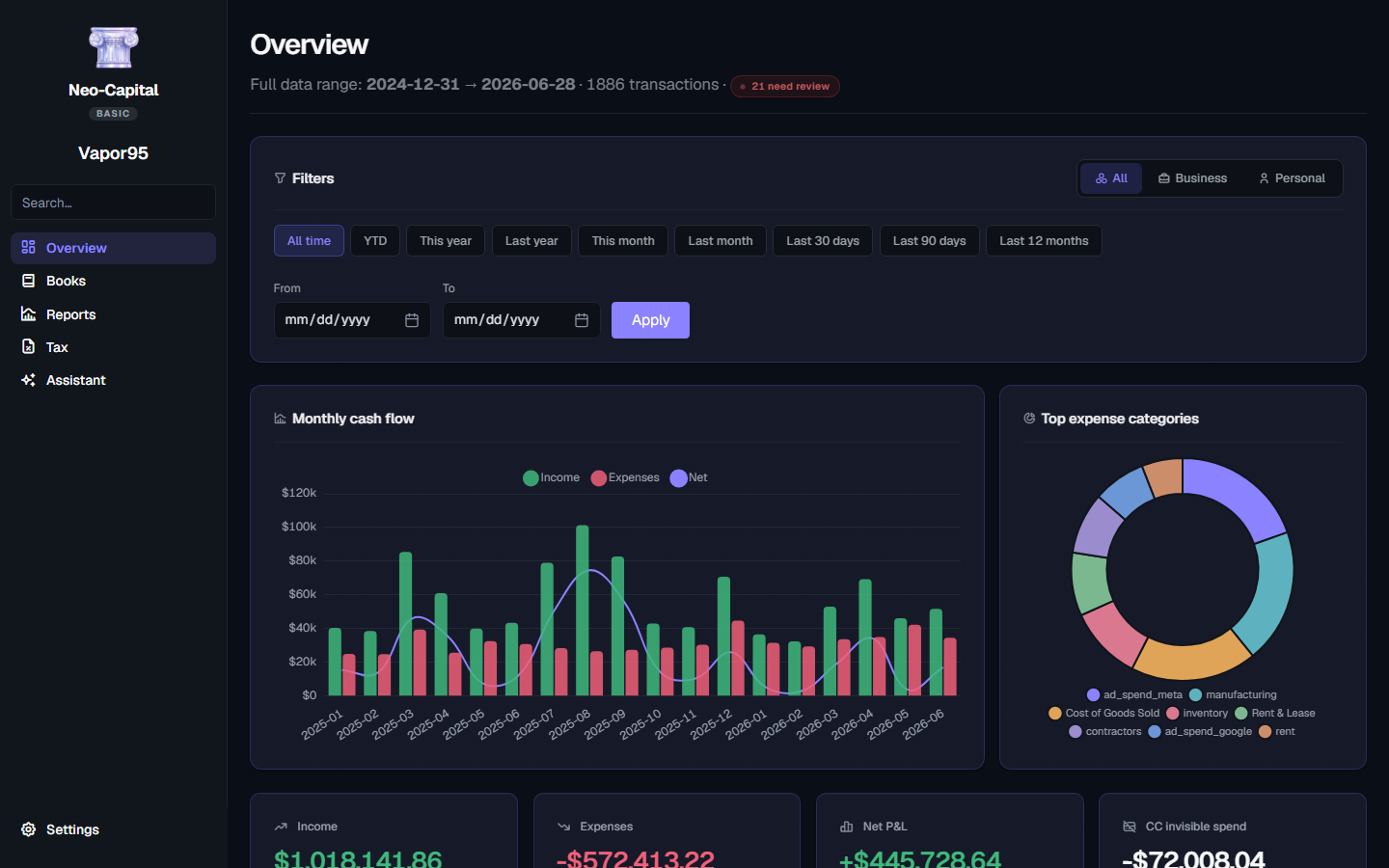
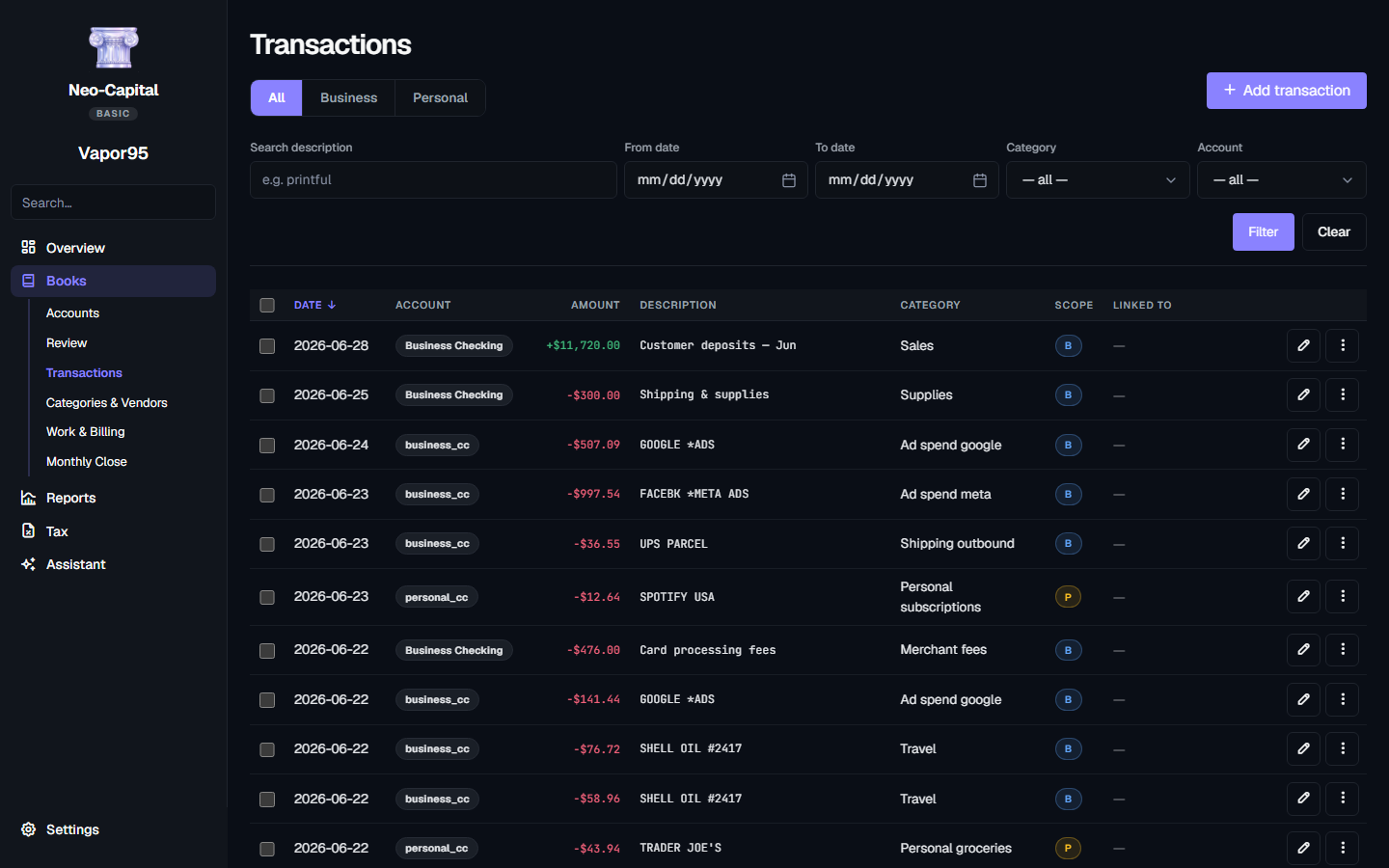
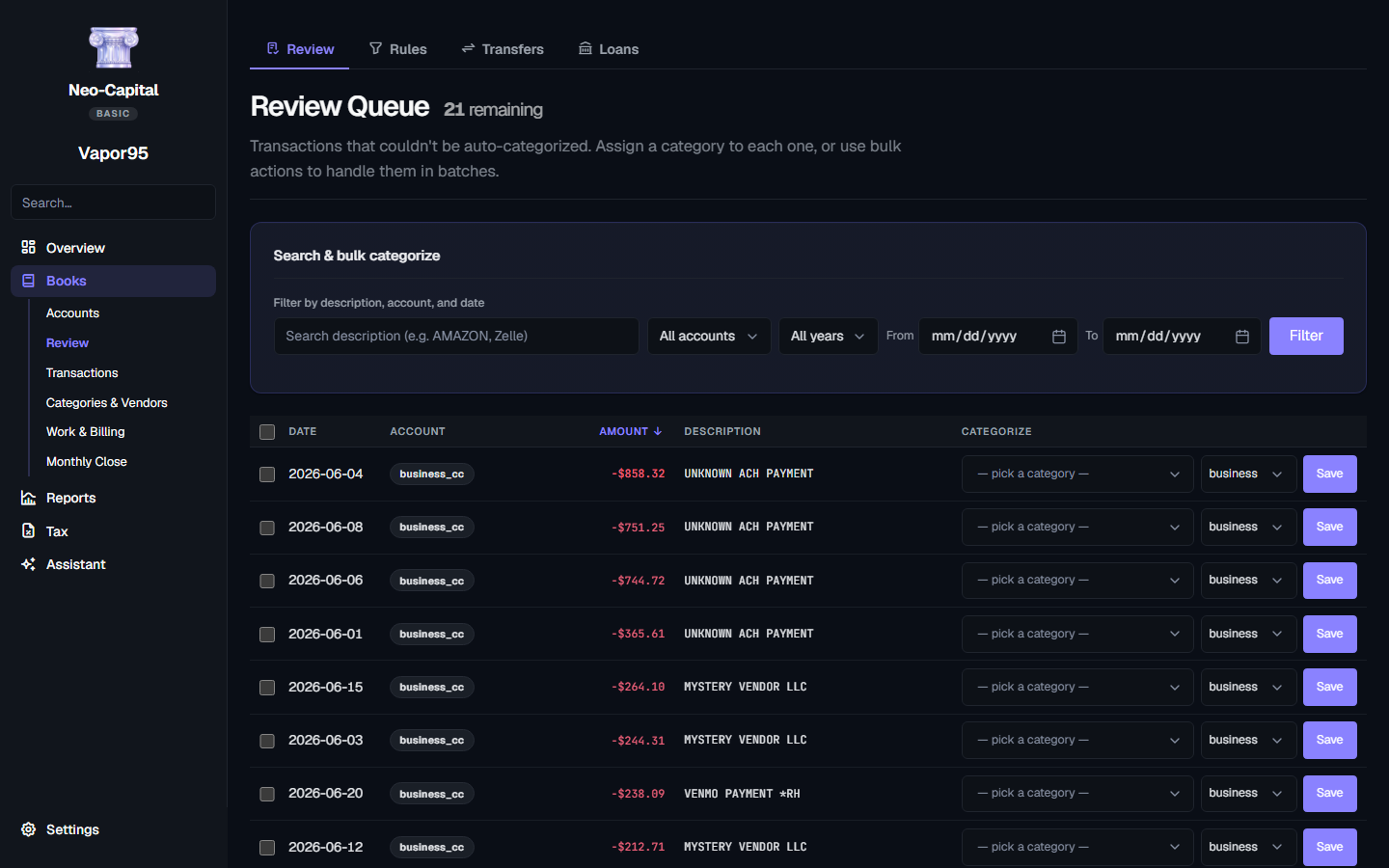
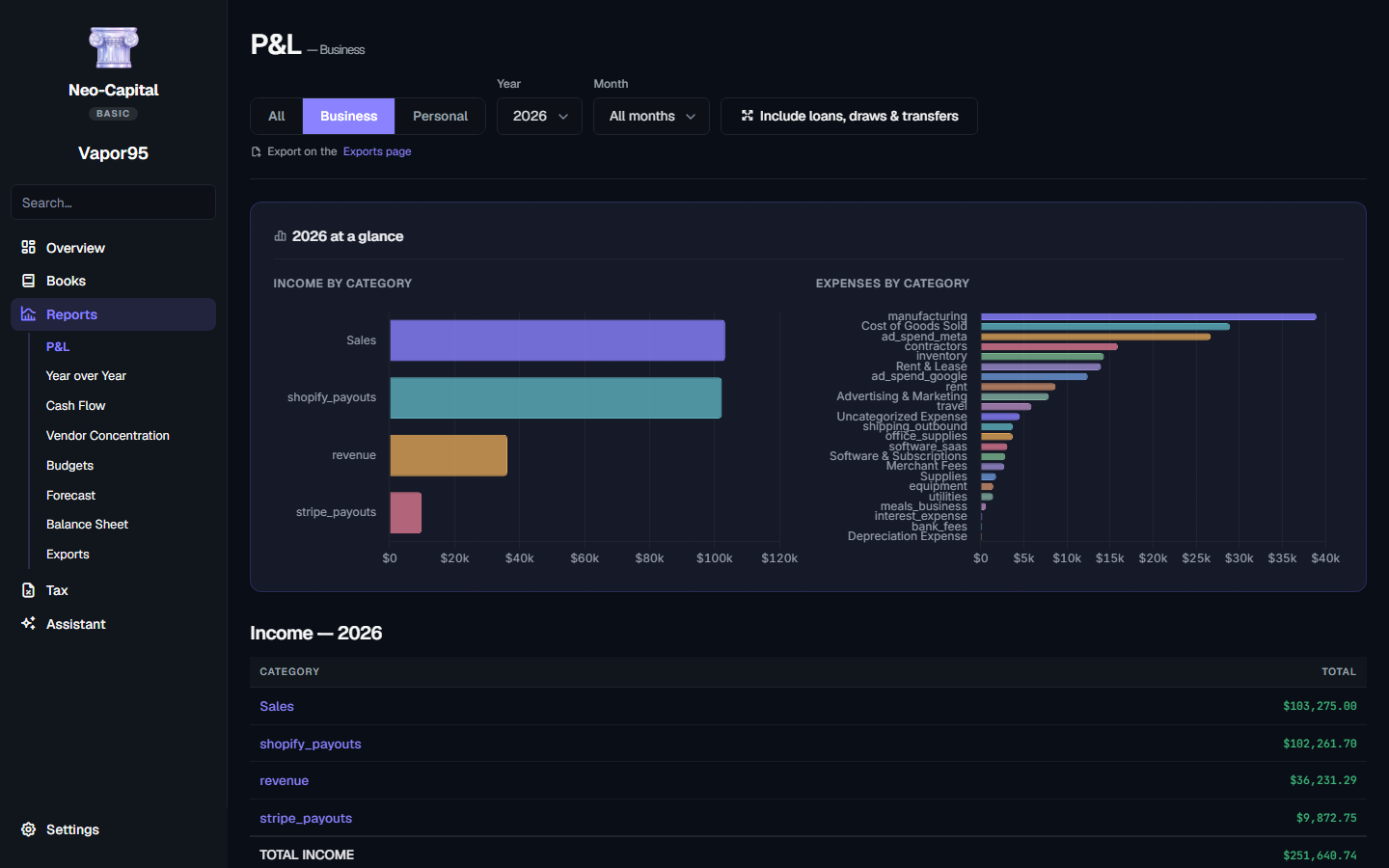
Every page does one job, well.
Basic — clean single-entry bookkeeping, reports, and tax for one business.
Real double-entry books, without the double-entry.
Most “easy” accounting apps hand you a toy ledger you'll have to escape later. Neo-Capital starts you on the real thing — proper, always-balanced books — and just hides the cockpit until you want it. You tag; we keep the ledger.
You said what it was.
You import a −$150 card charge and tag it “Office Supplies.”That's all you do.
You never typed a debit or a credit. Transfers between your own accounts and customer payments are routed correctly too — so nothing gets double-counted as income.
No cash-vs-accrual headache
For the way you work, it's the same number. Cash and accrual only differ once you're sending invoices or entering bills — and that's exactly when Pro shows up with a toggle. Until then, your books just show you one honest answer.
- Always balanced, always yours
- Audit-grade books from day one
- Hand it to your CPA without translating a thing
Business · Personal · All — a switch for every view.
Your business and personal life share a wallet — a client lunch on the personal card, groceries on the business account. Neo-Capital gets it: we sort each transaction by what it actually was, then let you flip between three lenses on one set of books.
Business
Your clean, tax-ready picture — the Schedule C world your accountant lives in.
Personal
Your life. Personal charges on a business card land here as an owner's draw, automatically.
All
The full, combined truth of where your money goes — both sides, one view.
Genuinely mixed? Split a transaction down the middle in two taps. Tax tools see only the business; you see everything. One ledger. Three lenses. Zero spreadsheets at tax time.
Built for the way solo businesses actually run.
One desktop app — from import to year-end CPA hand-off — with sensible defaults for tradesmen, agencies, e-commerce, creators, and freelancers.
Automatic bank sync
Connect once through SimpleFIN (open, read-only) and new transactions pull in automatically — or drag in CSV/PDF statements. Your bank credentials never touch the app.
Auto-categorize 80%+
Built-in rules know FACEBK, GOOGLE ADS, USPS, every major card payment. Most rows categorize on the first pass; review the rest and bulk-fix a whole batch at once.
Personal & business, one switch
Run business and personal money in one app. Each transaction is sorted by what it was, not which card you swiped — a client lunch on your personal card still counts as business. Flip one switch for Business, Personal, or All.
Tax deduction finder
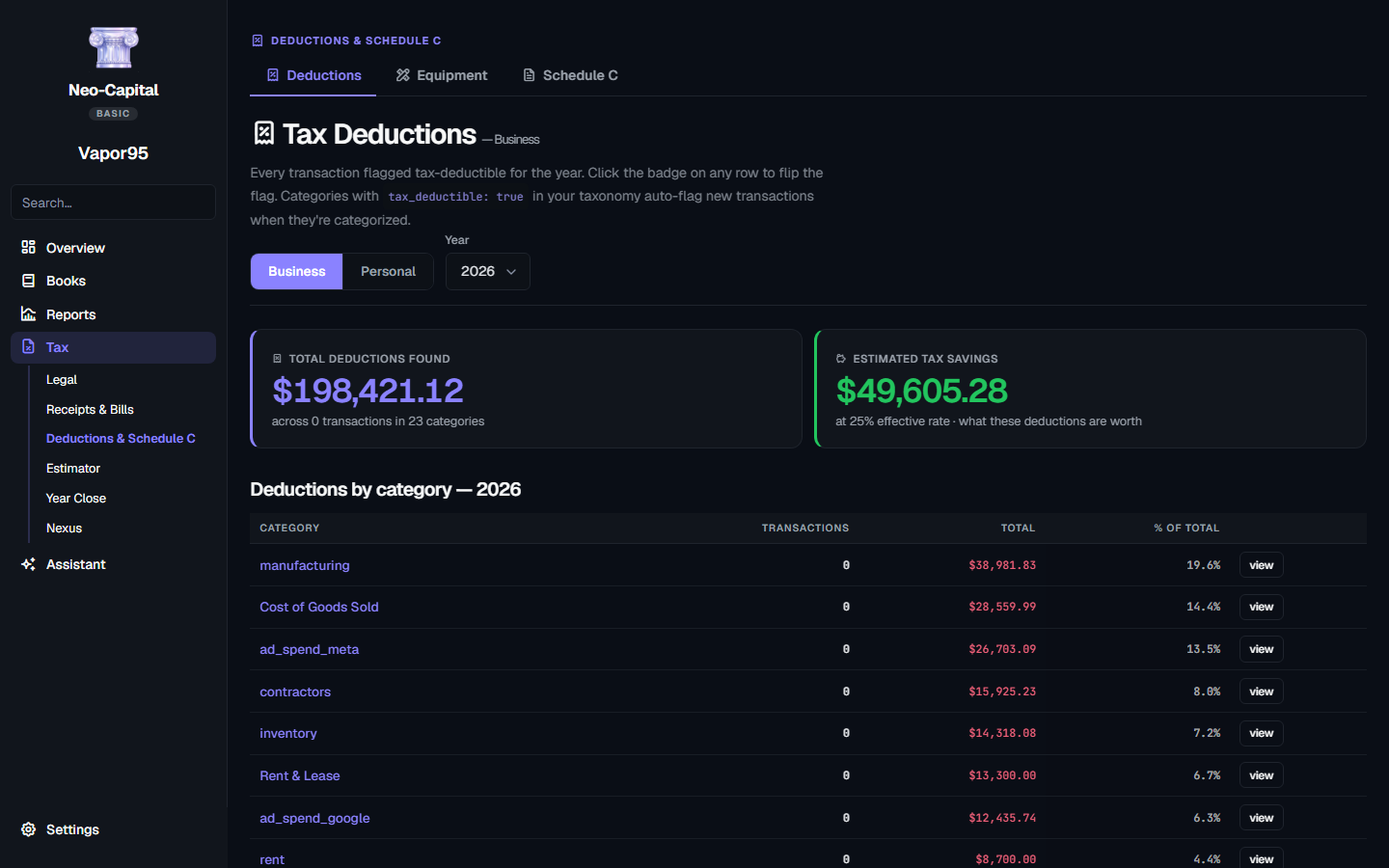
A running deductions total, a per-category breakdown, and a banner that bulk-fixes any transaction that should be deductible but isn't flagged. Real money back.
Clear reports
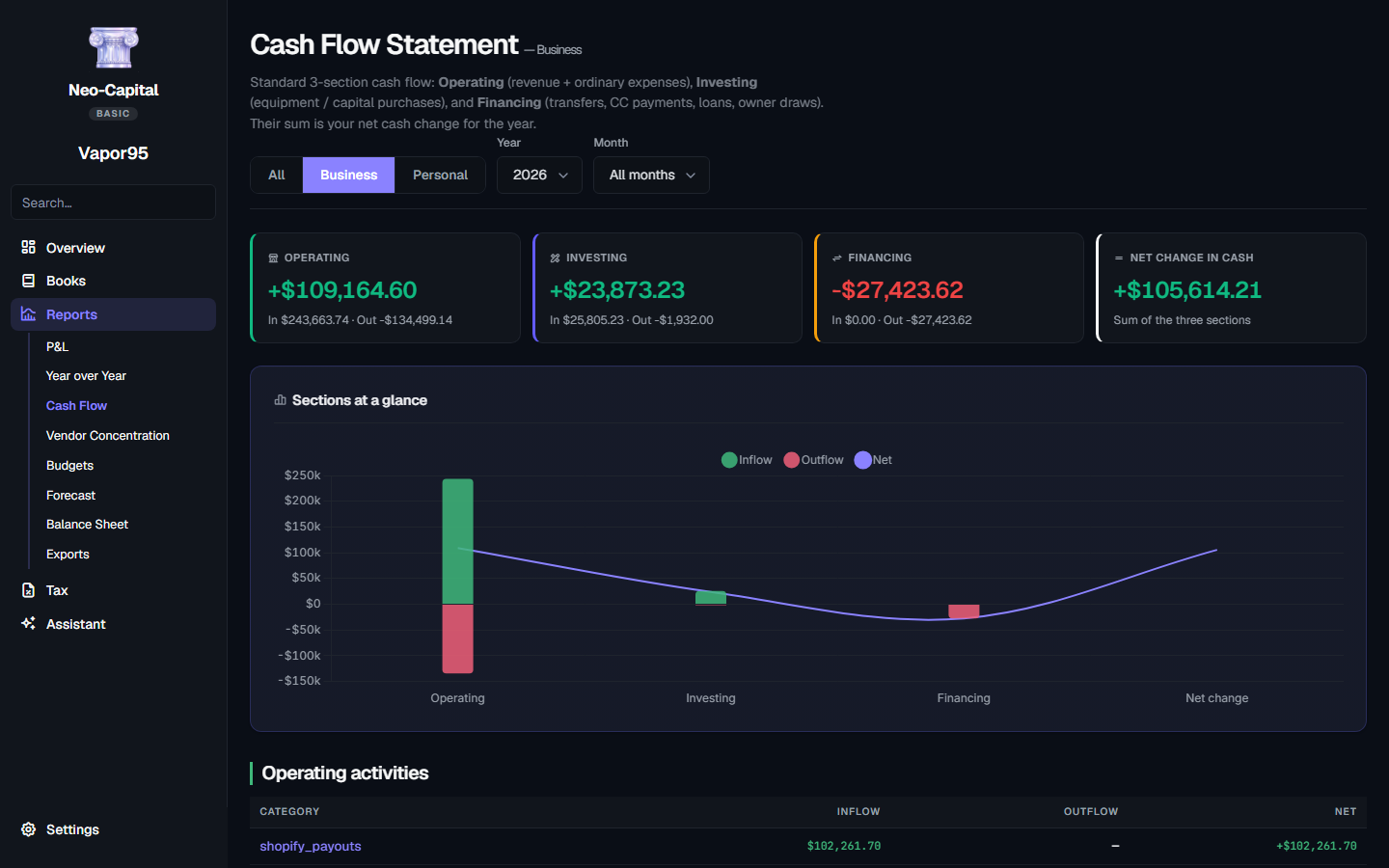
Profit & Loss, Cash Flow, Year-over-Year with biggest movers, and Budget vs Actual — the numbers you need to actually understand your money.
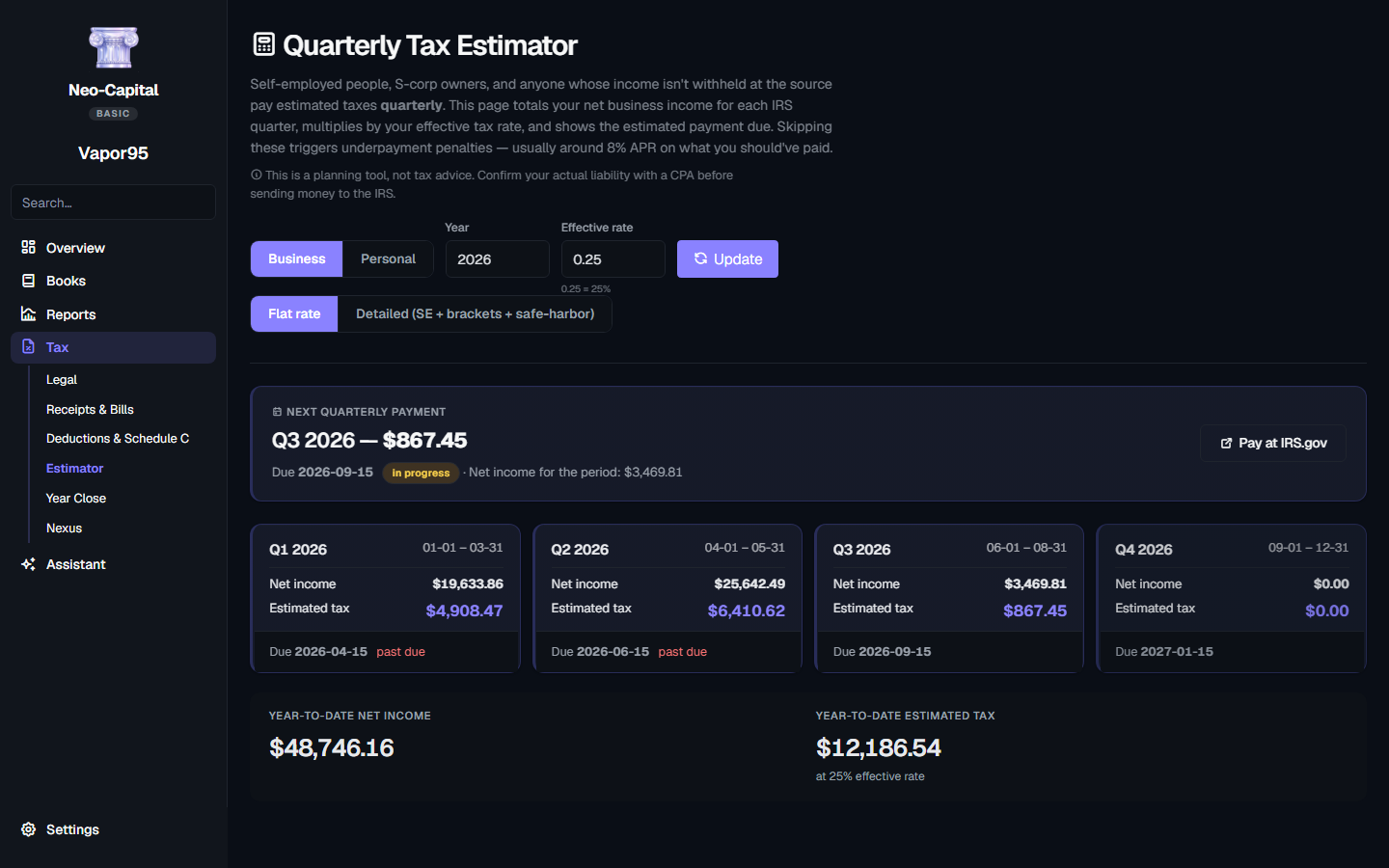
Quarterly tax estimator
Year-to-date net × your effective rate, split into the four IRS quarterly deadlines. Skipping these costs ~8% APR — most small-biz owners blow it.
Mileage tracker
Every business mile is a deduction at the IRS standard rate (~$0.70/mi). Log a trip in 5 seconds, claim thousands at year end.
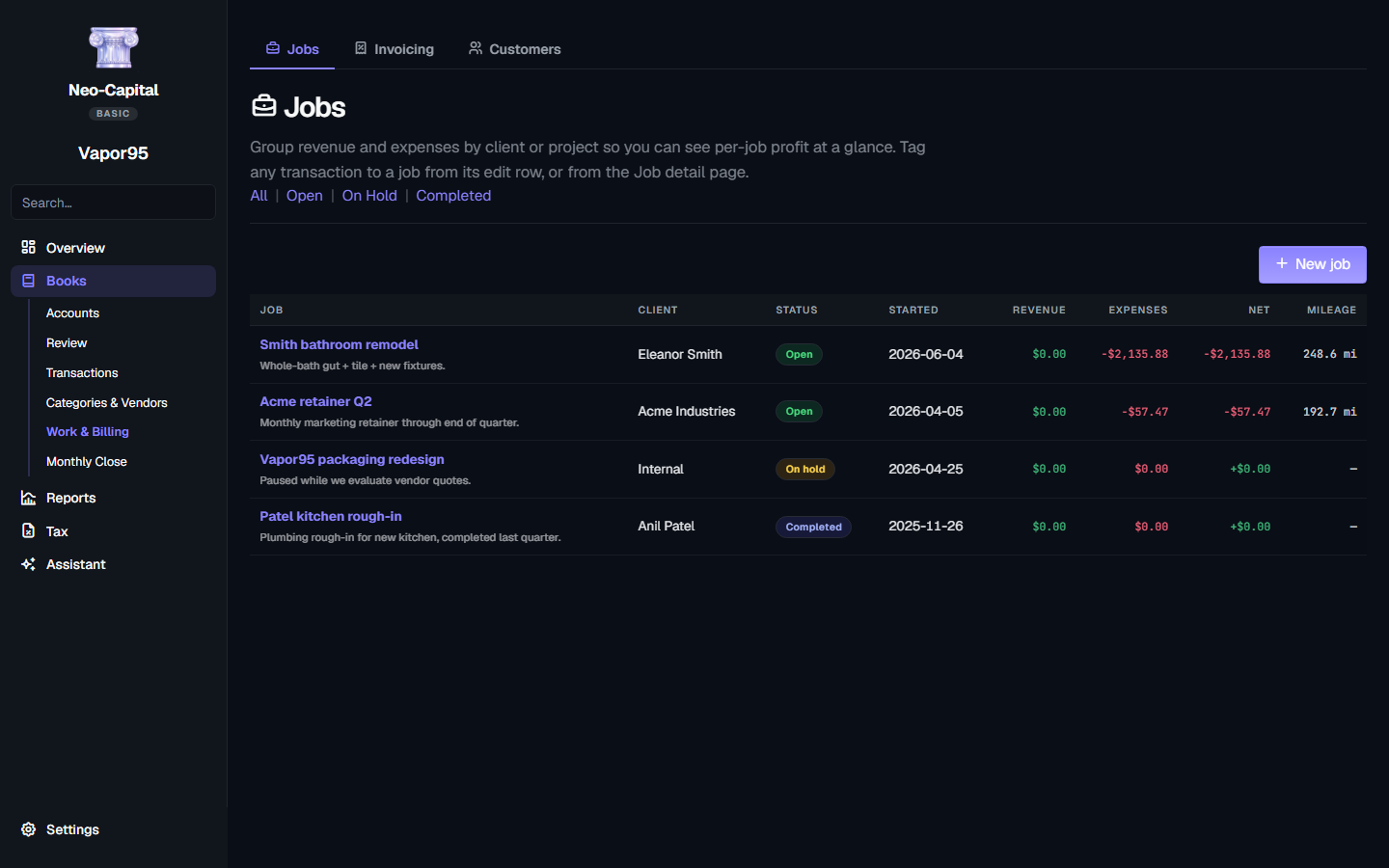
Job & project tracking
Tag transactions and mileage to a job and see per-project profit at a glance — what did that remodel, gig, or campaign actually net?
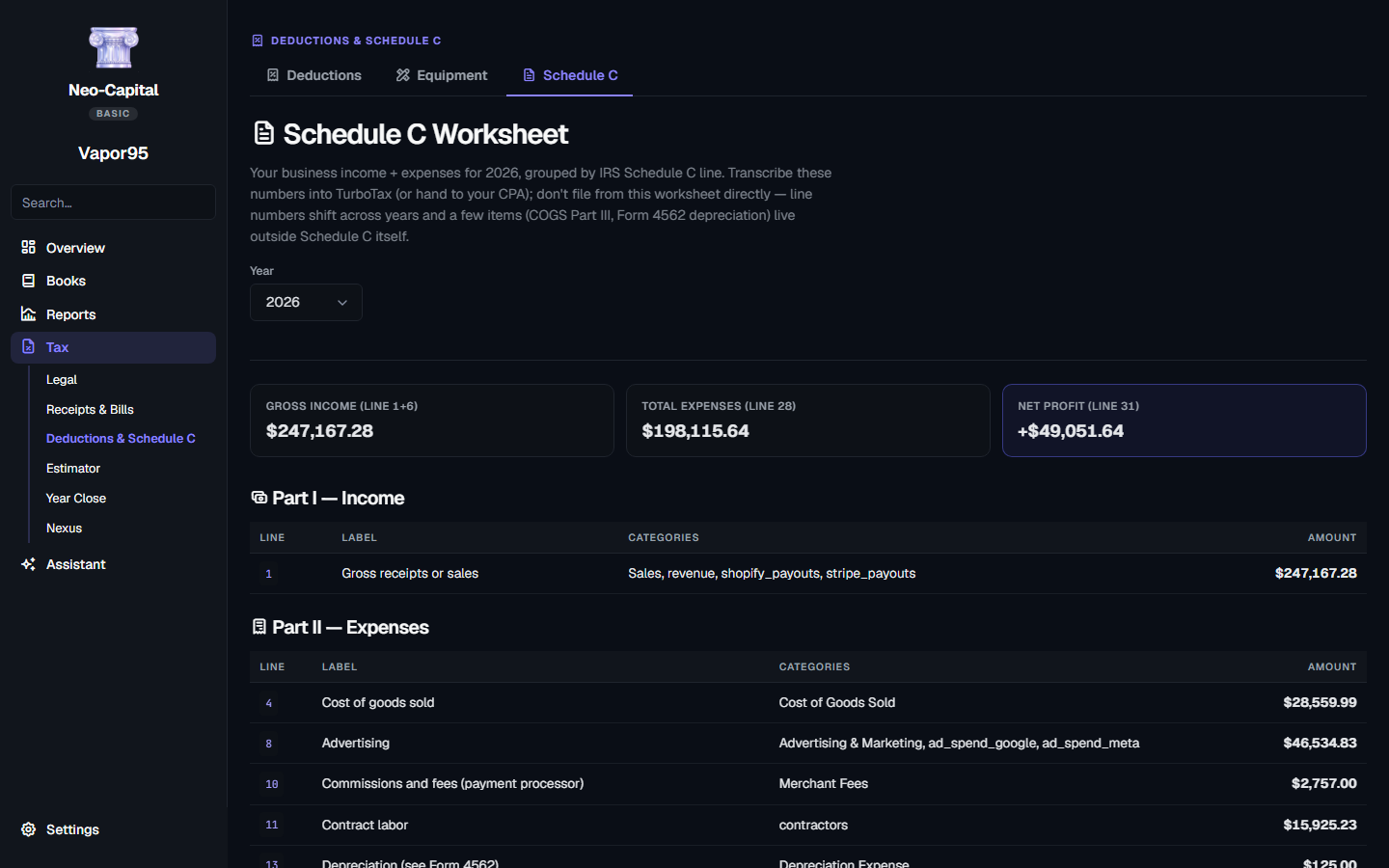
Schedule C & 1099 ready
Income and expenses mapped to IRS Schedule C line numbers, plus auto-flagged contractors paid $600+. Transcribe the return in minutes or hand it to your CPA.
Budget vs actual
Set monthly category budgets (or auto-suggest from your 6-month average). Traffic-light bars show exactly where you're tracking.
One-click backups
Save a labeled snapshot before anything risky and restore any prior one — Neo-Capital auto-saves a fresh safety copy first. All local, all yours.
Local-first & private
Your books live in one file on your machine. Nothing syncs to a server, no telemetry, API keys stored in your OS keychain — never plain text.
From install to insight in 5 minutes.
Install in 30 seconds
Download Neo-Capital-Setup.exe (Windows) or Neo-Capital.dmg (Mac). Walk through a normal install wizard. No Python, no terminal, no admin password required. Default install location is per-user.
Sync or drop statements
Connect your bank once with SimpleFIN and new transactions sync in automatically — or drag CSV / PDF statements onto the matching account. Neo-Capital parses, dedupes, and auto-categorizes via 150+ built-in rules. Most rows clear without you touching them.
See your books
P&L, deductions, cash flow, vendor concentration, year-over-year. All live, all real, all rendered from your own machine.
Connect your assistant
Wire up Claude, Codex, or any MCP-capable AI. Ask it to categorize expenses, build your yearly P&L, surface 1099 candidates, hunt missed deductions, or audit your books. Your AI subscription, your data — we never see the conversation.
Close & hand off
Lock the filed year with an audit trail, then hand your CPA a clean ZIP — P&L, balance sheet, Schedule C worksheet, ledger, 1099 candidates, and mileage log, CSV-formatted for any tax software. Pick any date range to export quarterly or per-client.
Drop in a CSV. Watch your books appear.
This is what the import flow looks like — categorization, deduction flagging, instant P&L. Running entirely on your machine.
Your AI subscription powers the bookkeeping.
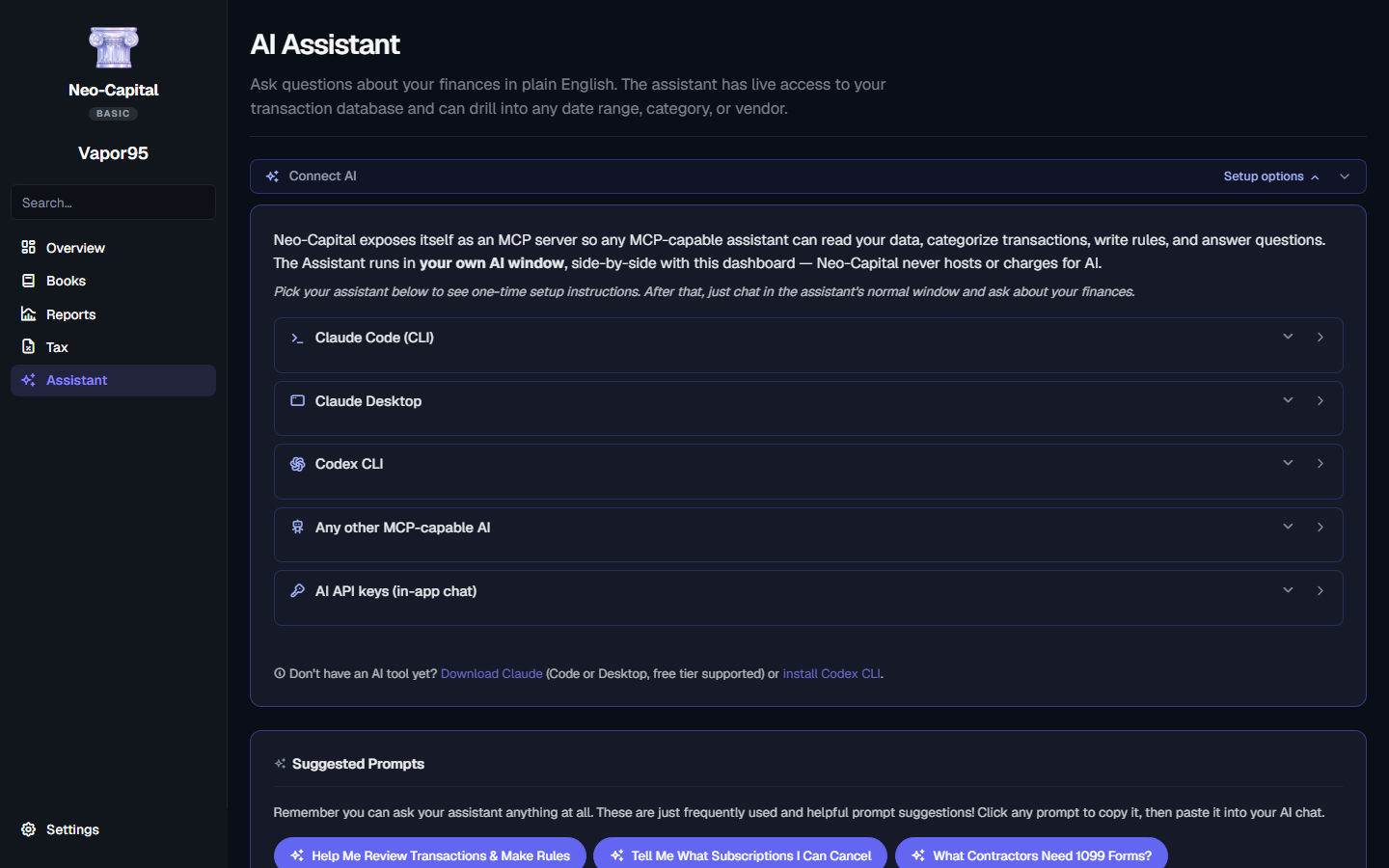
Neo-Capital exposes itself as a Model Context Protocol server. Connect Claude Code, Claude Desktop, Codex CLI, or any MCP-capable AI — they get full read/write access to your books while you chat in their native window.
We never proxy AI cycles. We never see your conversation. You use your existing AI subscription to power Neo-Capital costing you no additional fees.
Claude Desktop
Paste-this-prompt setup. Claude edits its own config; you restart and you're connected.
Claude Code
Copy the one-line CLI command. Run once. Available in every Claude Code session forever.
Codex CLI
Same paste-this-prompt flow for OpenAI's CLI. Writes to ~/.codex/config.toml on its own.
API key in-app
Prefer a built-in chat? Paste a key from Anthropic, OpenAI, or Google. Stored in your OS Keychain — never our server.
Neo-Capital vs QuickBooks Self-Employed
Different tools for different priorities. Here's the truth — both directions. Pick the one that matches how you want to work.
Stop paying every year for the basics.
QuickBooks Self-Employed is ~$20/month — $240 every year, forever. Neo-Capital Basic is a single $49.
Everything above, owned forever, working on every machine you own.
- Bank sync + AI categorization
- Deduction finder + quarterly taxes
- Mileage, jobs, budgets, 1099
- P&L · Cash flow · Year-over-year
- Schedule C + CPA share package
- Local-first · Mac + Windows · lifetime updates
You'll never outgrow your own books.
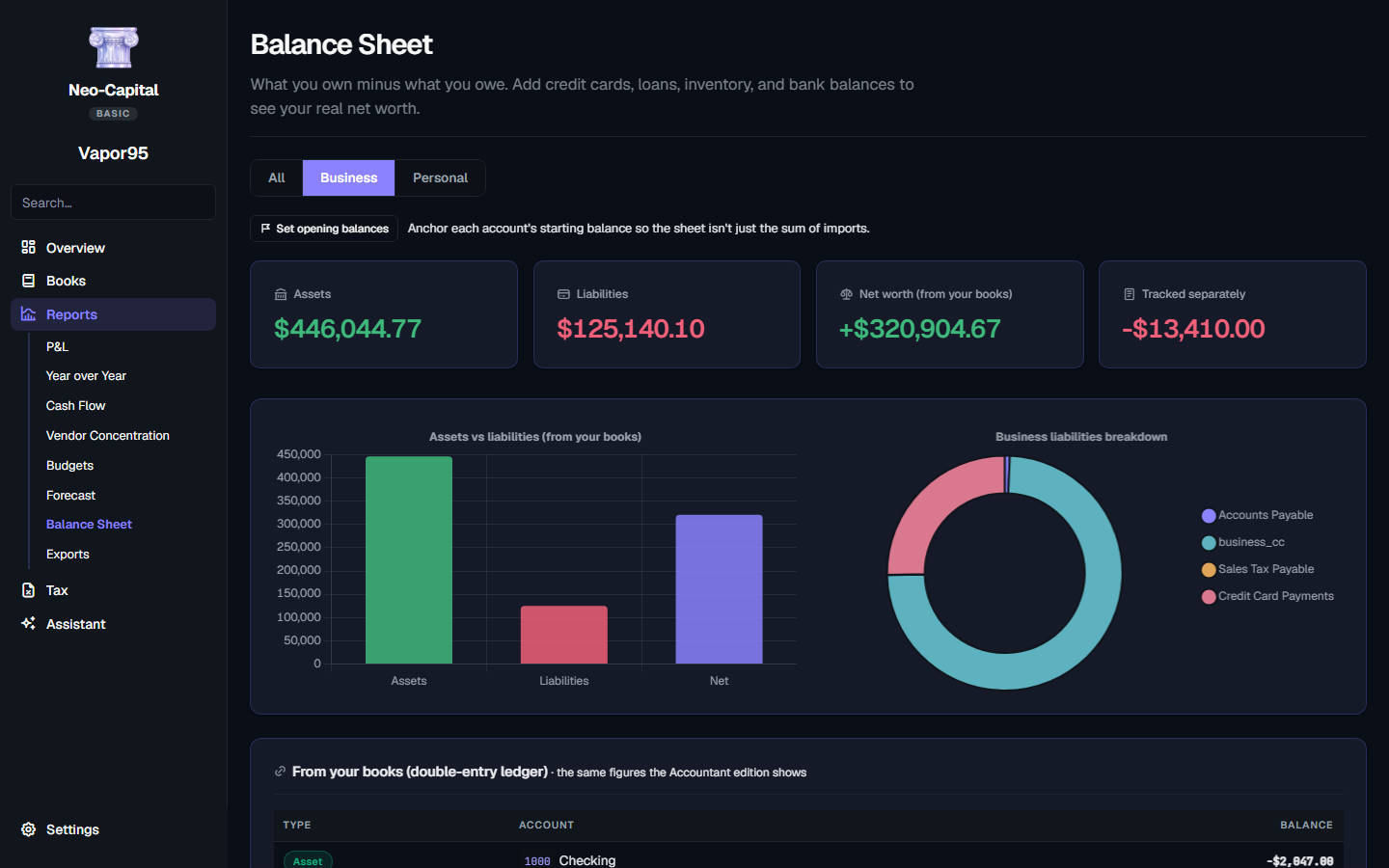
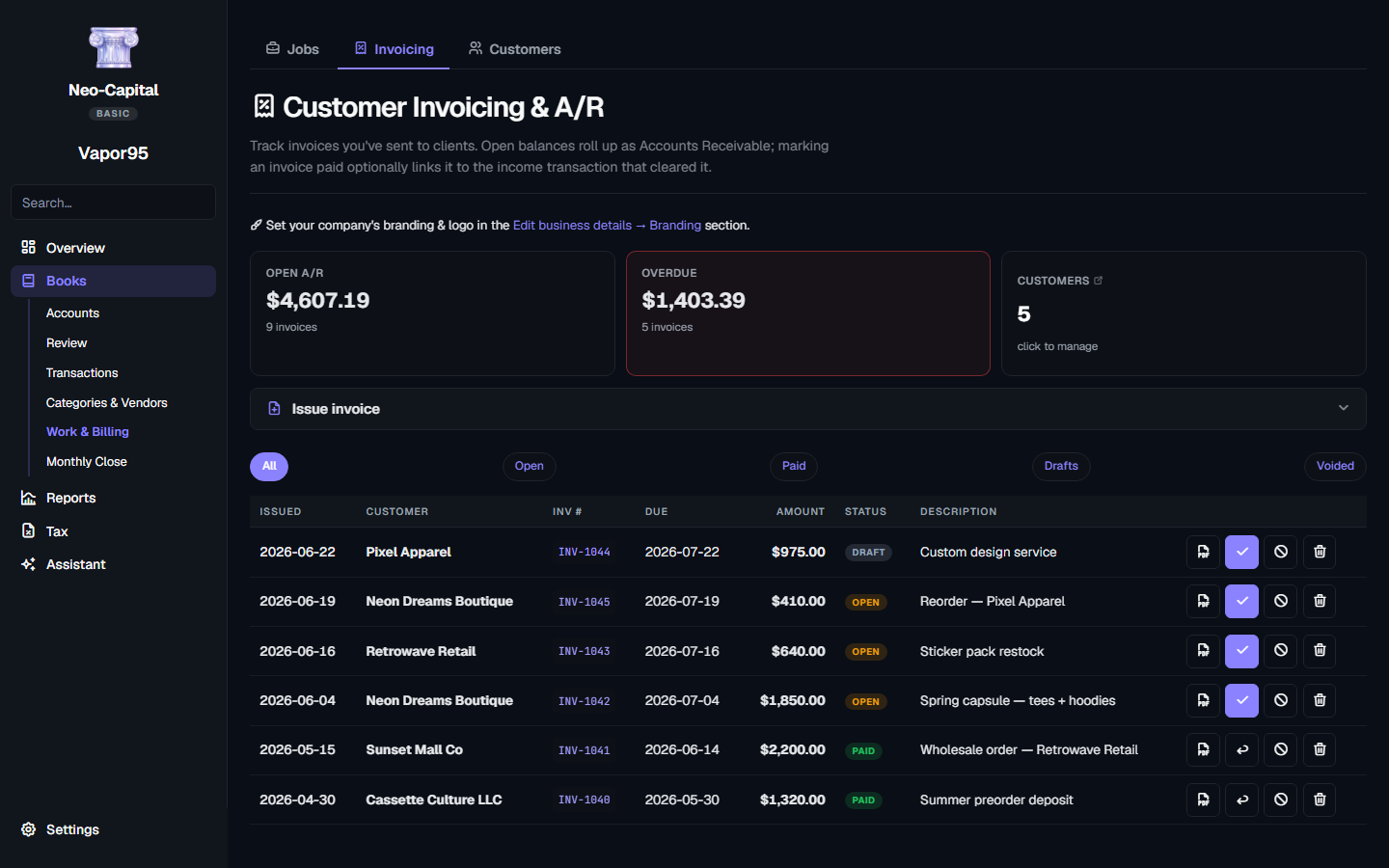
Because Basic and Pro are the same ledger, there's nothing to migrate when you're ready for invoicing, A/R & A/P, a real balance sheet, or a clean CPA hand-off. Just enter a Pro key — the journal entries and chart of accounts were being built quietly the whole time.
Explore Neo-Capital ProQuestions, answered.
Still have questions? Email river@vapor95.com.
Ready in 30 seconds.
Three steps. No subscription, no account on our end, no waiting list. You own a copy of Neo-Capital that runs locally forever.
Check out securely
One-time payment. Stripe checkout — pay with card, Apple Pay, Google Pay, or Link. No account to create.
Get an email
Your license key + download links for Windows and macOS land in your inbox seconds later. Comes from river@vapor95.com.
Install + activate
Run the installer, paste your key, you're in. Same key works on every machine you own.
Windows 10+ · macOS 12+ · 30-day money-back · No subscription, ever
First-launch SmartScreen warning is normal for unsigned apps — click More info → Run anyway. Code-signing cert ships once we cross 100 customers.