
Professional accounting, finally yours to own.
A complete double-entry accounting system built for accountants, CPAs, and bookkeepers — full general ledger, every financial statement on cash or accrual, A/R and A/P, period close, fixed assets, QuickBooks migration, and a tamper-evident audit trail. All on your own machine. One purchase. No subscription. No cloud.
Windows + macOS · One-time payment · 30-day money-back · No subscription, ever
Not an invoicing app pretending to be accounting software.
Neo-Capital is a complete double-entry accounting platform — the same primitives a CPA expects, running on your own computer.
General Ledger
A real double-entry ledger — every transaction posts as balanced debits and credits. Drill from any statement down to the journal line.
Chart of Accounts
Full, editable chart with account types, sub-accounts, and normal balances. Built-in defaults or import your own from QuickBooks.
Accounts Receivable
Invoices, customer payments, credits, and an A/R aging that buckets every open balance by how overdue it is.
Accounts Payable
Vendor bills, bill payments, and A/P aging — know exactly what you owe and when, per vendor and in total.
Journal Entries
Post manual and adjusting entries with full memos and class tags. The engine refuses anything that doesn't balance.
Bank Reconciliation
Clear transactions against a statement, tie to the ending balance, and lock the period when it ties out.
Financial Statements
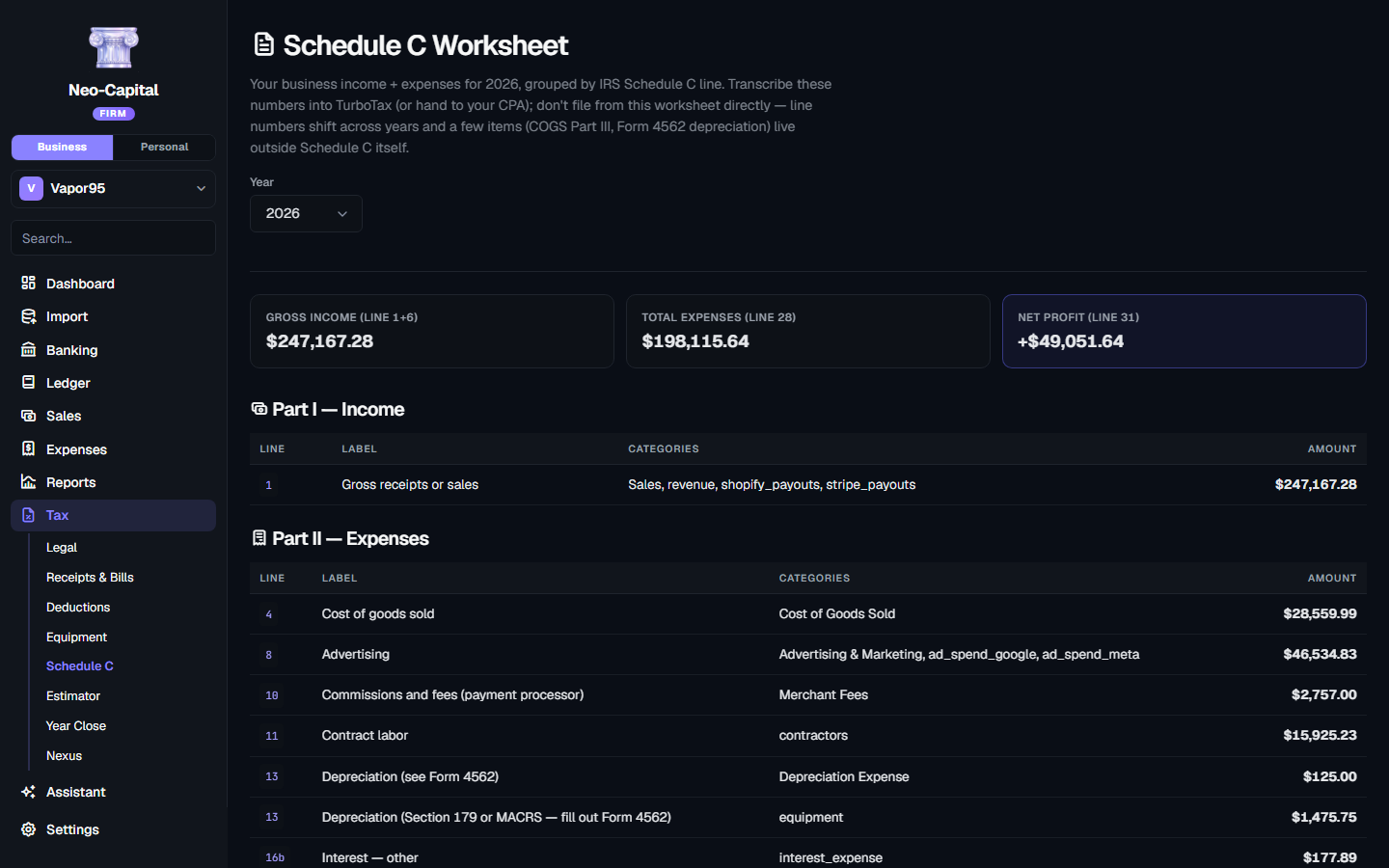
Income Statement, Balance Sheet, Trial Balance, Cash Flow — accrual or cash basis, any date range, branded or clean for workpapers.
Inventory & Assemblies
Stock items, receipts, weighted-average costing, and automatic cost-of-goods-sold entries. Build assemblies from a bill of materials and track item-level revenue, cost, and margin.
Fixed Assets & Depreciation
An equipment and asset register with straight-line, Section 179, and MACRS schedules. Depreciation posts automatically; disposals book proceeds and gain or loss for you.
Sales Tax & Nexus
Calculate and remit sales tax, and track multi-state economic nexus across all 50 states plus DC — so you know where you're on the hook before you cross a threshold.
Customer & Vendor Management
Full party records, terms, 1099 flags, balance detail, and statements you can send to any customer.
Audit Trails
Every post, edit, and period close is written to a tamper-evident, hash-chained log. Close a month or a filed year and protect it from changes.
Every page does one job, well.
Pro — the full double-entry accountant suite: ledger, A/R & A/P, QuickBooks import, and every financial statement.
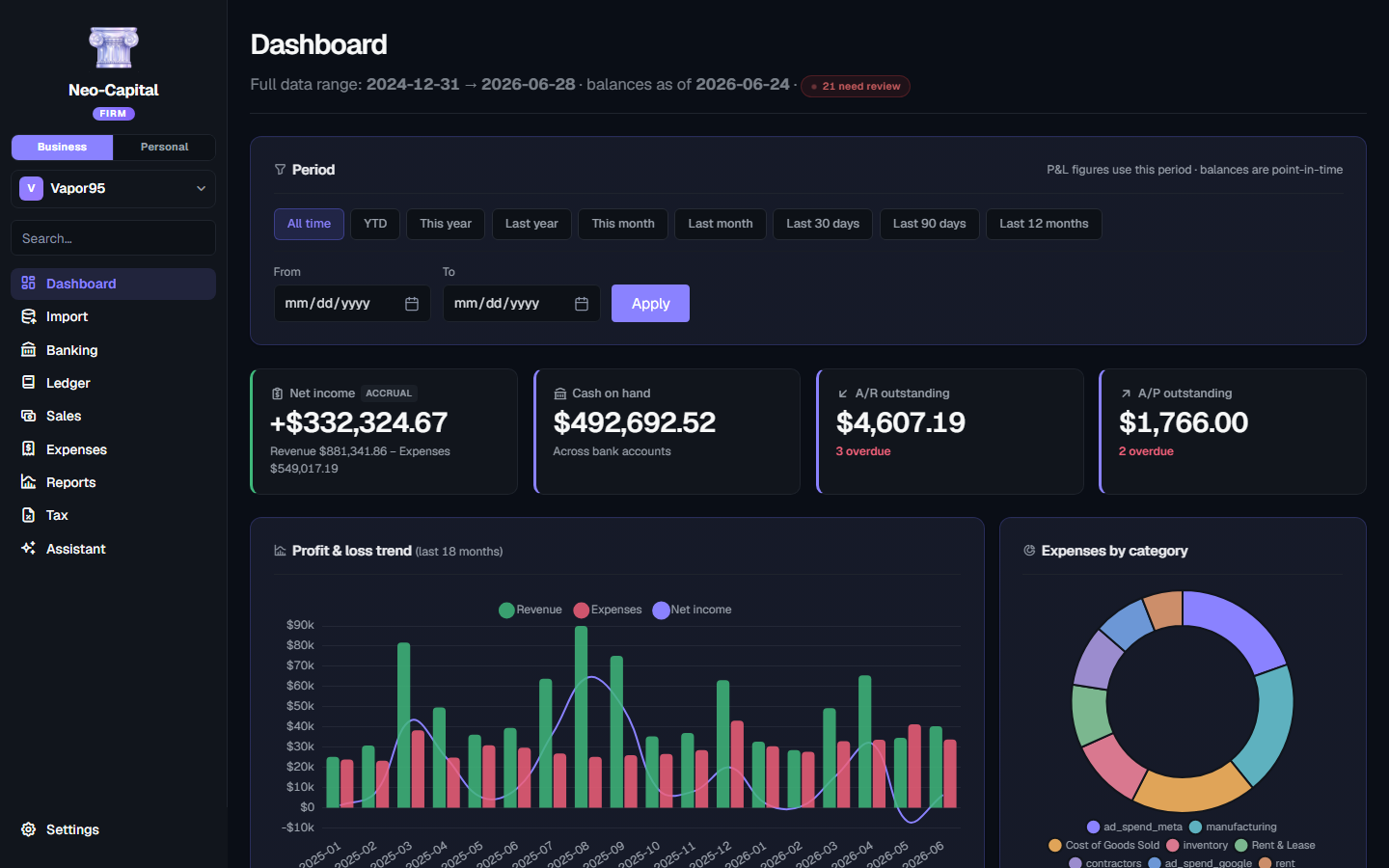
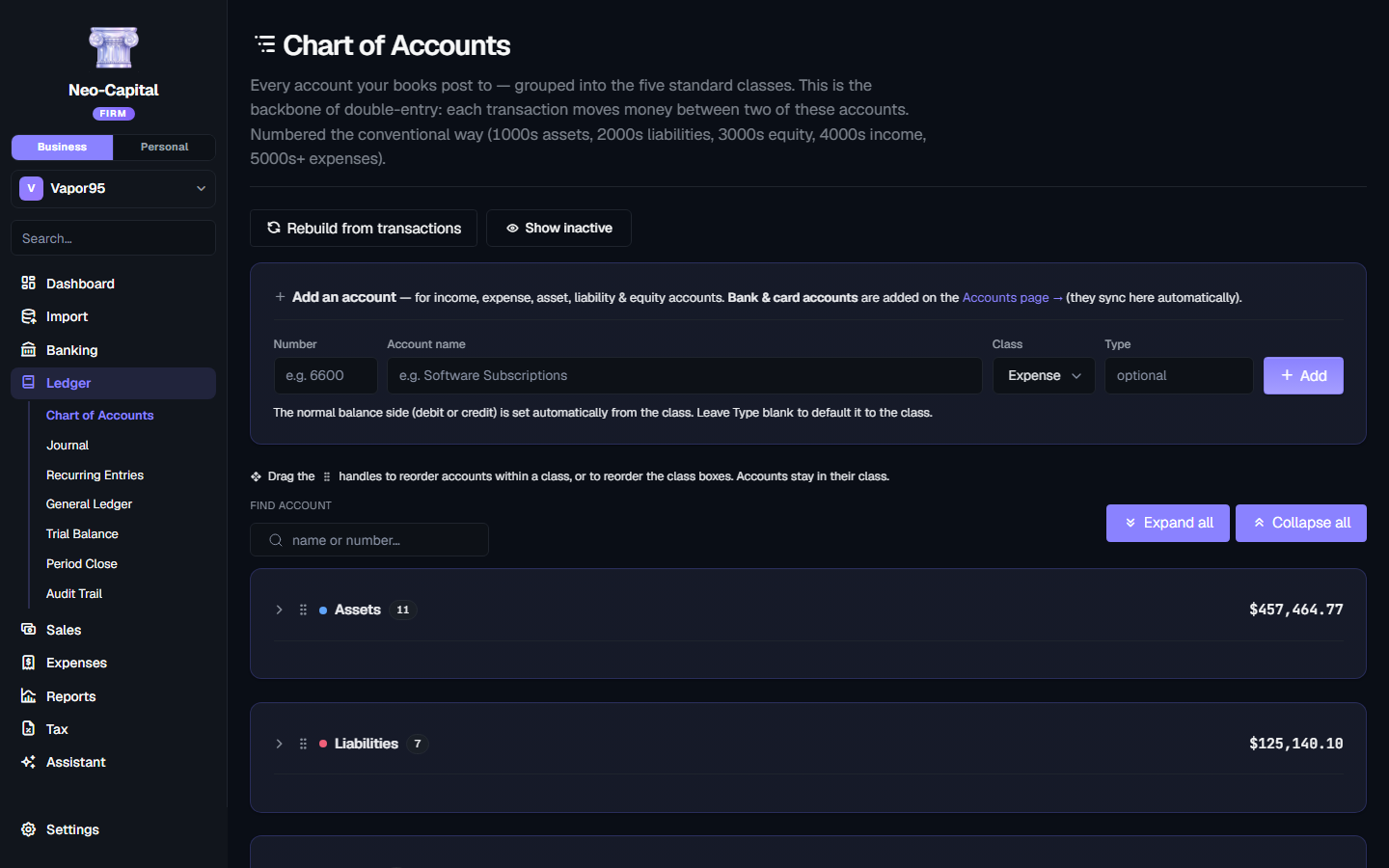
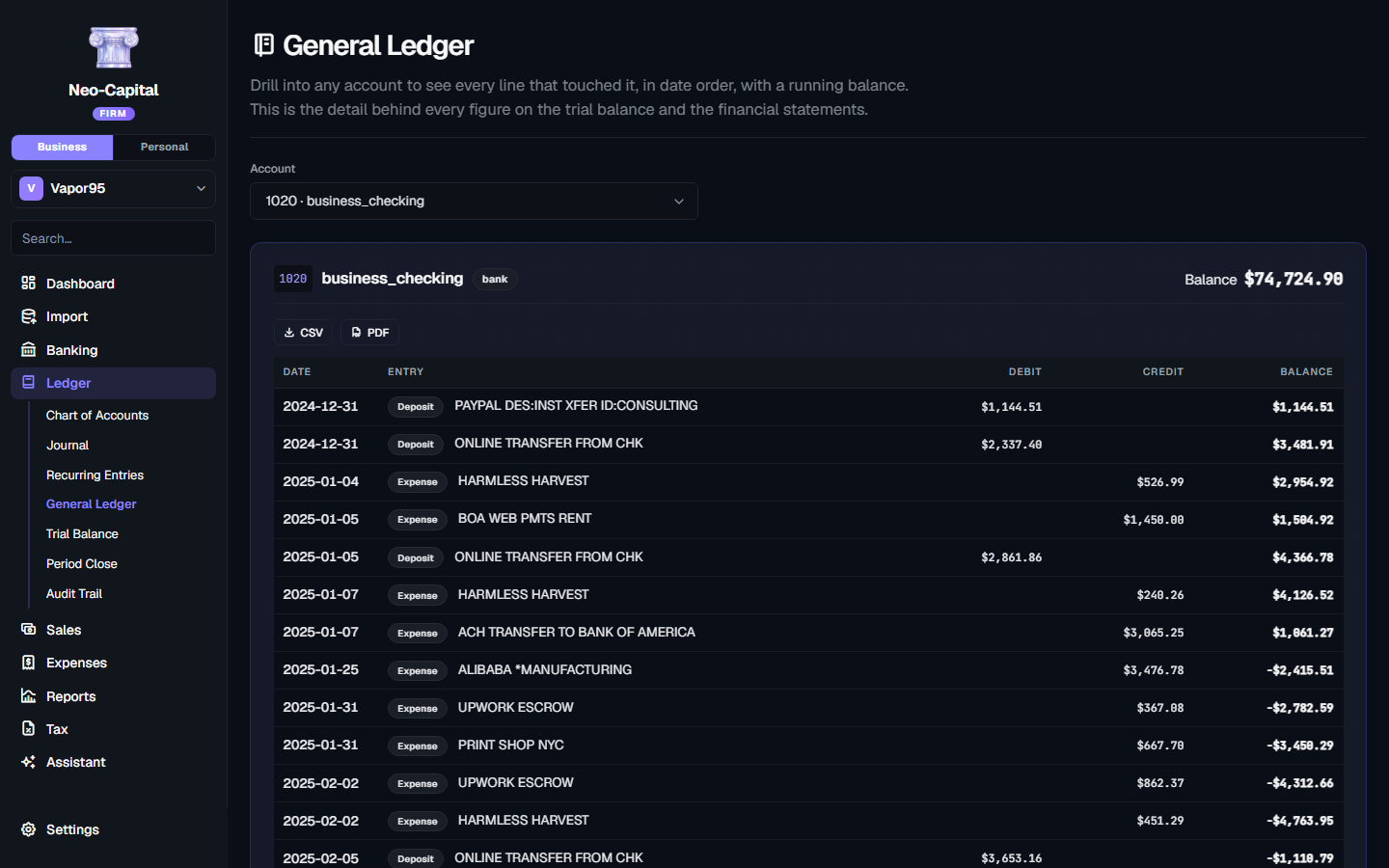
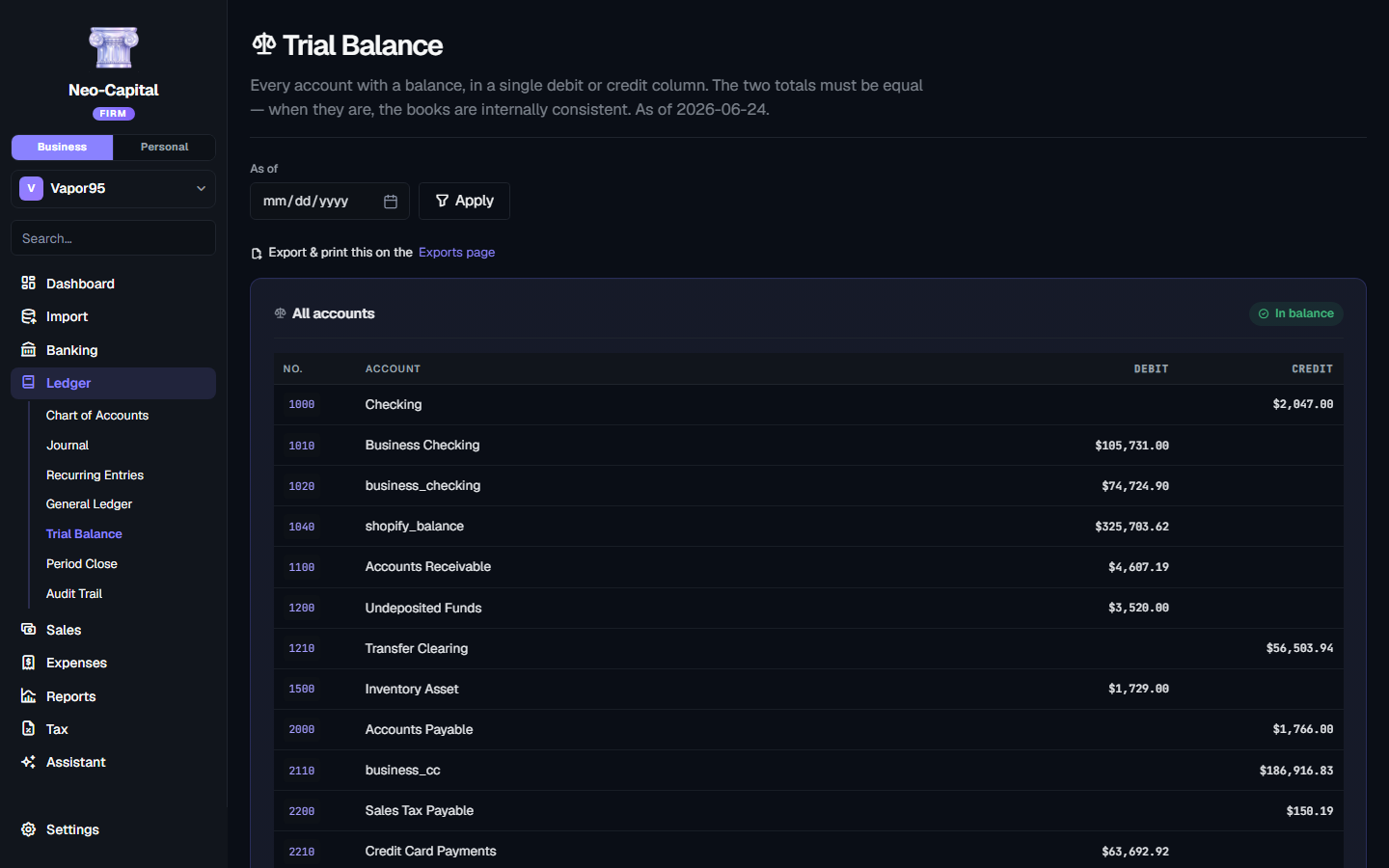
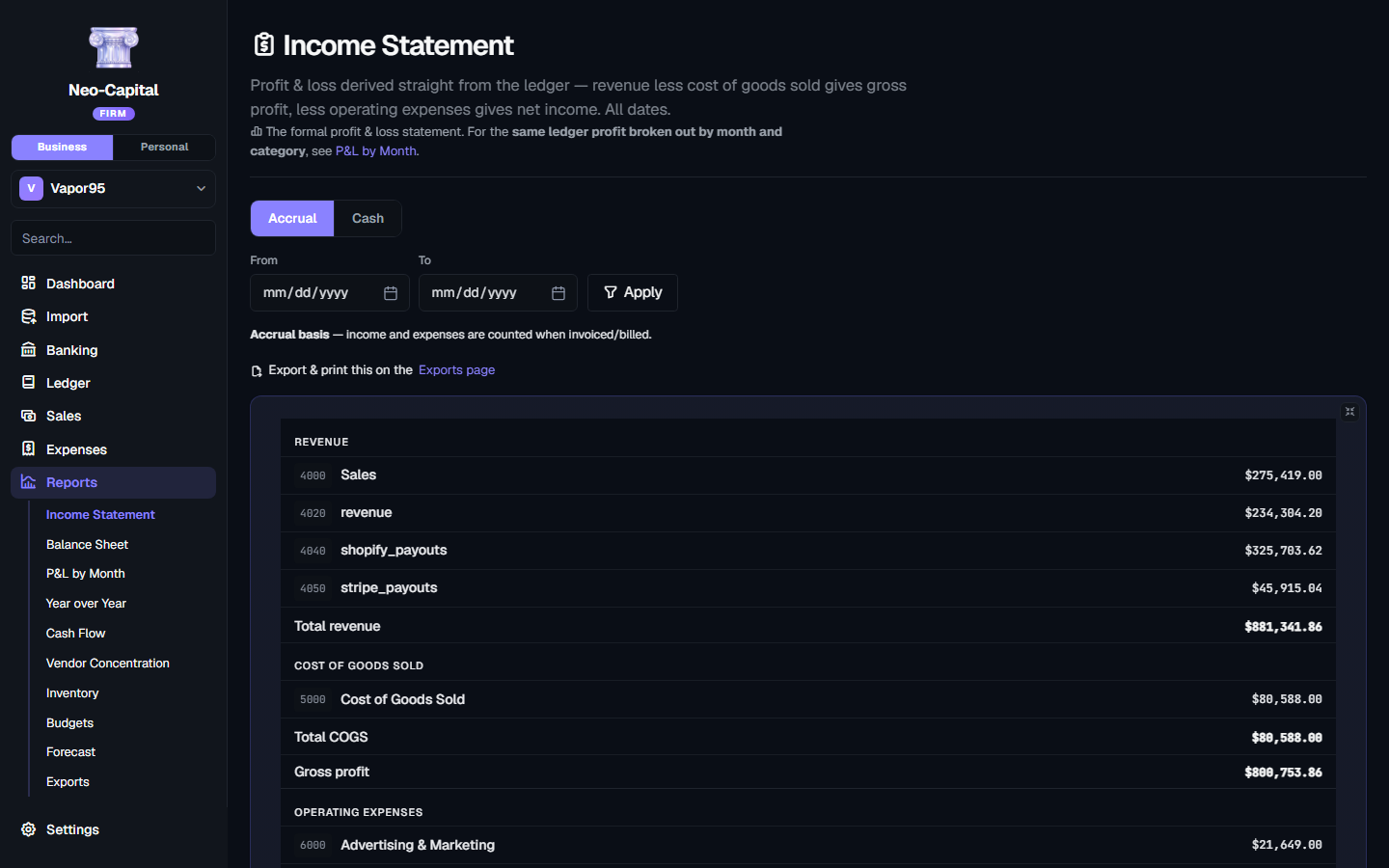
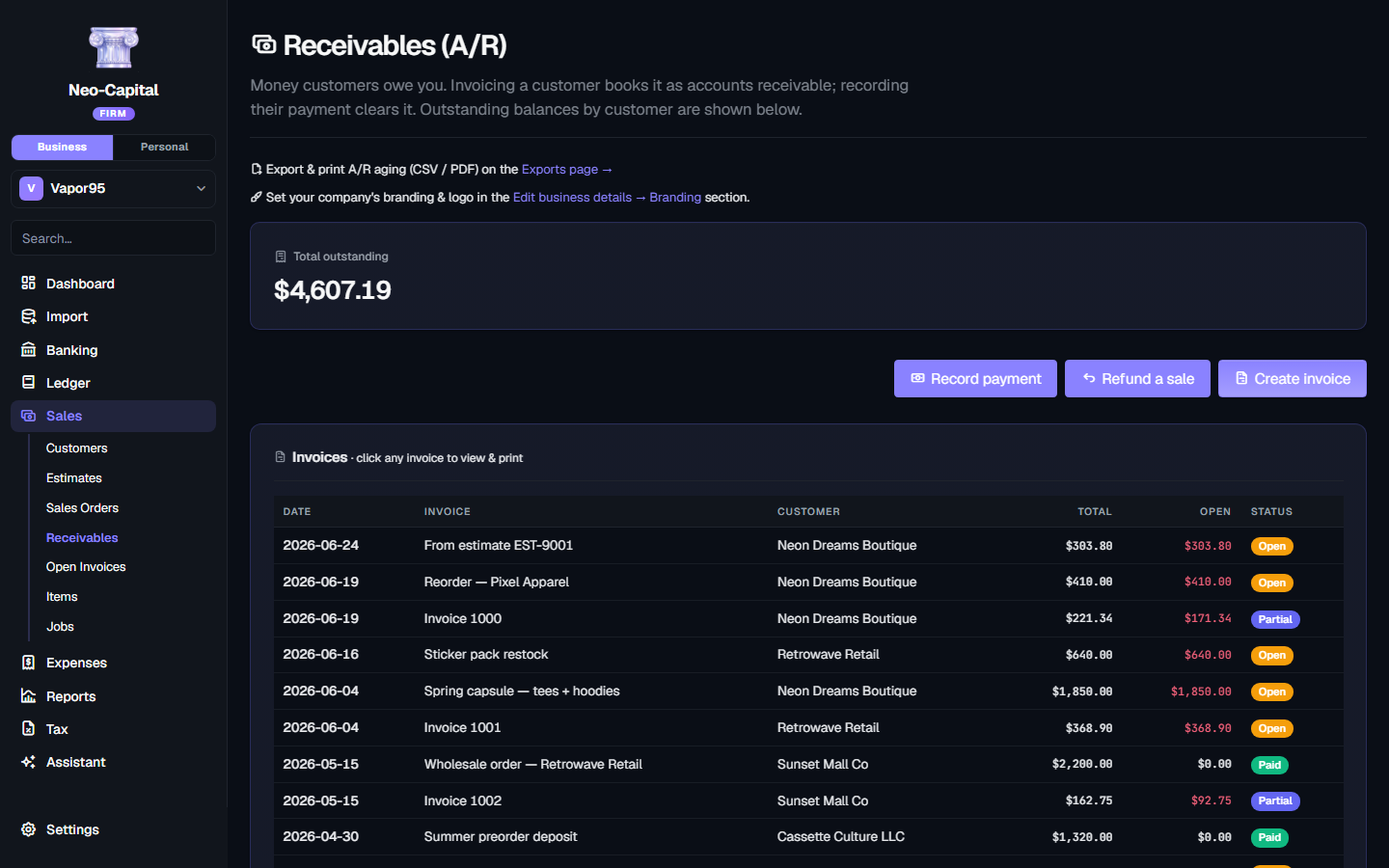
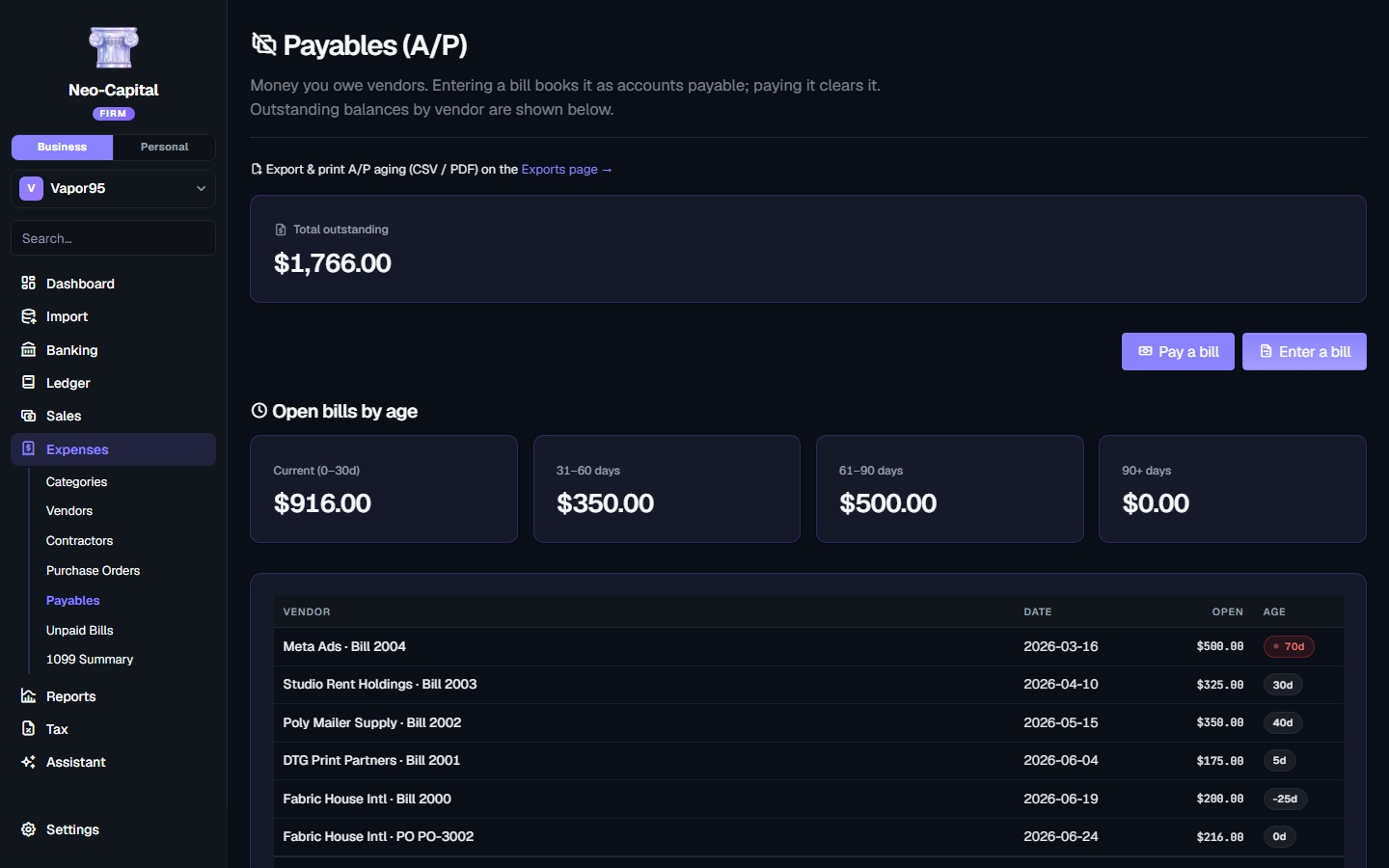
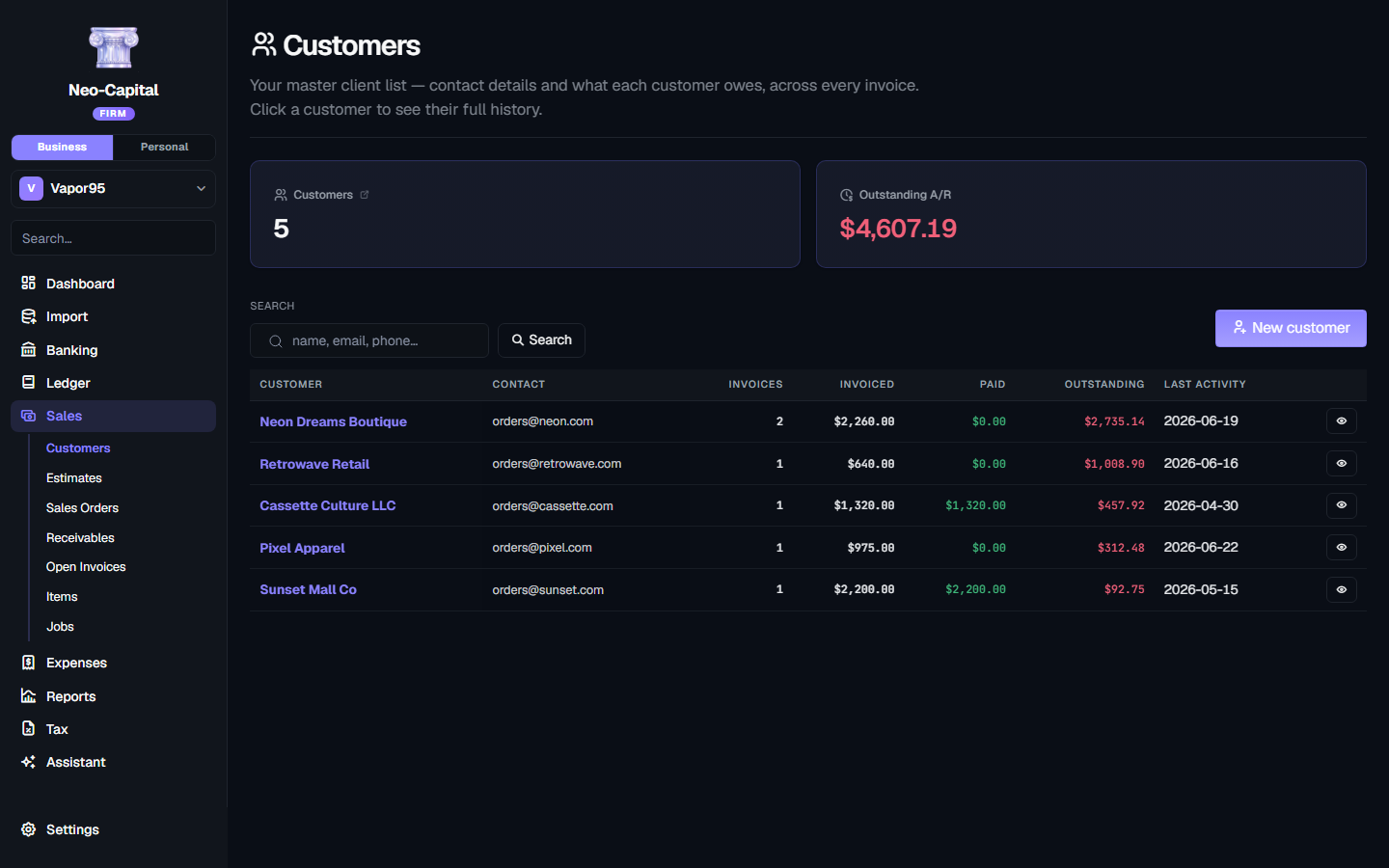
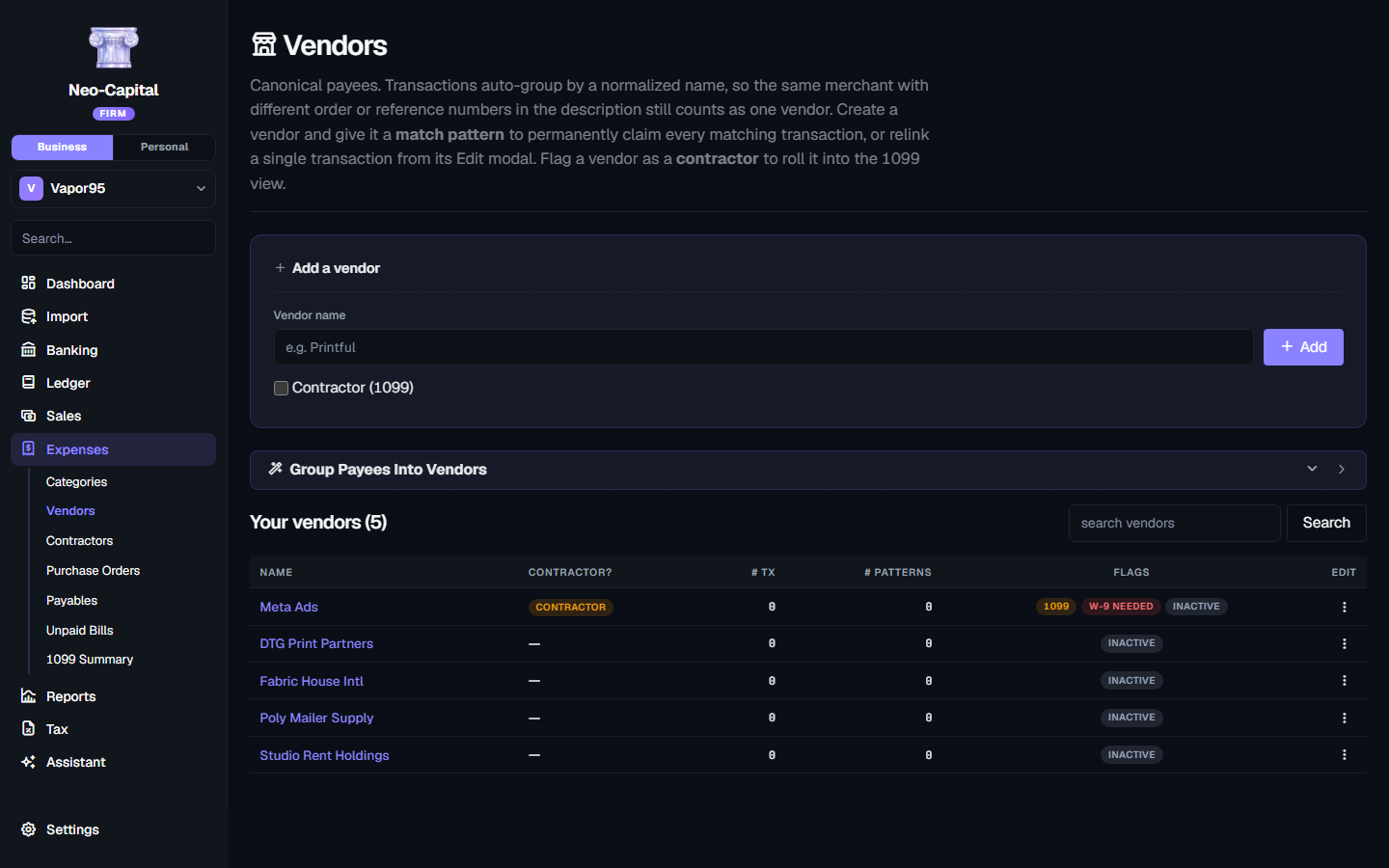
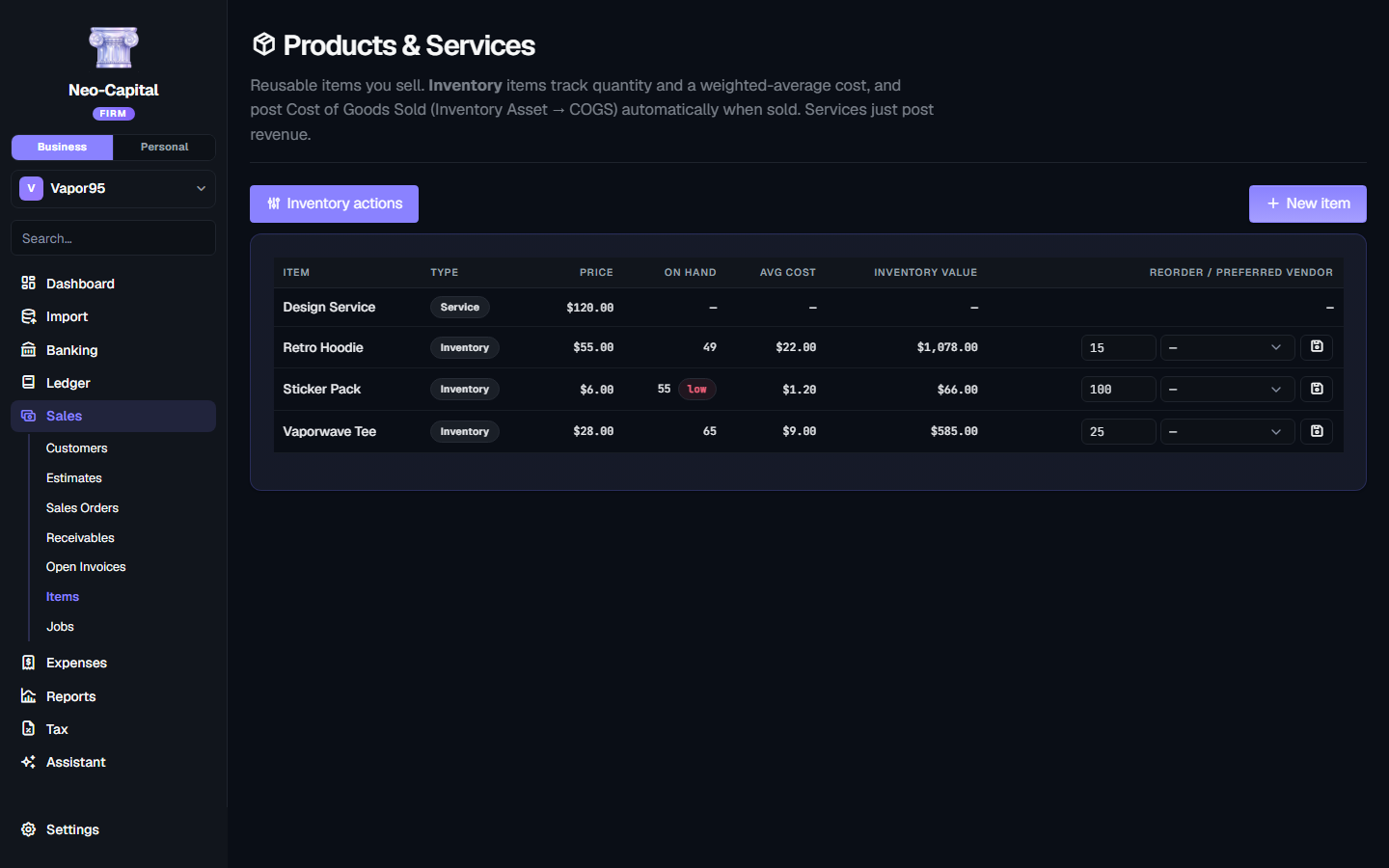
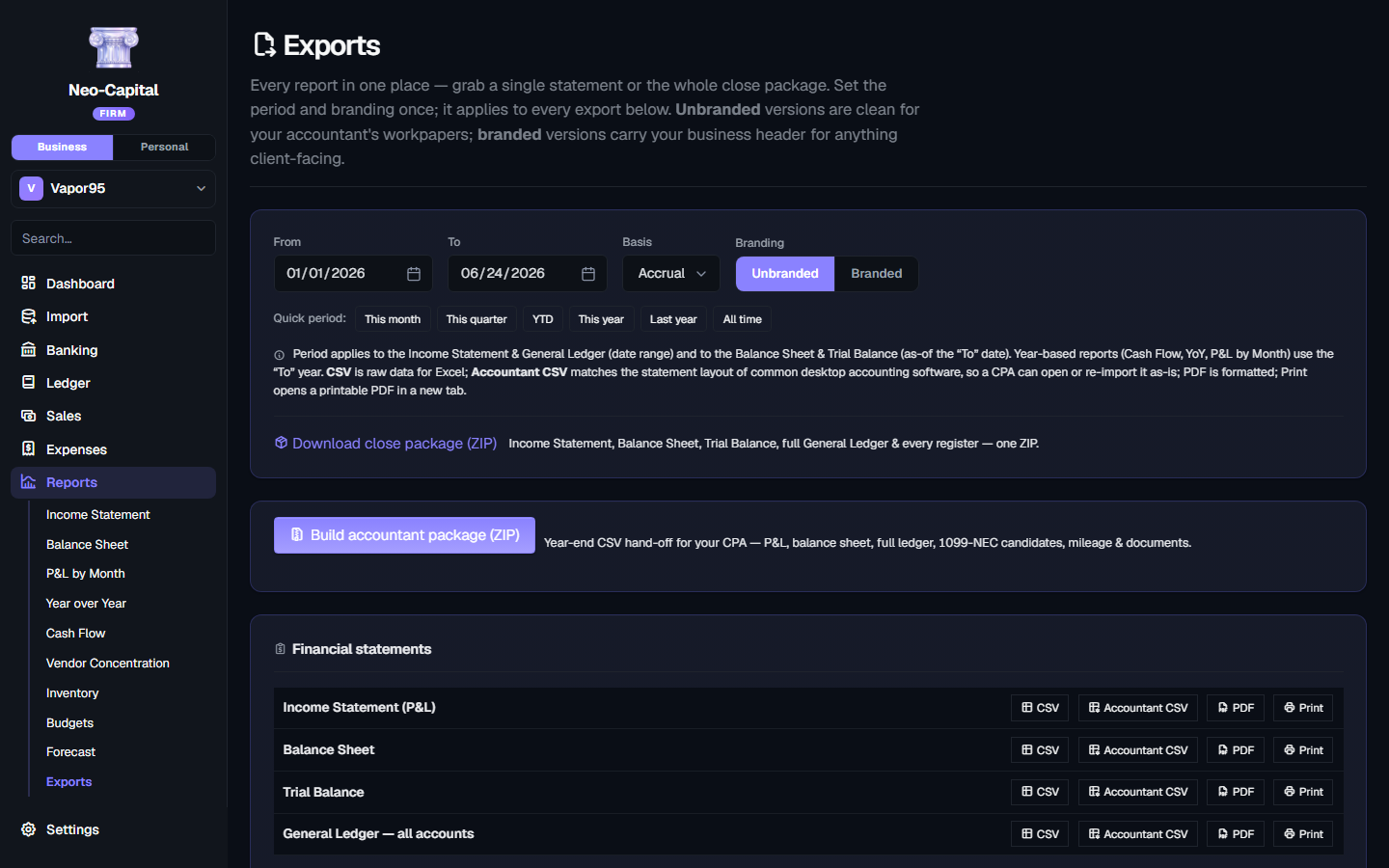
Every transaction posts as balanced debits and credits.
Neo-Capital runs on a real double-entry engine — not a single-column transaction list with a balance-sheet bolted on. Debits equal credits on every entry or it won't post. Your trial balance always ties. Your statements are always internally consistent. The numbers are the numbers.
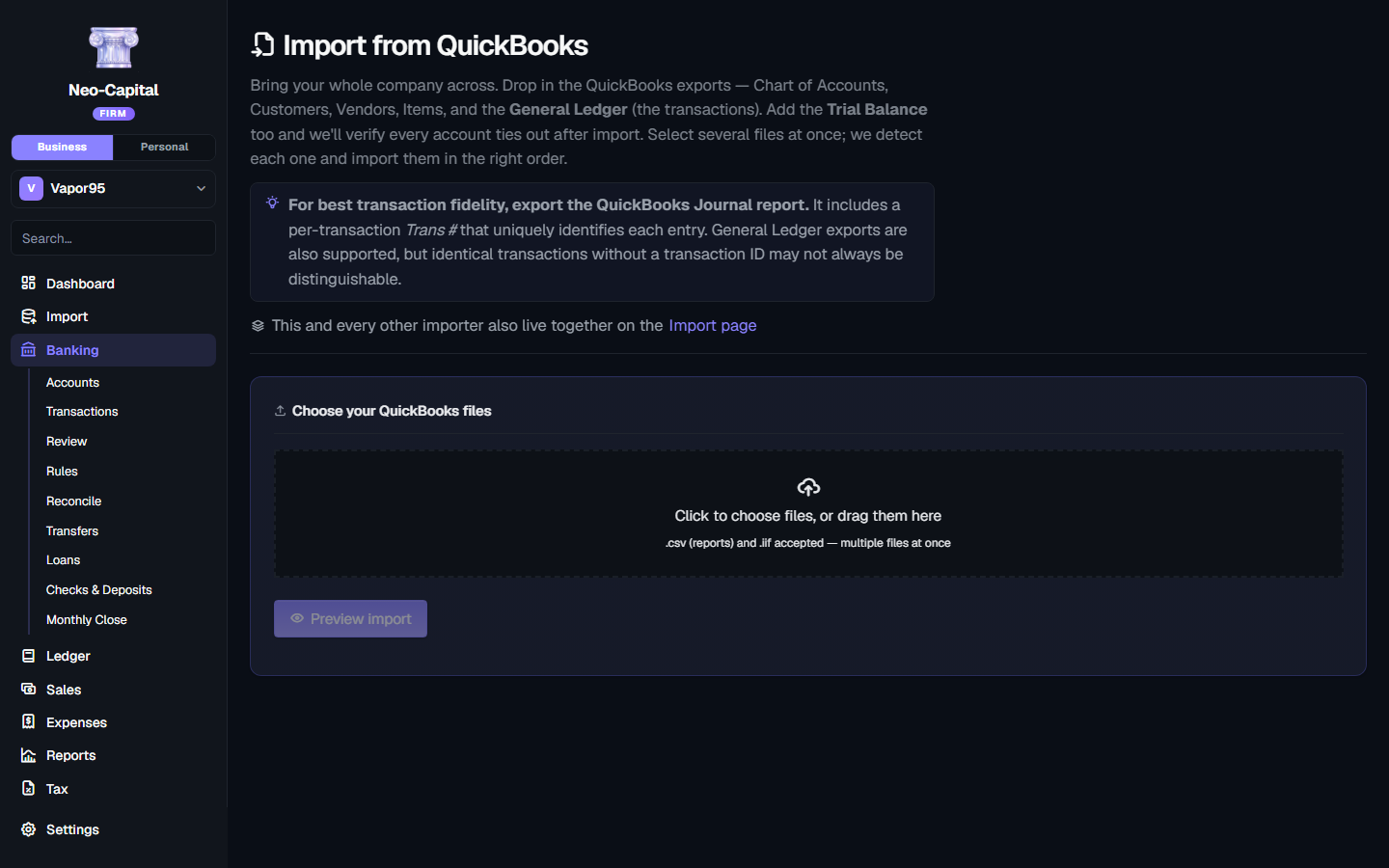
QuickBooks in. Reconciled to the source.
A seamless migration, not a re-entry project. Accounts, customers, vendors, items, and journal entries come across; your A/R and A/P subledgers are reconstructed; and source-reconciliation tools tie everything out — duplicate-safe on every import, with accountant-ready exports back out. Move a whole company in an afternoon.
What comes across
- Customers
- Vendors
- Invoices
- Payments
- Bills
- Chart of Accounts
- Journal Entries
- Historical Transactions
of real QuickBooks books imported and reconciled by Neo-Capital's engine — without a single discrepancy.
Desktop is reconciled against actual company files; QuickBooks Online imports come in as import-and-reconcile, with source tools to tie out.
Your AI subscription powers the accounting.
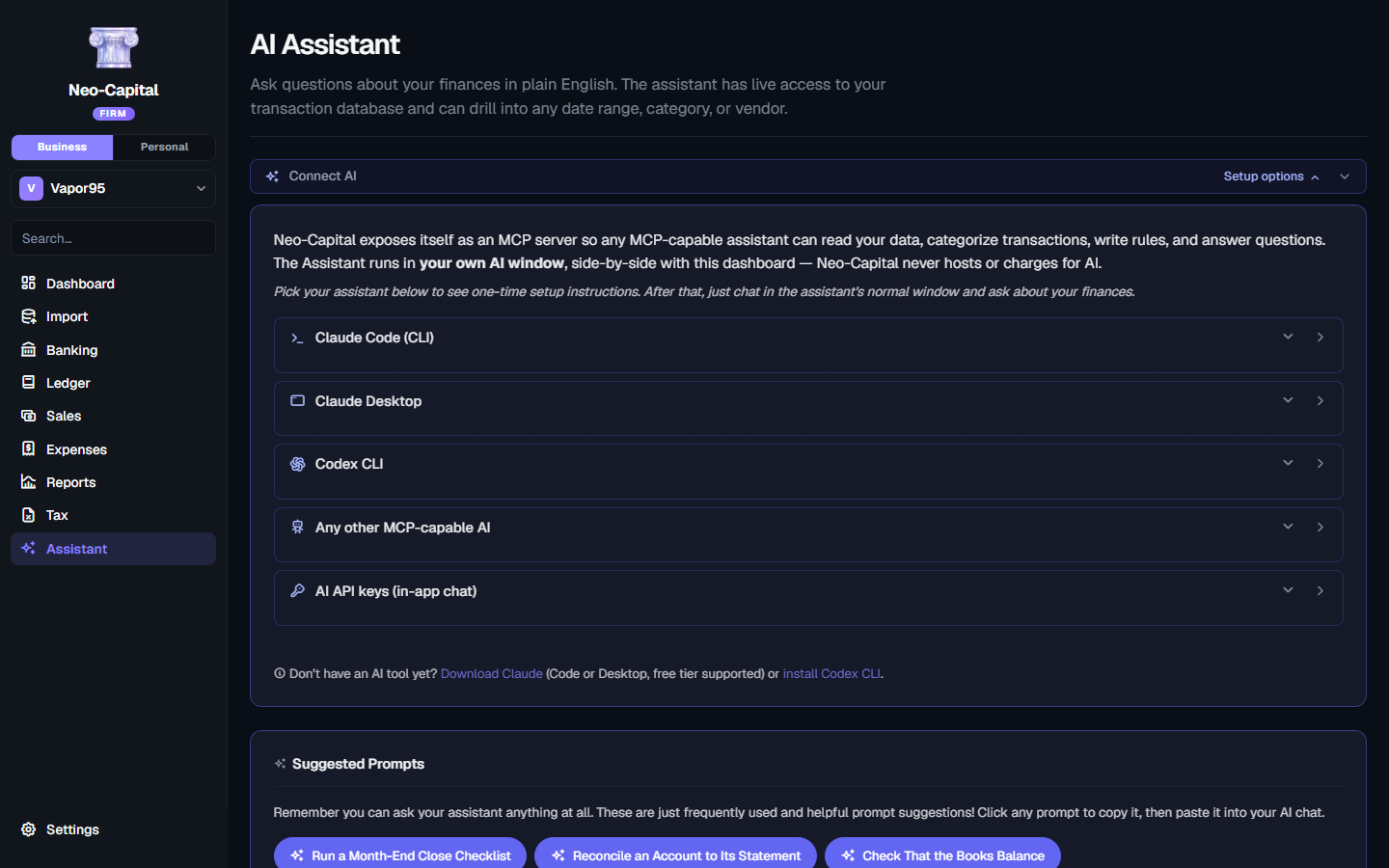
Neo-Capital exposes itself as a Model Context Protocol server. Connect Claude Code, Claude Desktop, Codex CLI, or any MCP-capable AI — they get full read/write access to your books while you chat in their native window.
We never proxy AI cycles. We never see your conversation. You use your existing AI subscription to power Neo-Capital costing you no additional fees.
Claude Desktop
Paste-this-prompt setup. Claude edits its own config; you restart and you're connected.
Claude Code
Copy the one-line CLI command. Run once. Available in every Claude Code session forever.
Codex CLI
Same paste-this-prompt flow for OpenAI's CLI. Writes to ~/.codex/config.toml on its own.
API key in-app
Prefer a built-in chat? Paste a key from Anthropic, OpenAI, or Google. Stored in your OS Keychain — never our server.
Everything Pro actually does.
A complete double-entry accounting system — not a categorized transaction list with statements bolted on. Here's the whole toolkit, top to bottom.
The general ledger
- Editable chart of accounts, grouped and auto-numbered by type
- Manual journal entries that only post when debits equal credits
- Full general ledger — every account's running register
- Trial balance that always ties, as of any date
- Recurring entries on a schedule (rent, amortization, accruals)
- Classes to track by department, location, or project
- Entries are never deleted — corrections reverse, history stays intact
Sales & accounts receivable
- Customers list with contact details and live balances
- Estimates → Sales Orders → Invoices: quote, confirm, then bill
- Branded invoice PDFs with your logo — or clean, unbranded workpaper PDFs
- A/R aging bucketed by age, with per-invoice detail
- Record payments applied oldest-first or to a specific invoice
- Open-invoice tracking and per-customer statements to send
Expenses & accounts payable
- Vendors & contractors, with W-9 / 1099 status
- Purchase orders — order, then receive against the PO
- Enter bills to A/P, then pay them to clear the balance
- A/P aging and an unpaid-bills list
- 1099 Summary — contractor totals ready for 1099-NEC filing
Items & inventory
- Products & services with a sales price and income account
- Inventory with quantity on hand and weighted-average cost
- Sales post COGS and reduce inventory automatically
- Reorder points, preferred vendors, and assemblies from a BOM
- Inventory report — stock status and item profitability
Reconciliation & period close
- Reconcile bank and credit-card accounts to the statement
- Lock a closed period so nothing on or before it can change
- Year close with Retained Earnings computed on the fly
- Reopen a period when you genuinely need to
Statements & exports
- Income Statement, Balance Sheet, Trial Balance — cash or accrual
- A/R & A/P aging, Sales by Customer / Item, Vendor Concentration
- Cash Flow, Year-over-Year, Inventory, Forecast
- Export any report as CSV, Accountant CSV, PDF, or print
- Branded or plain workpaper styling, set once for every export
- One-click close package (ZIP) with every statement + the full GL
Migration & round-trip
- QuickBooks Desktop migration — accounts, customers, vendors, items, journal
- A/R & A/P subledgers reconstructed and reconciled against your source
- Atomic & fail-closed: safety backup first, rolls back if anything fails
- Import customer / vendor / item lists from CSV
- Accountant-format exports that re-import into other software
Audit trail & integrity
- Append-only audit trail of every posting, reversal, and void
- Each entry stamped with the actor and timestamp
- Hash chain + sealed checkpoint with an on-page integrity check
- Export the trail with its hashes for an independent re-check
The reports your CPA actually asks for.
Generated straight from the ledger, accrual or cash basis, any period. Export each one as a branded PDF, a clean unbranded workpaper, or CSV.
Your data stays yours
Unlike cloud-only platforms, your books are a single file on your computer. No forced cloud migration, no vendor lock-in, no servers reading your financials. If you stop paying anyone anything, you keep using Neo-Capital forever.
- Books live on your machine
- Company data under your control
- No forced cloud migration
- No vendor lock-in
Bring your own AI
BonusConnect Neo-Capital to any MCP-compatible assistant — Claude, Gemini, Codex, or whatever comes next — and let it read and draft entries against your books. You own the software; you choose the intelligence layer. Entirely optional, never required.
Built by someone who actually runs businesses.
Neo-Capital wasn't built in a venture-backed boardroom optimizing subscription metrics. It was built by a business owner who spent years wrestling with inventory, vendors, manufacturing, e-commerce, financial reporting — and the accounting software that made all of it harder. The result is software designed around real-world operations, not someone's ARR.
Trusted by accounting professionals
We imported our QuickBooks data and were up and running in less than a day. The trial balance tied to the penny.
Neo-Capital feels like accounting software built for accountants instead of shareholders. No upsells, no nags, no monthly bill.
The MCP integration alone changed how we review client books — I just ask, and it pulls the ledger. And it's a one-time cost per seat.
Neo-Capital Pro vs QuickBooks Online
The same double-entry backbone — without the monthly bill, the cloud, or the vendor lock-in.
Stop renting your accounting software.
QuickBooks Online runs $35–$235 a month — every month, forever. Neo-Capital Pro is one payment.
Pay once. Own forever.
Pro
The complete double-entry suite, for one business.
- Full double-entry general ledger
- A/R, A/P, invoicing & bills
- QuickBooks importer
- Bank reconciliation + close
- Every financial statement
- Inventory + 1099 + audit trail
- 1 business (add seats for $50 each)
Firm
Manage multiple clients? Everything in Pro with unlimited business seats — at only $899.
- Everything in Pro
- Unlimited businesses / client files
- One license, every client's books
- Switch between client files in one click
- Accountant's Copy round-trip (.neobooks)
- No per-client subscription, ever
- Built for accountants & bookkeepers
Already on Pro and took on another client? Add a business seat for $50.
Questions, answered.
Ready to own your accounting software?
Import your books. Keep your data. Choose your AI. Own your software.
Windows + macOS · 30-day money-back · No subscription
Ready in 30 seconds.
Three steps. No subscription, no account on our end, no waiting list. You own a copy of Neo-Capital that runs locally forever.
Check out securely
One-time payment. Stripe checkout — pay with card, Apple Pay, Google Pay, or Link. No account to create.
Get an email
Your license key + download links for Windows and macOS land in your inbox seconds later. Comes from river@vapor95.com.
Install + activate
Run the installer, paste your key, you're in. Same key works on every machine you own.
Windows 10+ · macOS 12+ · 30-day money-back · No subscription, ever
First-launch SmartScreen warning is normal for unsigned apps — click More info → Run anyway. Code-signing cert ships once we cross 100 customers.