
Made for you and your business.
Whether it's your personal budget, a side hustle, or a one-person business, Neo-Capital keeps your money in order without the spreadsheets. Sync your bank or drop in a statement, watch transactions sort themselves, and walk into tax season with your deductions already surfaced. Personal and business, side by side in one app.
Windows + macOS · One-time payment · 30-day money-back · No subscription, ever
Every page does one job, well.
Basic — clean, plain-English bookkeeping, reports, and tax for one business (double-entry ledger underneath).
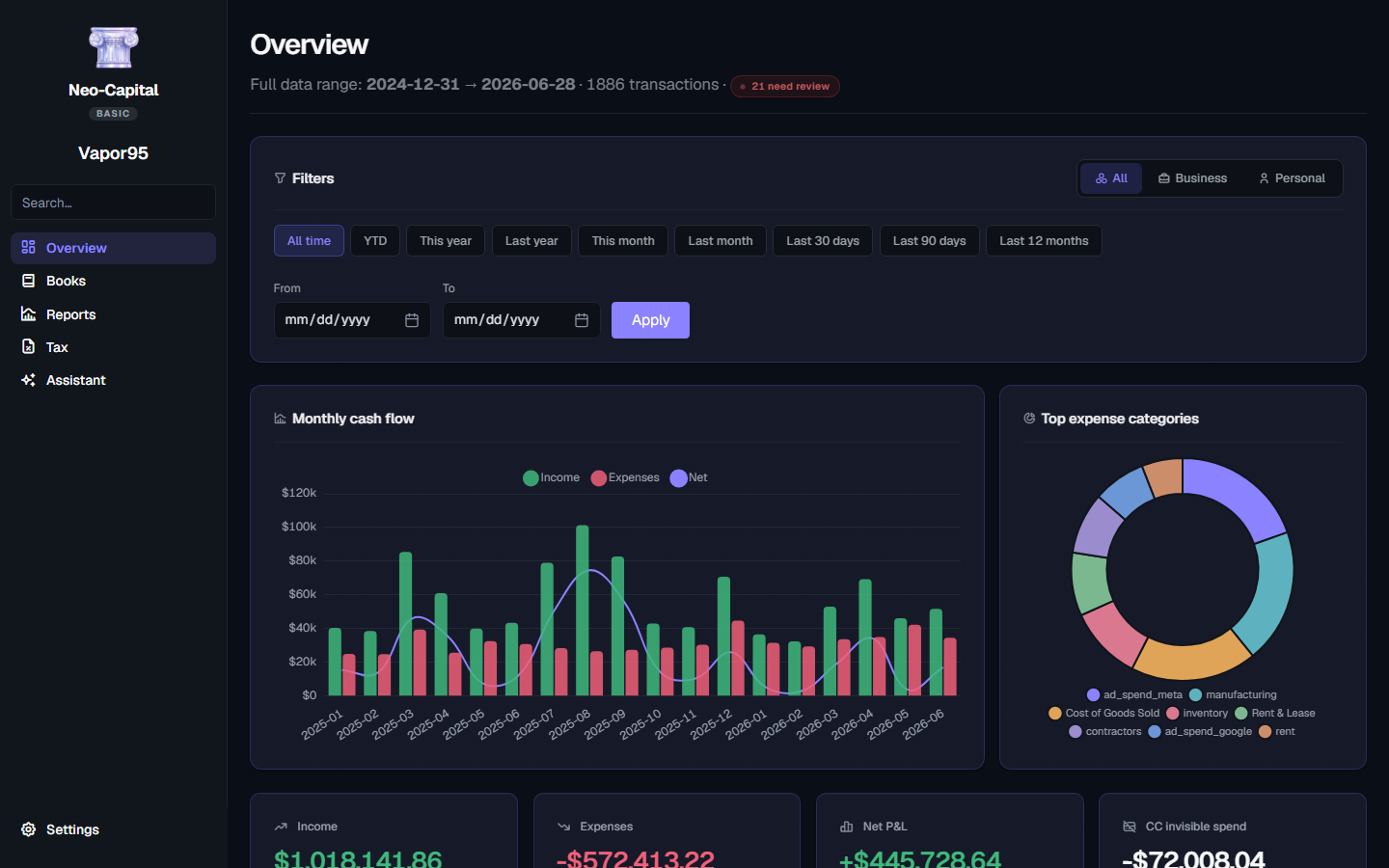
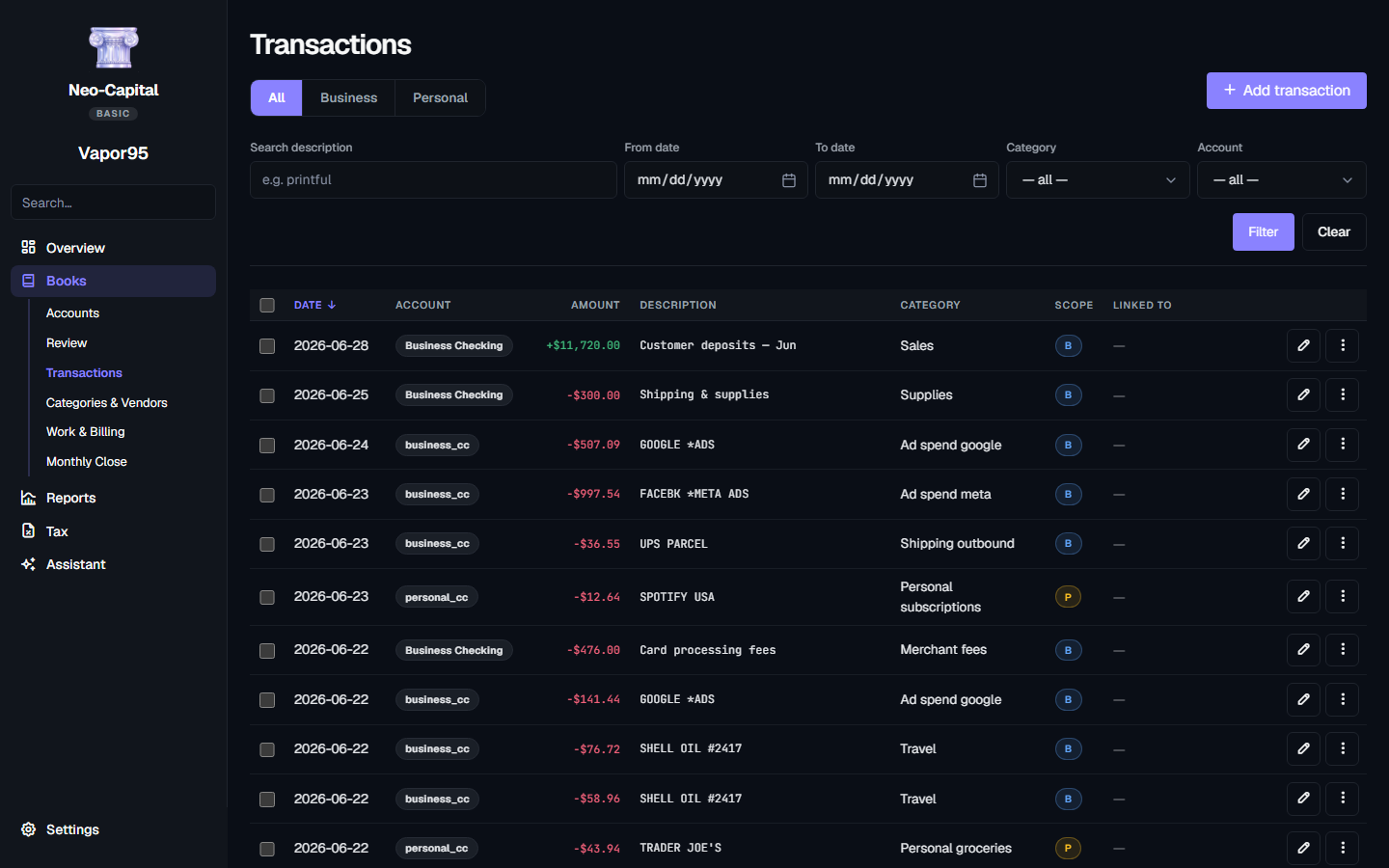
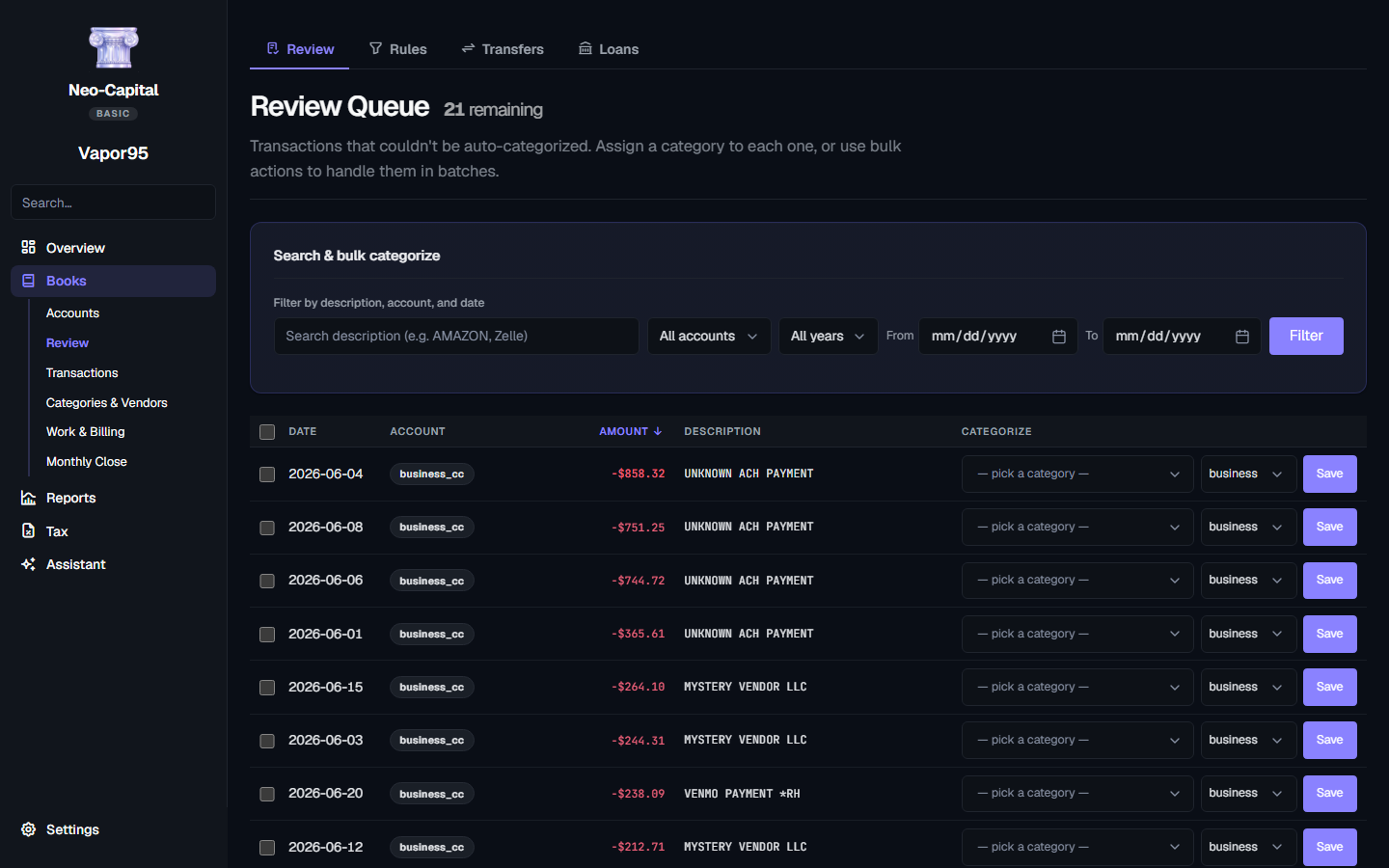
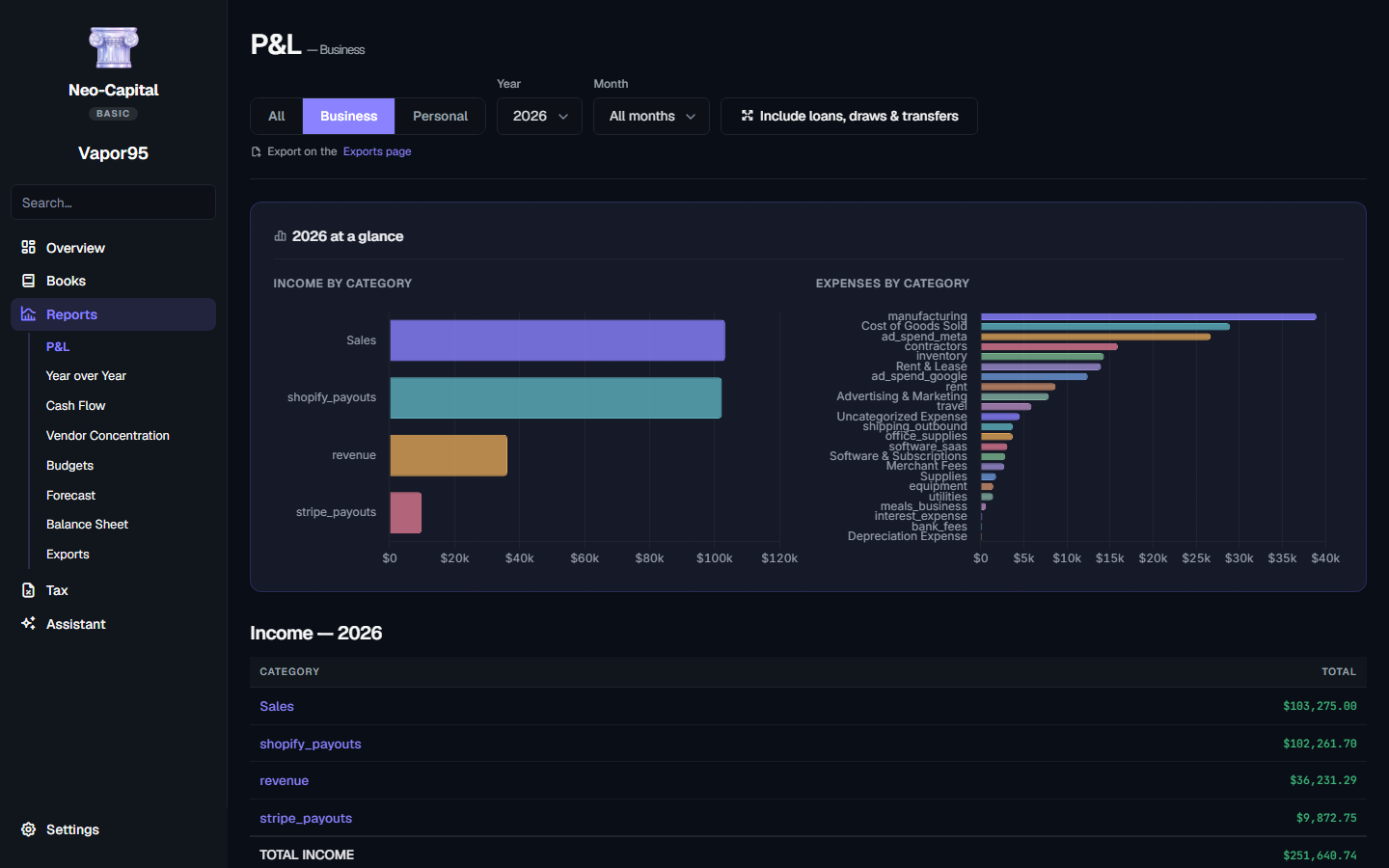
Double-entry books, without the double entry.
Most “easy” accounting apps hand you a toy ledger you'll have to escape later. Neo-Capital keeps full, always-balanced books from day one — and simply hides the accountant's view until you want it. You tag; we keep the ledger.
You said what it was.
You import a −$150 card charge and tag it “Office Supplies.”That's all you do.
You never typed a debit or a credit. Transfers between your own accounts and customer payments are routed correctly too — so nothing gets double-counted as income.
No cash-vs-accrual headache
For the way you work, it's the same number. Cash and accrual only differ once you're sending invoices or entering bills — and that's exactly when Pro shows up with a toggle. Until then, your books just show you one honest answer.
- Always balanced, always yours
- Audit-ready books from day one
- Hand it to your CPA without translating a thing
Business · Personal · All — a switch for every view.
Your business and personal life share a wallet — a client lunch on the personal card, groceries on the business account. Neo-Capital gets it: we sort each transaction by what it actually was, then let you flip between three lenses on one set of books.
Business
Your clean, tax-ready picture — the Schedule C world your accountant lives in.
Personal
Your life. Personal charges on a business card land here as an owner's draw, automatically.
All
The full, combined truth of where your money goes — both sides, one view.
Genuinely mixed? Split a transaction down the middle in two taps. Tax tools see only the business; you see everything. One ledger. Three lenses. Zero spreadsheets at tax time.
Built for the way solo businesses actually run.
One desktop app — from import to year-end CPA hand-off — with sensible defaults for tradesmen, agencies, e-commerce, creators, and freelancers.
Automatic bank sync
Connect once through SimpleFIN (open, read-only) and new transactions pull in automatically — or drag in CSV/PDF statements. Your bank credentials never touch the app.
Auto-categorize 80%+
Built-in rules know FACEBK, GOOGLE ADS, USPS, every major card payment. Most rows categorize on the first pass; review the rest and bulk-fix a whole batch at once.
Personal & business, one switch
Run business and personal money in one app. Each transaction is sorted by what it was, not which card you swiped — a client lunch on your personal card still counts as business. Flip one switch for Business, Personal, or All.
Tax deduction finder
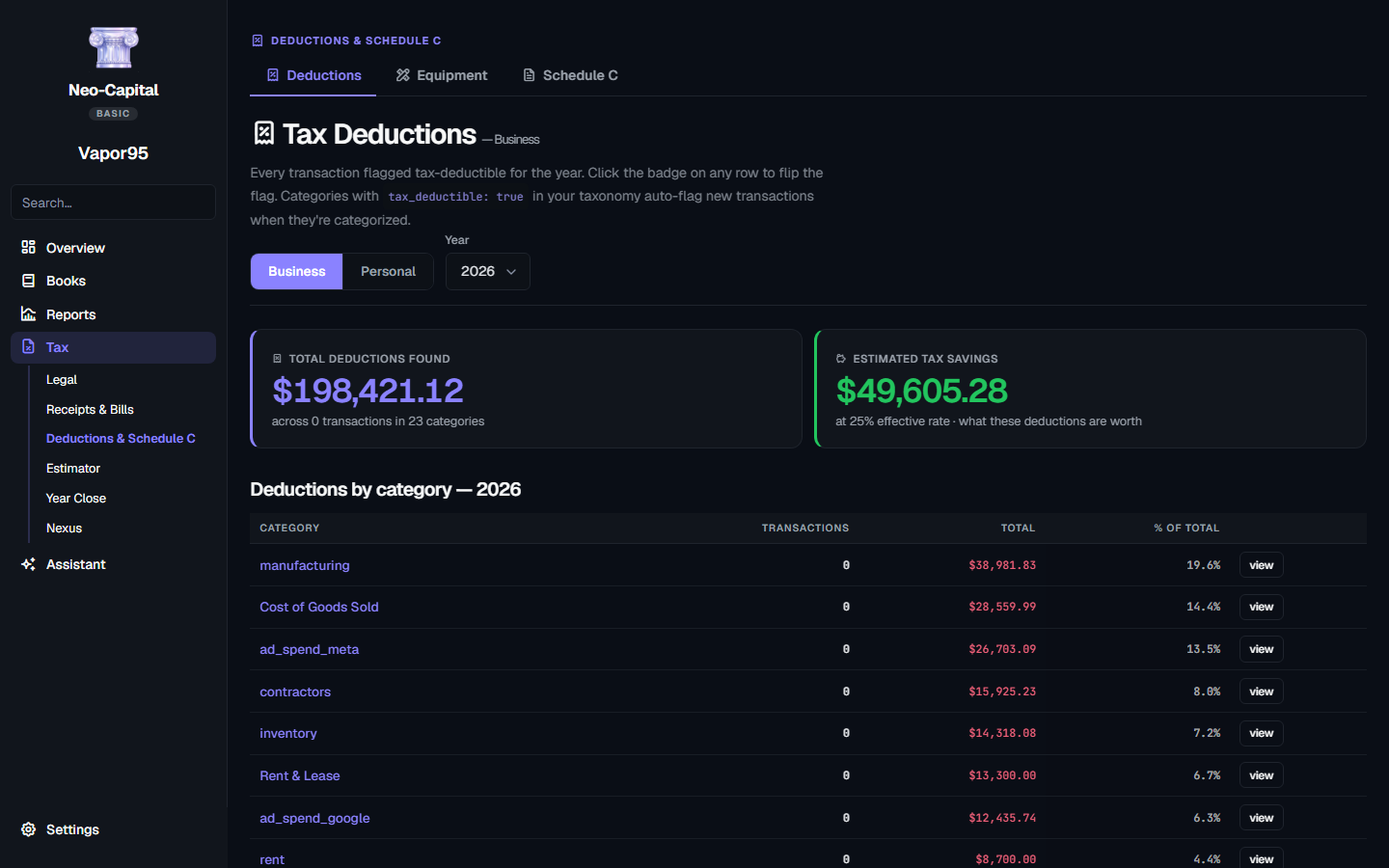
A running deductions total, a per-category breakdown, and a banner that bulk-fixes any transaction that should be deductible but isn't flagged.
Clear reports
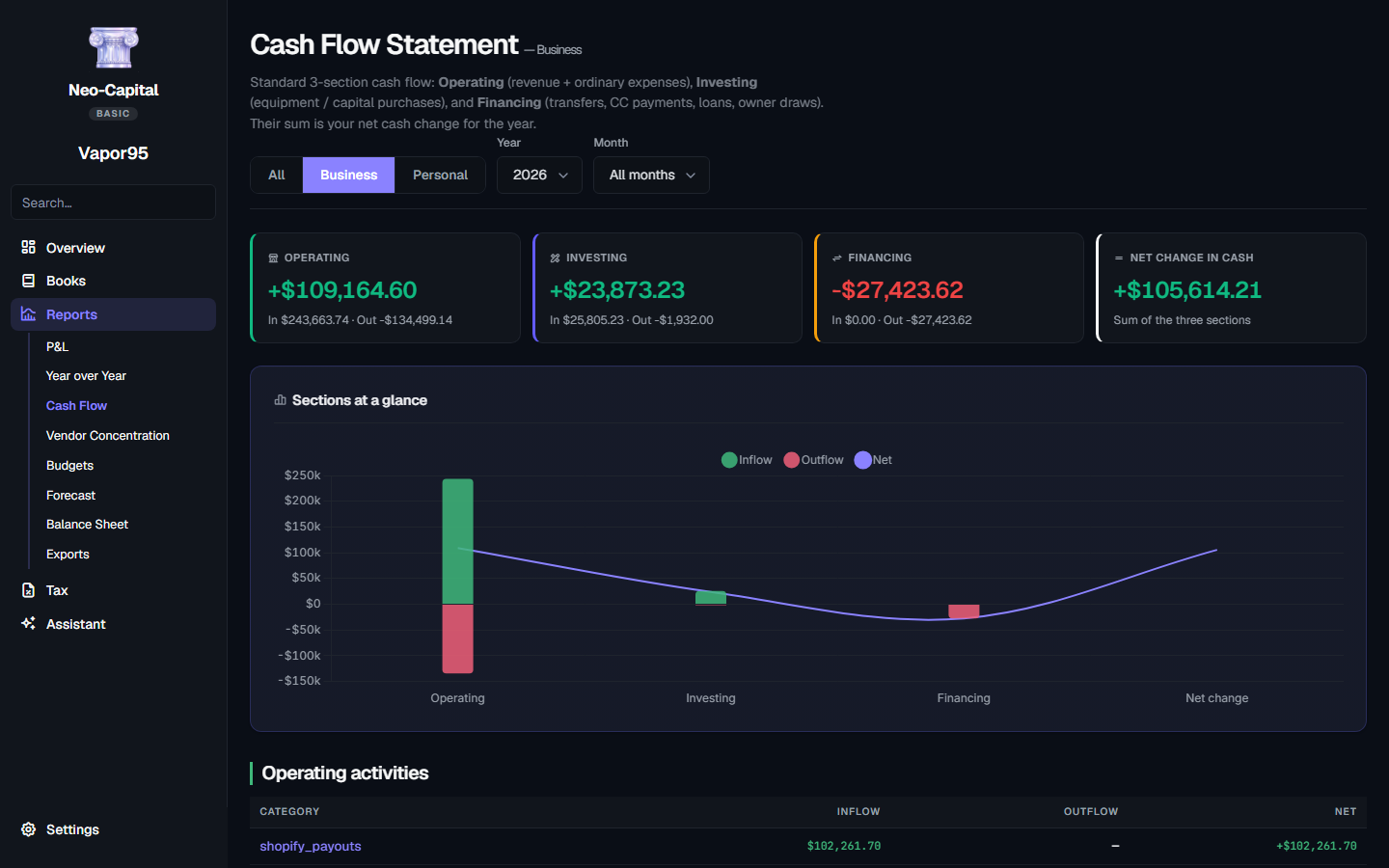
Profit & Loss, Cash Flow, Year-over-Year with biggest movers, and Budget vs Actual — the numbers you need to actually understand your money.
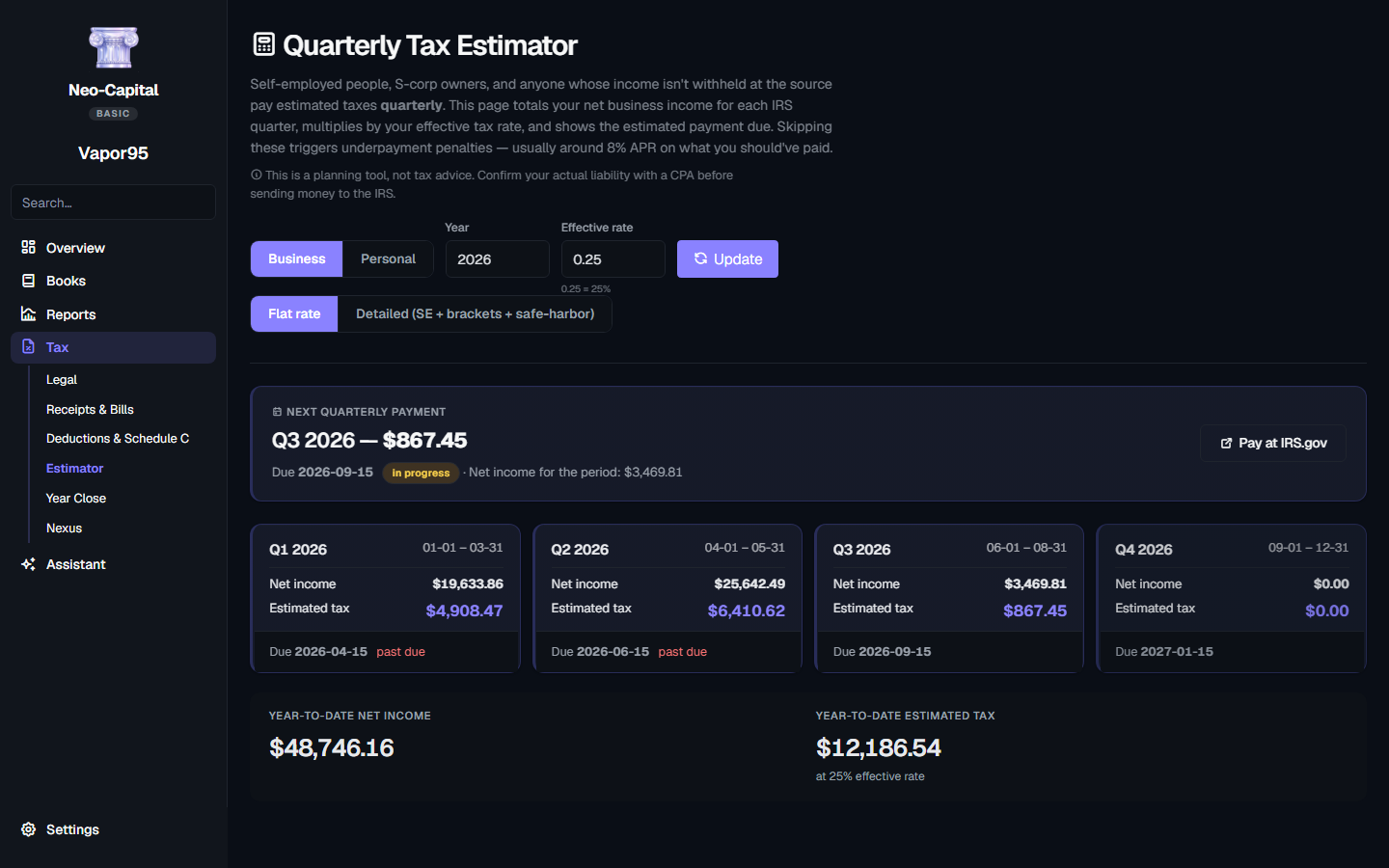
Quarterly tax estimator
Year-to-date net × your effective rate, split into the four IRS quarterly deadlines. The IRS underpayment penalty currently runs about 8% a year — the estimator keeps all four deadlines in front of you.
Mileage tracker
Every business mile is a deduction at the current IRS standard mileage rate. Log a trip in 5 seconds; the deductions add up fast.
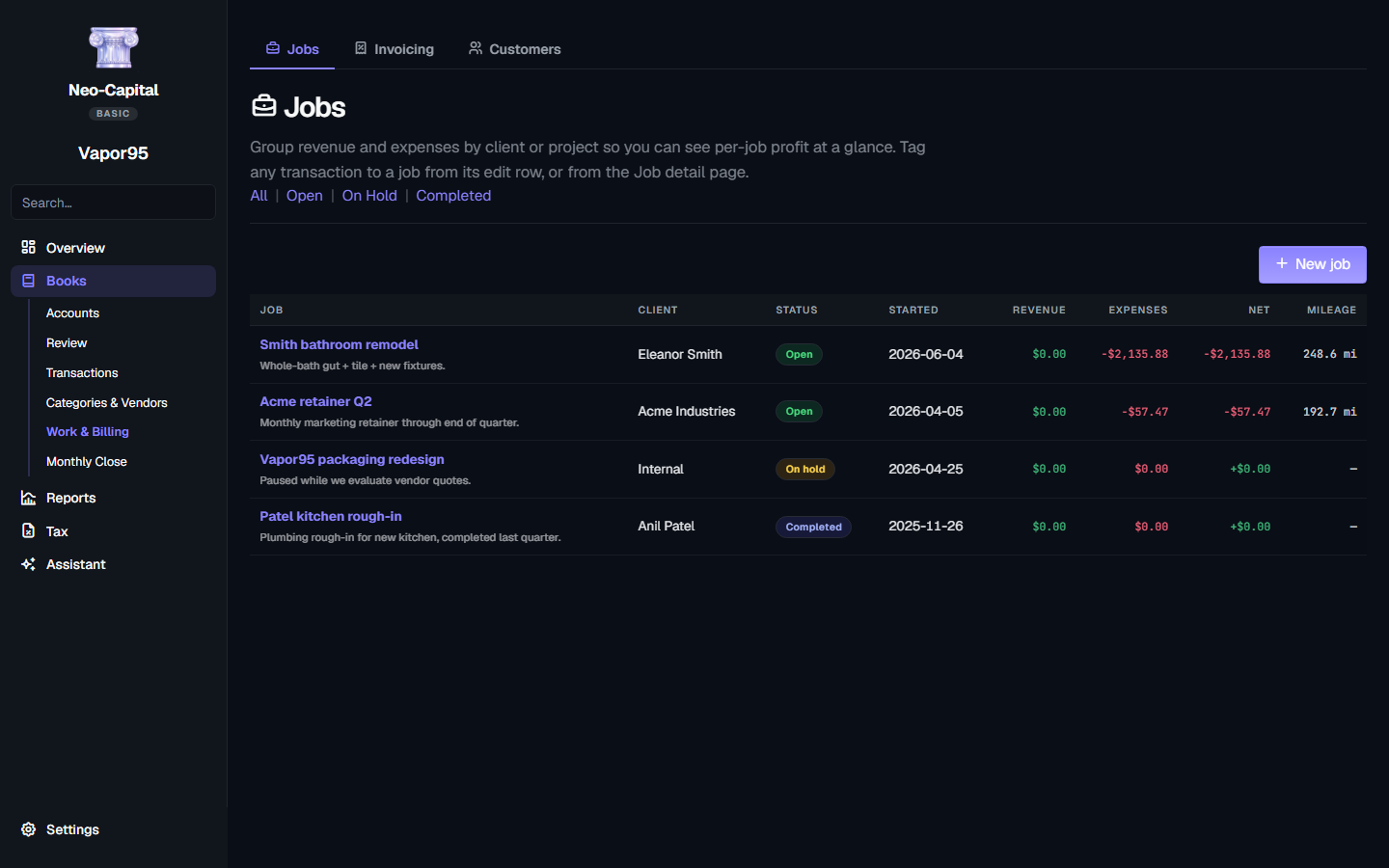
Job & project tracking
Tag transactions and mileage to a job and see per-project profit at a glance — what did that remodel, gig, or campaign actually net?
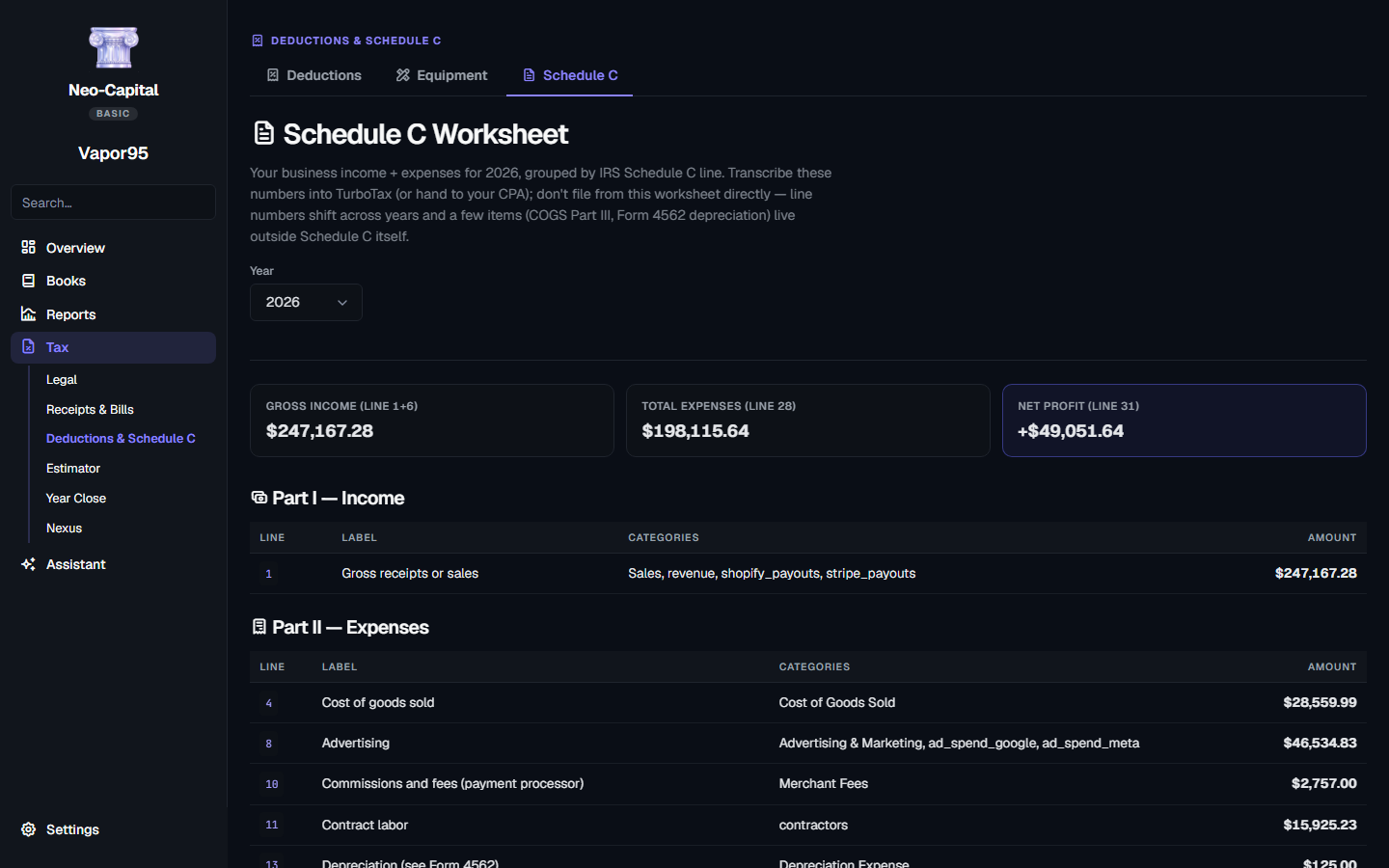
Schedule C & 1099 ready
Income and expenses mapped to IRS Schedule C line numbers, plus auto-flagged contractors who cross the 1099-NEC reporting threshold. Transcribe the return in minutes or hand it to your CPA.
Get Paid — online invoice payments
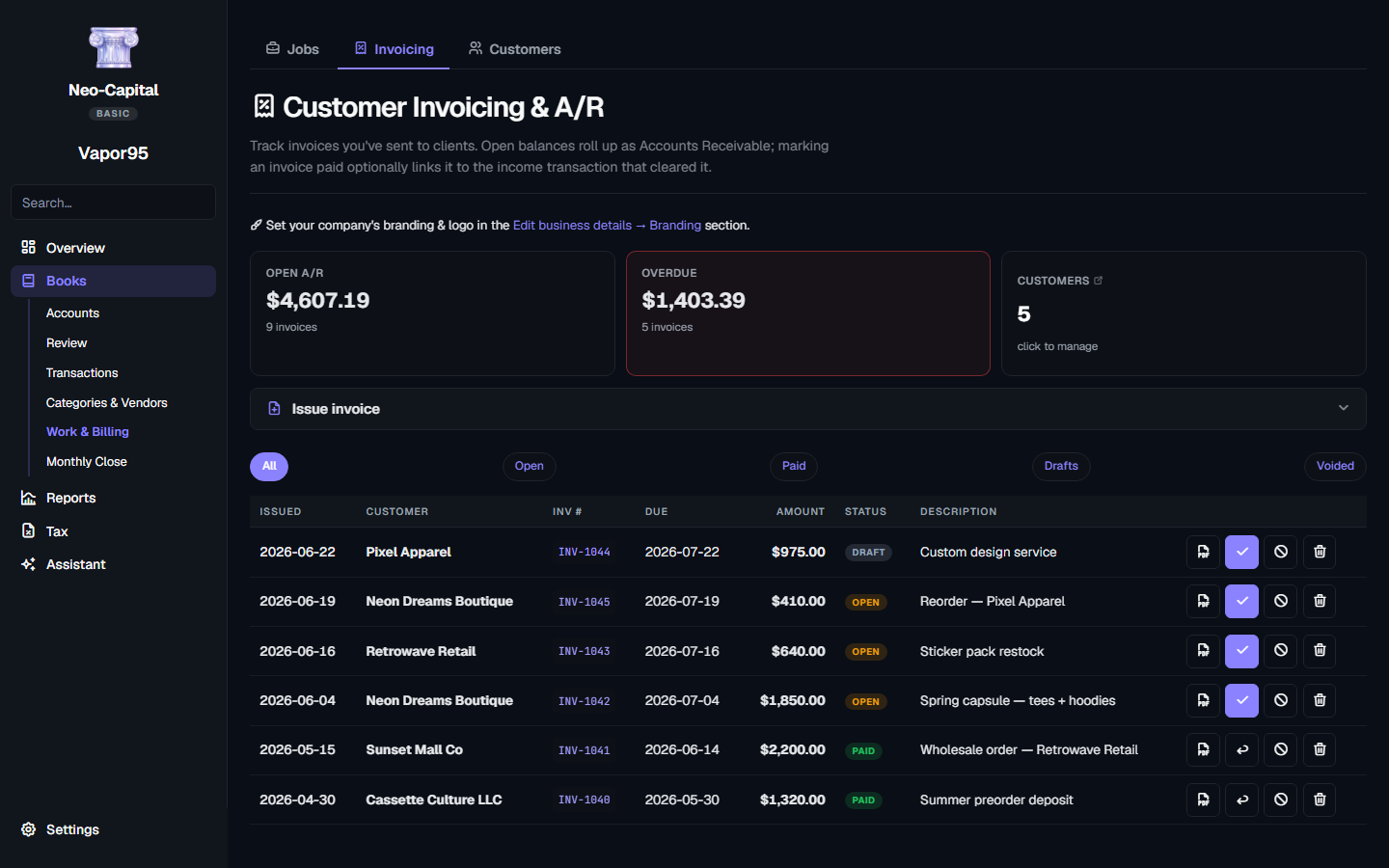
Send a branded invoice and let customers pay by card on your own pay page. The payment posts straight into your books — marked paid, fees expensed. Included on every edition.
Budget vs actual
Set monthly category budgets (or auto-suggest from your 6-month average). Traffic-light bars show exactly where you're tracking.
One-click backups
Save a labeled snapshot before anything risky and restore any prior one — Neo-Capital auto-saves a fresh safety copy first. All local, all yours.
Local-first & private
Your books live in one file on your machine. Nothing syncs to a server, no telemetry, API keys stored in your OS keychain — never plain text.
From install to insight in 5 minutes.
Install in 30 seconds
Download Neo-Capital-Setup.exe (Windows) or Neo-Capital.dmg (Mac). Walk through a normal install wizard. No Python, no terminal, no admin password required. Default install location is per-user.
Sync or drop statements
Connect your bank once with SimpleFIN and new transactions sync in automatically — or drag CSV / PDF statements onto the matching account. Neo-Capital parses, dedupes, and auto-categorizes via 150+ built-in rules. Most rows clear without you touching them.
See your books
P&L, deductions, cash flow, vendor concentration, year-over-year. All live, all computed locally on your machine.
Connect your assistant
Wire up Claude, Codex, or any MCP-capable AI. Ask it to categorize expenses, build your yearly P&L, surface 1099 candidates, hunt missed deductions, or audit your books. Your AI subscription, your data — we never see the conversation.
Close & hand off
Lock the filed year with an audit trail, then hand your CPA a clean ZIP — P&L, balance sheet, Schedule C worksheet, ledger, 1099 candidates, and mileage log, CSV-formatted for any tax software. Pick any date range to export quarterly or per-client.
Drop in a CSV. Watch your books appear.
This is what the import flow looks like — categorization, deduction flagging, instant P&L. Running entirely on your machine.
Your AI subscription powers the bookkeeping.
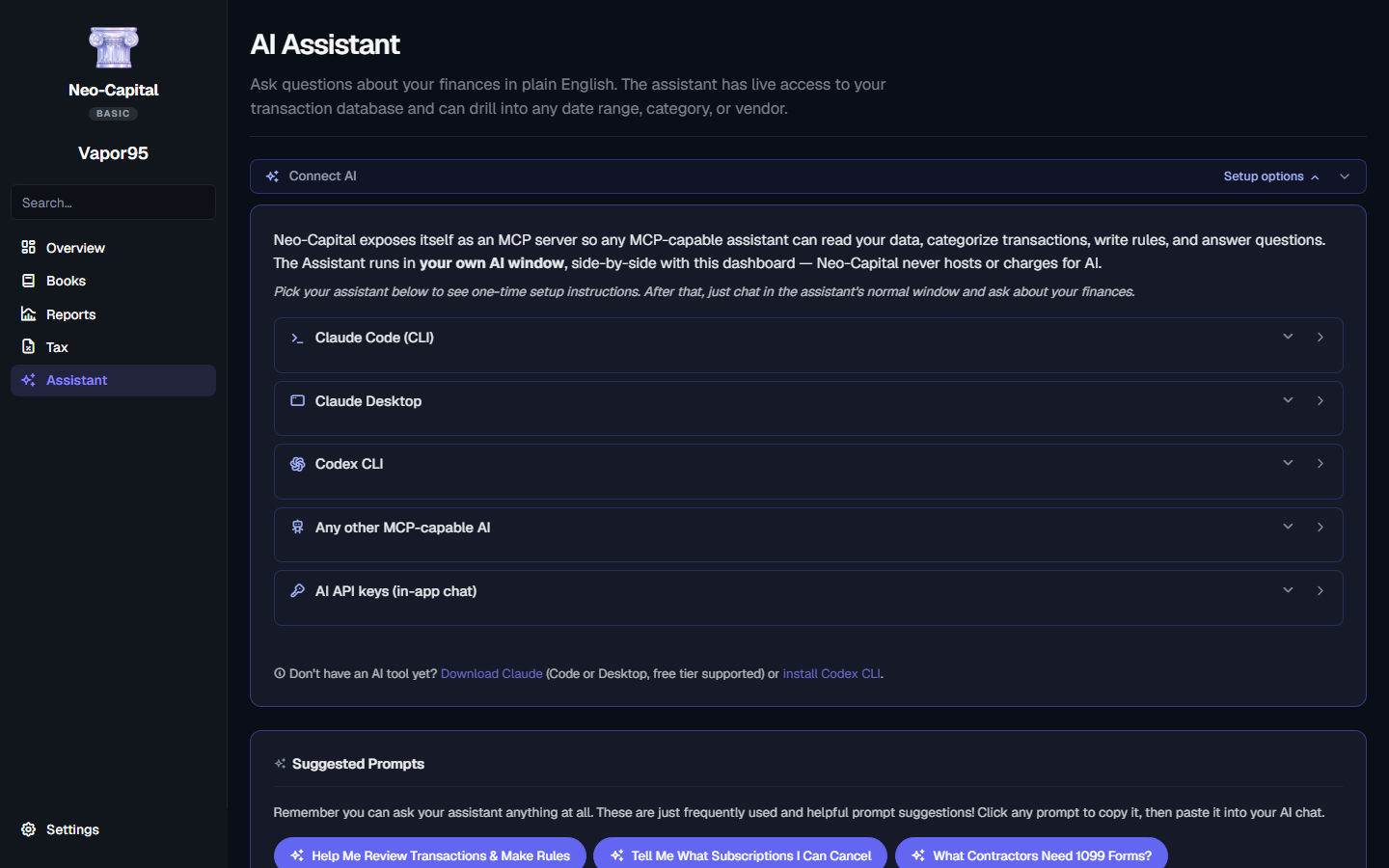
Neo-Capital exposes itself as a Model Context Protocol server. Connect Claude Code, Claude Desktop, Codex CLI, or any MCP-capable AI — they get full read/write access to your books while you chat in their native window.
We never proxy AI cycles. We never see your conversation. You use the AI subscription you already have — no added fees from us.
Claude Desktop
Paste-this-prompt setup. Claude edits its own config; you restart and you're connected.
Claude Code
Copy the one-line CLI command. Run once. Available in every Claude Code session forever.
Codex CLI
Same paste-this-prompt flow for OpenAI's CLI. Writes to ~/.codex/config.toml on its own.
API key in-app
Prefer a built-in chat? Paste a key from Anthropic, OpenAI, or Google. Stored in your OS Keychain — never our server.
Neo-Capital vs QuickBooks Solopreneur
Different tools for different priorities. Both directions — including where QuickBooks wins. Pick the one that matches how you want to work.
Stop paying every year for the basics.
QuickBooks Solopreneur is ~$20/month — $240 every year, forever. Neo-Capital Basic is a single $49.
Everything above, owned forever, working on every machine you own.
- Bank sync + AI categorization
- Deduction finder + quarterly taxes
- Mileage, jobs, budgets, 1099
- P&L · Cash flow · Year-over-year
- Schedule C + CPA share package
- Local-first · Mac + Windows · lifetime updates
You'll never outgrow your own books.
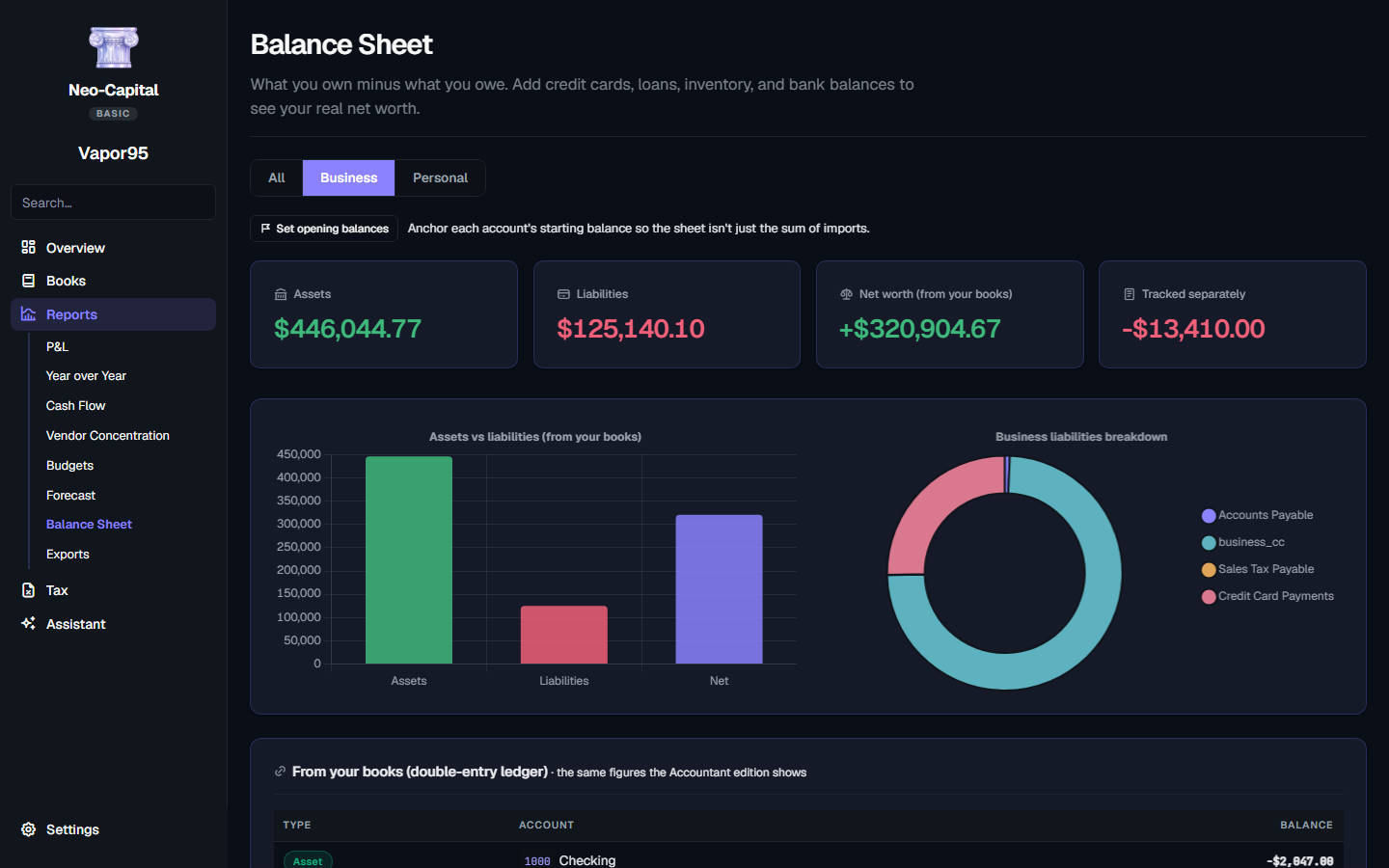
Because Basic and Pro are the same ledger, there's nothing to migrate when you're ready for invoicing, A/R & A/P, a real balance sheet, or a clean CPA hand-off. Just enter a Pro key — the journal entries and chart of accounts were being built quietly the whole time.
Explore Neo-Capital ProQuestions, answered.
Still have questions? Email river@vapor95.com.
Ready in 30 seconds.
Three steps. No subscription, no account on our end, no waiting list. You own a copy of Neo-Capital that runs locally forever.
Check out securely
One-time payment. Stripe checkout — pay with card, Apple Pay, Google Pay, or Link. No account to create.
Get an email
Your license key + download links for Windows and macOS land in your inbox seconds later. Comes from keys@neocapital.app.
Install + activate
Run the installer, paste your key, you're in. Same key works on every machine you own.
Windows 10+ · macOS 12+ · 30-day money-back · No subscription, ever
Current release: v3.0.4 · Updated July 2026
First-launch SmartScreen warning is normal for unsigned apps — click More info → Run anyway. A code-signing certificate is on our near-term roadmap. (The macOS build is already signed & Apple-notarized.)