

Your books, on any computer, anywhere
Try it free for 14 days with no credit card. There is nothing to install, and if you cancel, you keep your books.
- CPA tested and approved
- 30-day money-back guarantee
- Encrypted and secure
- Hands-on support and resources
Choose your tier
Online runs the full Neo-Capital program in your web browser, on any computer, for a monthly subscription. Online includes every feature and integration we offer, though some are limited to certain tiers.
Basic

Simple bookkeeping for one business
or $190/year (two months free)
Simple, plain-English bookkeeping for one business.
- Unlimited invoices and transactions
- Bank feeds with category rules
- Deduction finder and tax estimates
- Core reports and tax forms
- Upgrade at any time
1 business · You plus 1 additional user
Pro
 Most popular
Full double-entry accounting
or $390/year (two months free)
Full double-entry accounting for a growing business.
- Registers, ledger and period close
- Bills, payables and reconciliation
- Purchase orders and inventory
- Classes and job costing
- Sales tax nexus across states
2 businesses · You plus 3 additional users in each
Firm

For accounting firms and their clients
or $990/year (two months free)
Every Pro feature, for unlimited clients and users.
- Everything in Pro, for every client
- Client dashboards you can publish
- Add your team once for all clients
- Clients see your firm's name
- Switch clients in one click
Unlimited businesses and users
On Basic and Pro, you can add another business for $9/month. If adding another business would cost more than Firm, you can upgrade to Firm instead. See all pricing

Everything you needfor yourbookkeeping

Neo-Capital Online is professional-grade accounting software, accessible from any browser, anywhere. Created for the advanced accountant working in a small business's books, up to an enterprise-level corporation. Every tool, every feature, every report at your fingertips.
Double-entry accounting
Every transaction posts both sides to the ledger. Work in account registers with running balances and a full chart of accounts with sub-accounts, post journal entries that only save when they balance, reconcile to a $0.00 difference, and close the books through any date, with an audit trail behind every change.
Registers, journal entries, the audit trail and closing the books are on Pro and Firm.
Connections & Integrations
Connect your bank, payment processors, online stores and payroll, and their deposits sync to Neo-Capital. Each deposit is split into sales, fees, refunds and taxes and posted to the right accounts.


 Plaid
Plaid




Connect your bank
Link Chase, Bank of America, Wells Fargo, Citi or any of about 10,000 US banks through Plaid. You sign in on your bank's own screen, so we never see your password. New transactions come in automatically, with categories suggested by your rules, and wait in your review queue until you approve them.
Bank feeds through Plaid are included in your Online subscription.
Plaid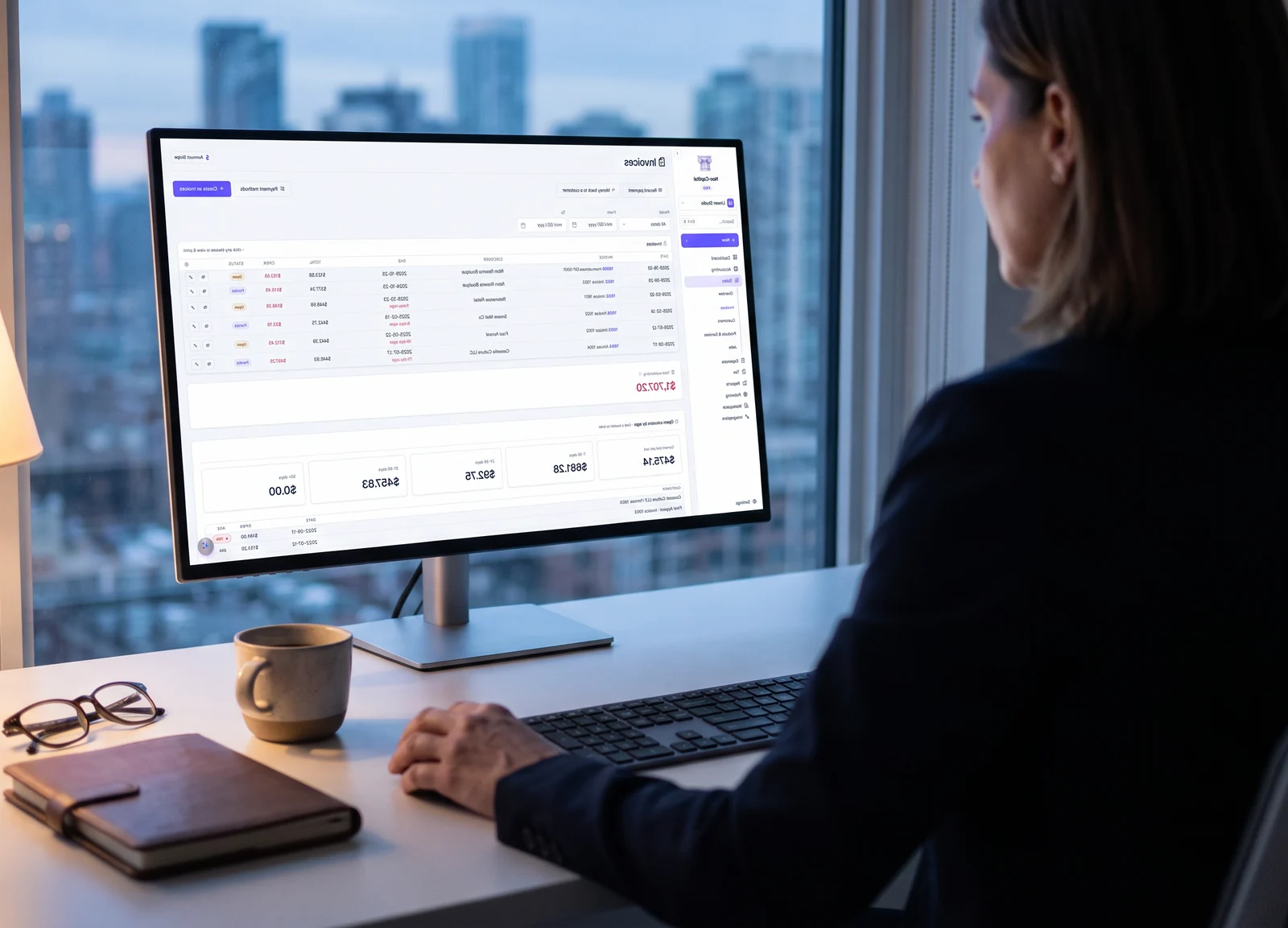
Get paidon time

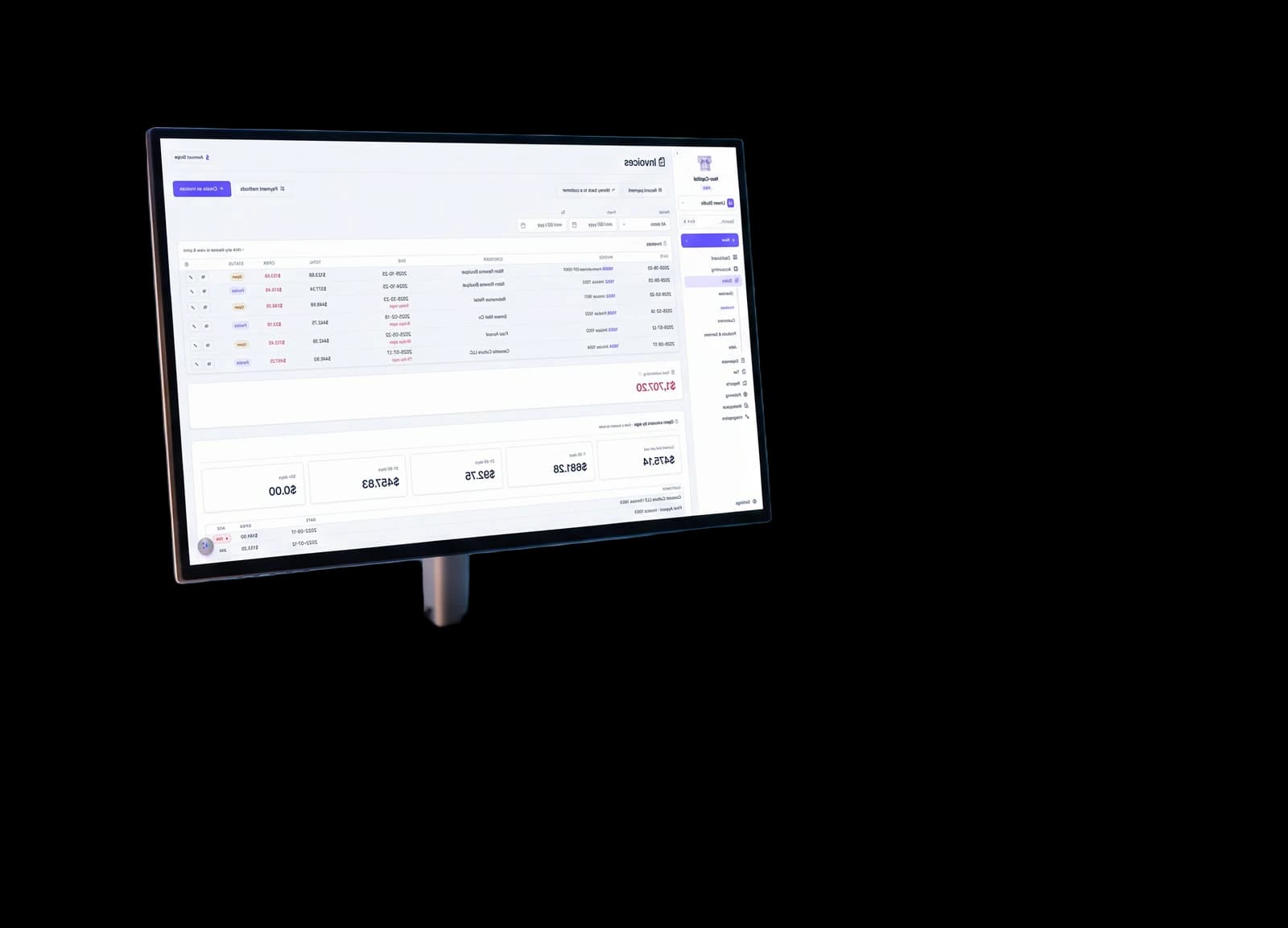
Email invoices your customers can pay by card, send reminders on a schedule, and write every email in your own words.
Invoices with a pay button
Email an invoice from the app, and it arrives with a Pay this invoice button. Your customer pays by card on a page in your business's name, and the payment is recorded against the invoice automatically. You can rewrite the subject and message of every email, using fields that fill in automatically, such as the customer, the amount, the due date and the pay link. You can also add your logo, your address and the PDF.
Card payments need Get Paid set up with Stripe.
They pay by card from the email, and the payment is recorded against the invoice.
Users and roles
Invite your accountant and your staff, give each person a role, and keep each business's books separate.
- MCOwnerMaya Chenmaya@lumenstudio.example
- DAStaffDiego Alvarezdiego@lumenstudio.example
- JPFieldJune Parkjune@lumenstudio.example
- SOAccountantsarah@okafor-cpa.exampleInvited · waiting for them to sign up
Invite users
Type an email and pick a role. Someone new to Neo-Capital gets an invitation, and they join your books as soon as they sign up.
- MCOwnerMaya Chenmaya@lumenstudio.example
- DAStaffDiego Alvarezdiego@lumenstudio.example
- JPFieldJune Parkjune@lumenstudio.example
- SOAccountantsarah@okafor-cpa.exampleInvited · waiting for them to sign up

Your bookson yourphone
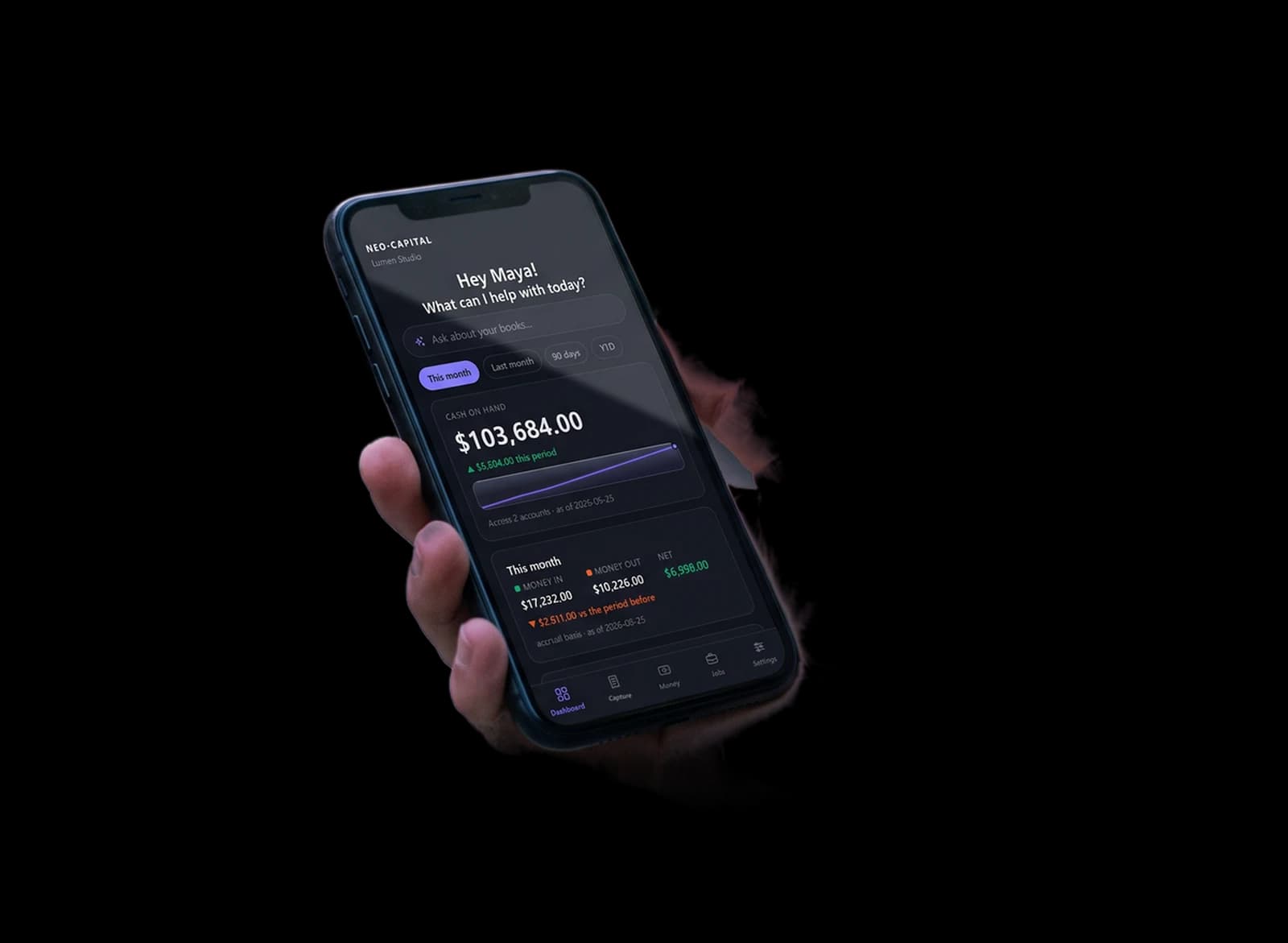
The Neo-Capital mobile app is included with Online. It works from the same books you use on your computer.
Ask questions about your books
Ask a question in plain words and get the answer from your books, such as who owes you, what you spent, or how a job is doing.
The assistant needs Neo-Capital AI, a paid add-on from $19/month.
Use your own AI or ours
Neo-Capital works with your own AI account, either through MCP or with your API key, at no extra cost from us. You can use Claude, OpenAI or Gemini. If you would rather not set up your own, Neo-Capital AI is a paid add-on from $19/month, with extra credit packs available.
 Claude Neo-Capital connected
 Claude Desktop, Claude Code, ChatGPT and Codex
 Neo-Capital AI
Connect Claude or ChatGPT
Neo-Capital connects to your own AI over MCP. Add the connector, approve it once inside Neo-Capital, and ask Claude, ChatGPT or Codex about your real numbers from wherever you already work.
Claude Neo-Capital connectedClaude Desktop, Claude Code, ChatGPT and Codex
Securityandsupport

- Harbor Light Hotel$3,720.00
- Studio rent−$2,200.00
- Westbrook Gallery$570.00
- Payroll−$6,889.60
from your password
- This phone · Portland, ORnow
- MacBook · Portland, OR2 hours ago
We encrypt your books with AES-256, and our support team, user manual and public status page are there when you need help.
Encryption and sign-in security
Your books are encrypted with a key made on your device from your password, which we never receive. Your books are stored encrypted on our servers, and each user has their own key. You can also turn on two-factor sign-in, see every device that is signed in, and get an email when a new device signs in.
- AES-256-GCMA widely used encryption standard
- Your password never leaves youThe key is made on your device from your password
- A recovery codeSaved at signup, so a forgotten password does not lock you out
After you sign out, the copy on our servers cannot be read by us or anyone else.
- Two-factor sign-inA code from your authenticator app
- DevicesSee every computer and phone that is signed in
- New sign-in alertsAn email when a new device signs in
You can find these on your account page, under Sign-in & security and Devices.
Migrate from QuickBooks or another program
Neo-Capital imports the export files from QuickBooks, Xero, Wave and FreshBooks, and it explains each step as it goes. You can see everything that was imported, and Neo-Capital checks that your balances match your old program.
Upload the export files from your old program: your chart of accounts, contacts, general ledger and trial balance.
 Migrate from QuickBooksQuickBooks
 Xero
Xero Wave
Wave FreshBooks
- Account List.xlsx18 KB
- Customer Contact List.xlsx64 KB
- Vendor Contact List.xlsx31 KB
- Journal.xlsx2.4 MB
- Trial Balance.xlsx22 KB
Accounting firms that switch to a yearly Online plan get free help with migration and setup. See how it works for firms.
How our pricing compares
Neo-Capital Online compared with QuickBooks Online and Xero
| Neo-Capital Online | QuickBooks Online | Xero | |
|---|---|---|---|
| Entry plan, per month | $19 | $38 | $27 |
| Small-business plan, per month | $39 | $85 | $59 |
| Practice / top plan, per month | $99 | $340 | $97 |
| Unlimited invoices on the entry plan | |||
| Unlimited bills on the entry plan | |||
| Job and project tracking on the entry plan | |||
| Multiple businesses on one subscription | |||
| Sales tax nexus tracking by state | |||
| Operations dashboard across your sales channels | |||
| Mobile app included | |||
| Use your own AI key for the built-in AI | |||
| Books stored encrypted with a key from your password | |||
| A desktop version you can buy outright |
Competitor pricing is US list as published in September 2026 and excludes introductory discounts. Xero prices are the rates that take effect on October 1, 2026. Xero's entry plan limits how many invoices and bills you can send each month. Ours does not.
Frequently asked questions
How does the free trial work?
Every plan starts with 14 days free and no card. The trial includes everything in the plan you choose. You can connect a bank, import your history, send invoices and run reports. If you don't subscribe at the end, nothing is charged and your books are still yours to export.
Is Online full accounting software?
Yes. It is not a simplified web version. Online uses the same accounting engine as our desktop program. Every transaction posts a balanced journal entry, the trial balance always ties, and posted entries are never erased. To fix a mistake, you can void or reverse the entry, and both the original and the correction stay in the history. Accountants will find the standard accounting reports and terms they already use.
Can I migrate from QuickBooks?
Yes. Your accounts, customers, vendors and transaction history are imported, so you're not starting from an empty file in the middle of a tax year. Bank and card statements import from CSV or PDF too.
Which reports do I get?
Every tier includes profit and loss, balance sheet, cash flow, accounts receivable aging and the tax form for your type of business, as of any date. Pro and Firm add the trial balance, general ledger, accounts payable aging, a choice of cash or accrual basis, 1099 contractor tracking, sales tax nexus tracking for all 50 states and D.C., and the full report set.
Can my accountant get in?
Yes, on every plan. You can invite them into your books with a role that fits, from full posting rights to view-only. You, the owner, don't count as a user. Basic lets you add 1 additional user per business, Pro lets you add 3 additional users per business, and Firm has no limit. The people you invite don't need their own subscription. Your accountant works in the same books you do, so there are no files to send back and forth.
Do you use my data to train anything, or sell it?
No. Your books are stored encrypted under a key made from your password, so we cannot read them after you sign out. The Security section above explains how this works and its limits.
What happens if I cancel?
You always get a full export of your books. If you've paid for Online for two months or more in total, we also email you a free Neo-Capital Desktop Basic license when your subscription ends, so you can keep opening them on your own computer forever.
What costs extra?
Neo-Capital AI is an optional add-on from $19/month, and the Ads add-on is $29/month. Each extra business on Basic or Pro is $9/month. Bank feeds and the mobile app are included.
Can I switch plans later?
Yes, you can upgrade or downgrade at any time. On Basic and Pro, you can add another business for $9/month. If adding another business would cost more than Firm, you can upgrade to Firm instead, which includes unlimited businesses.
Still have questions? Email help@neocapital.app or visit the Help Center.