
The whole accountant's cockpit
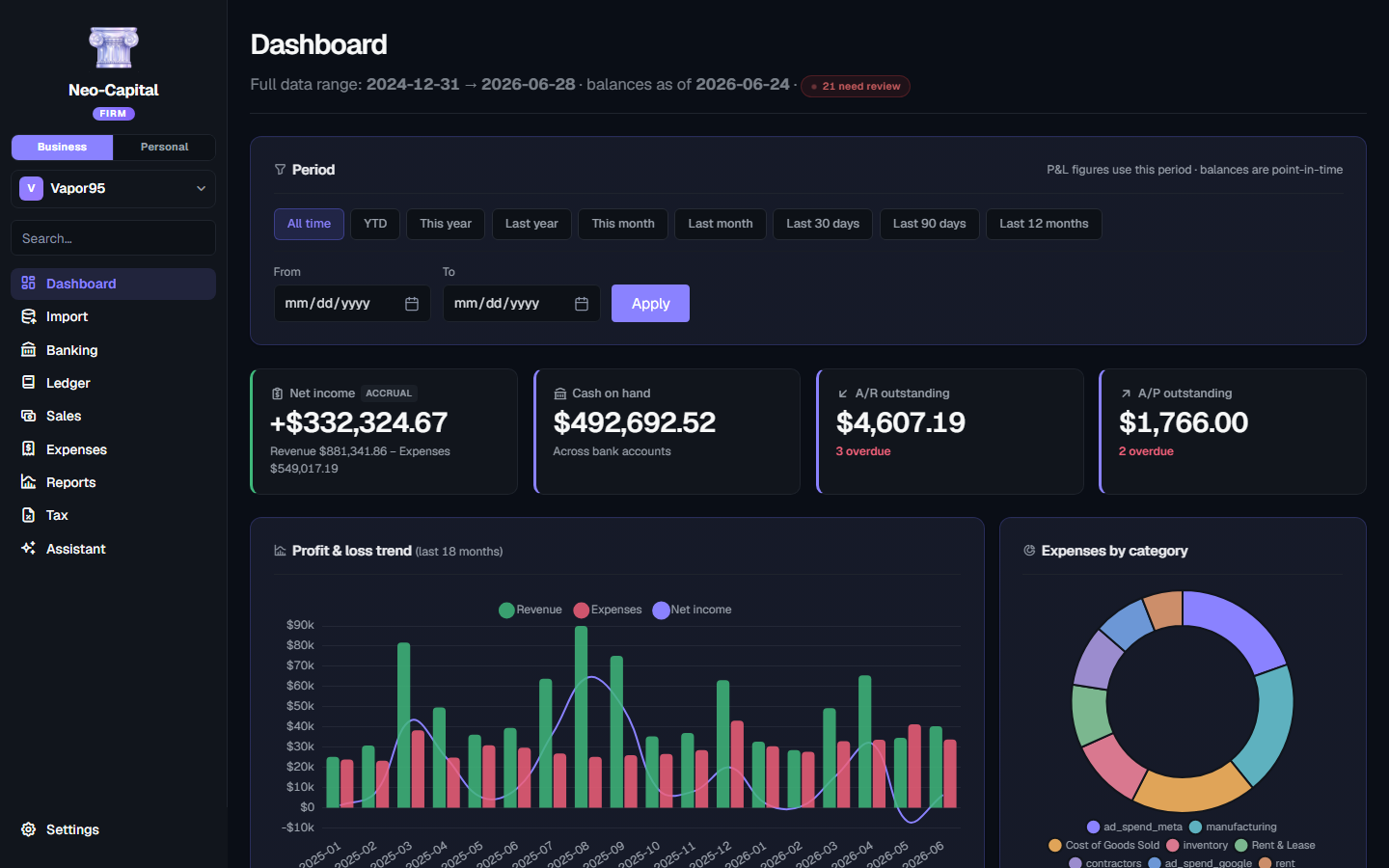
The ledger brought out into the open: journal entries, an editable chart of accounts, accounts payable, bank reconciliation, period close, and every financial statement on cash or accrual. Three businesses, three people, one subscription.
14 days free, no card · then $39/month, or $390/year · For a growing business, or a few of them
Every page does one job, well.
The full double-entry suite: general ledger, A/R and A/P, bank reconciliation, and every financial statement on cash or accrual.
Everything in Pro
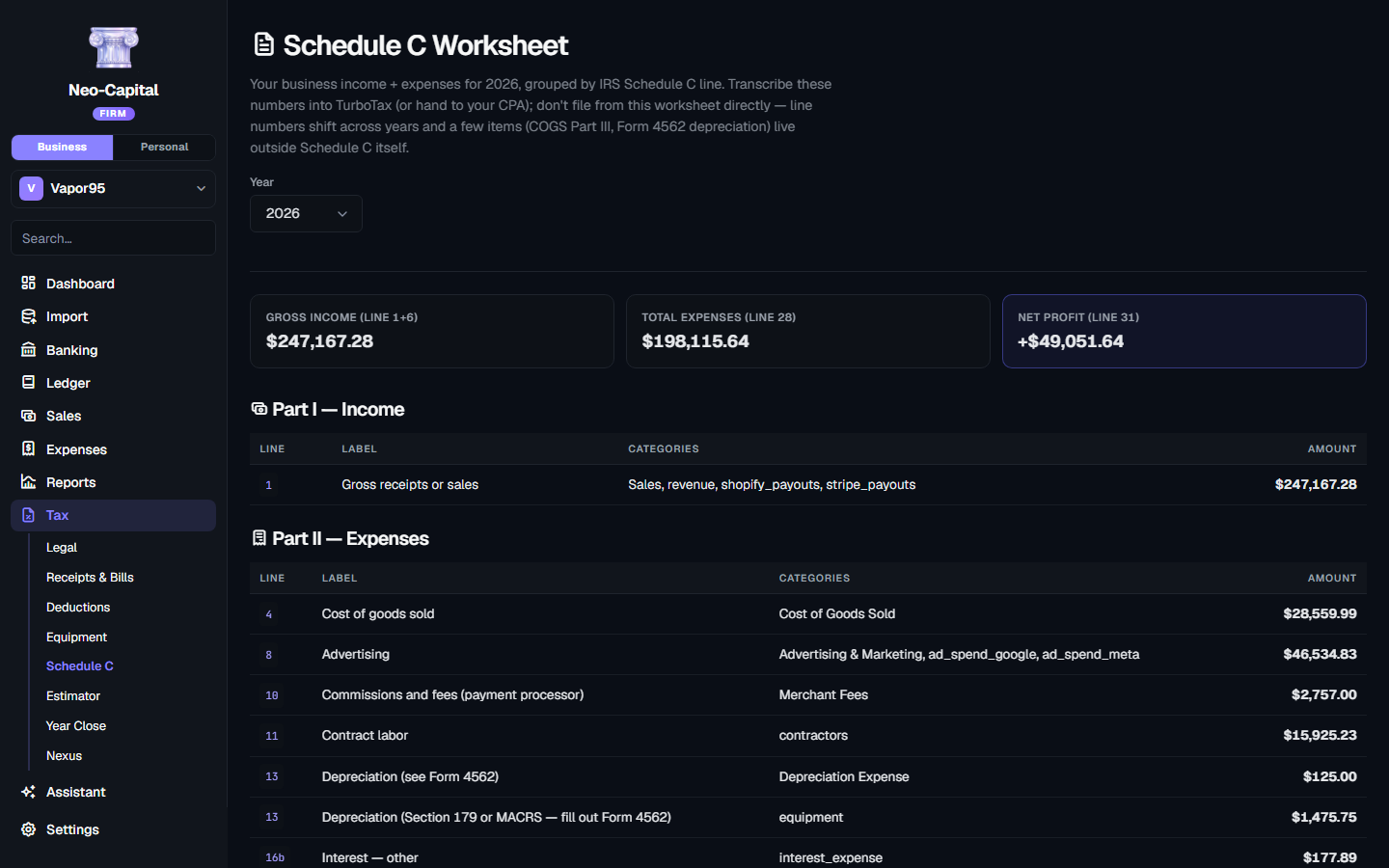
The ledger out in the open — journal entries, A/P, reconciliation and period close — across three businesses and three people, on one subscription.
The ledger, in the open
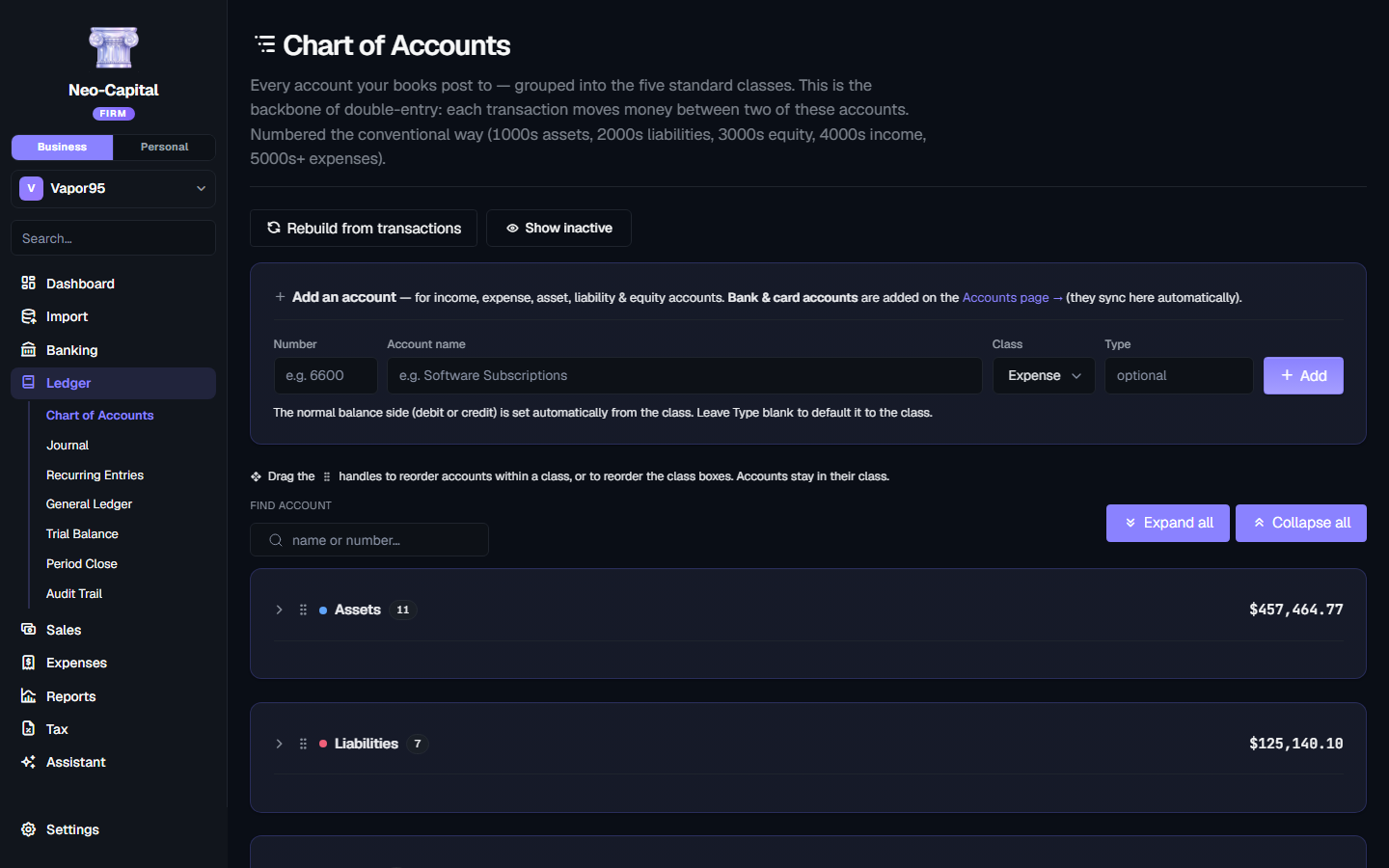
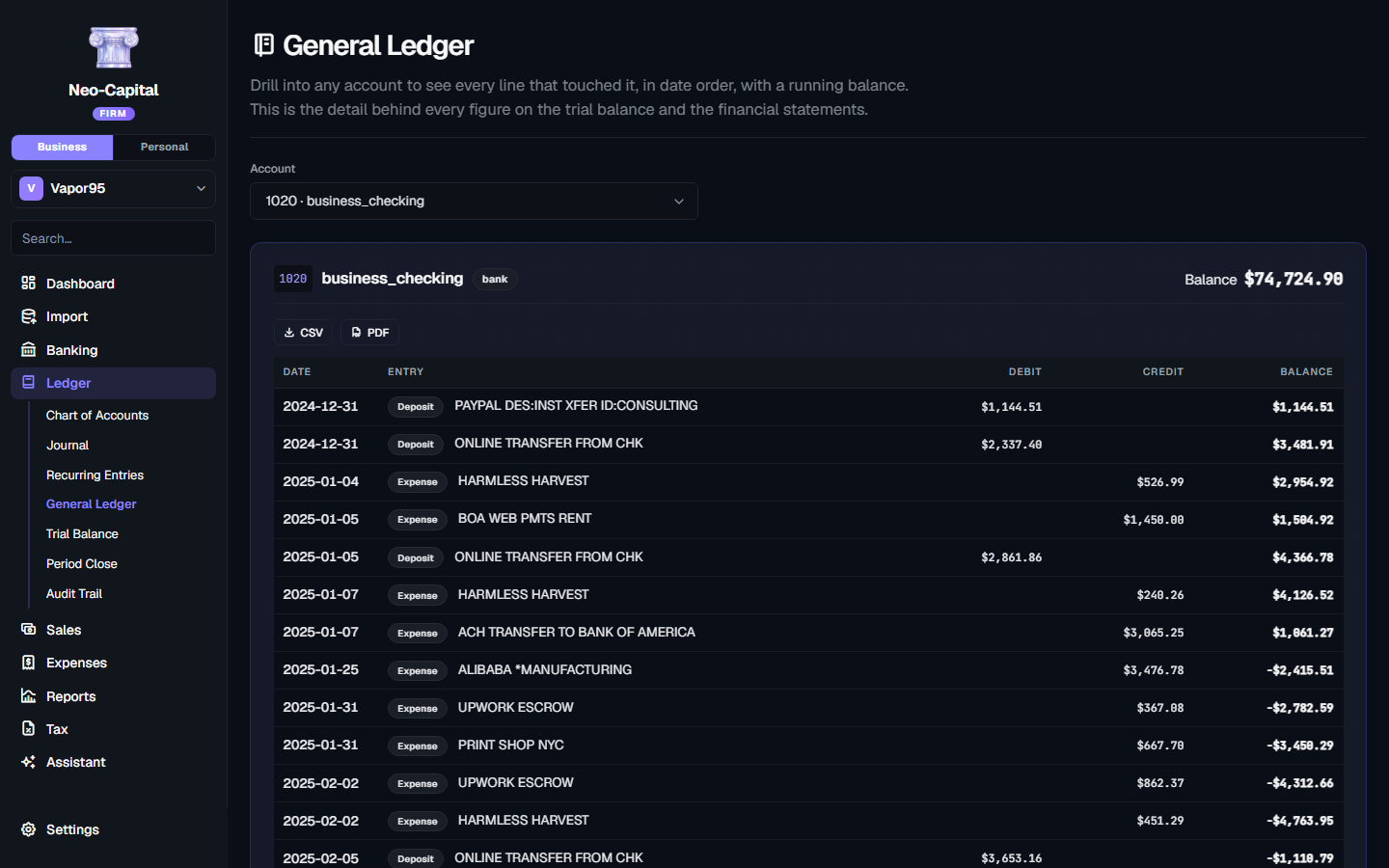
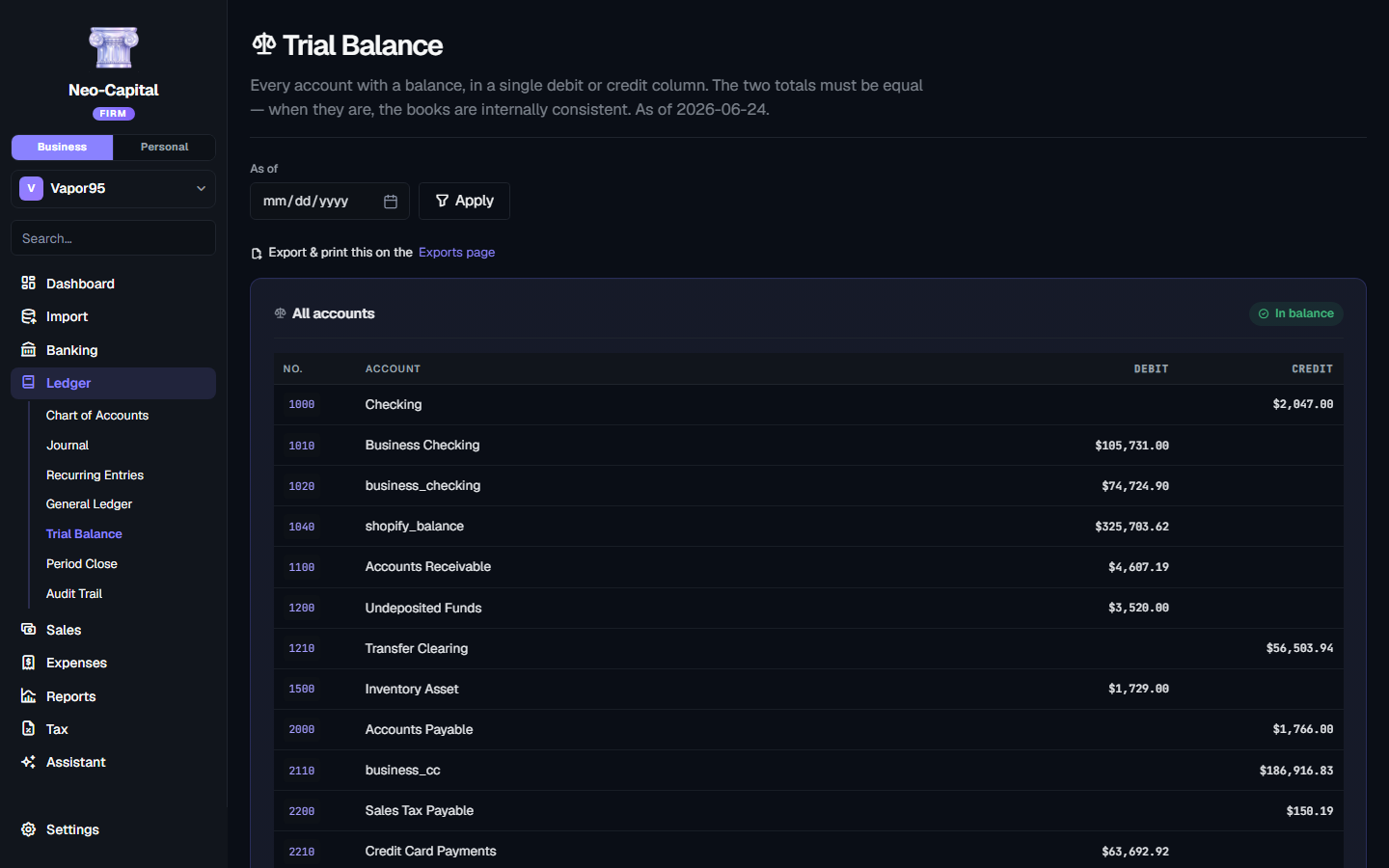
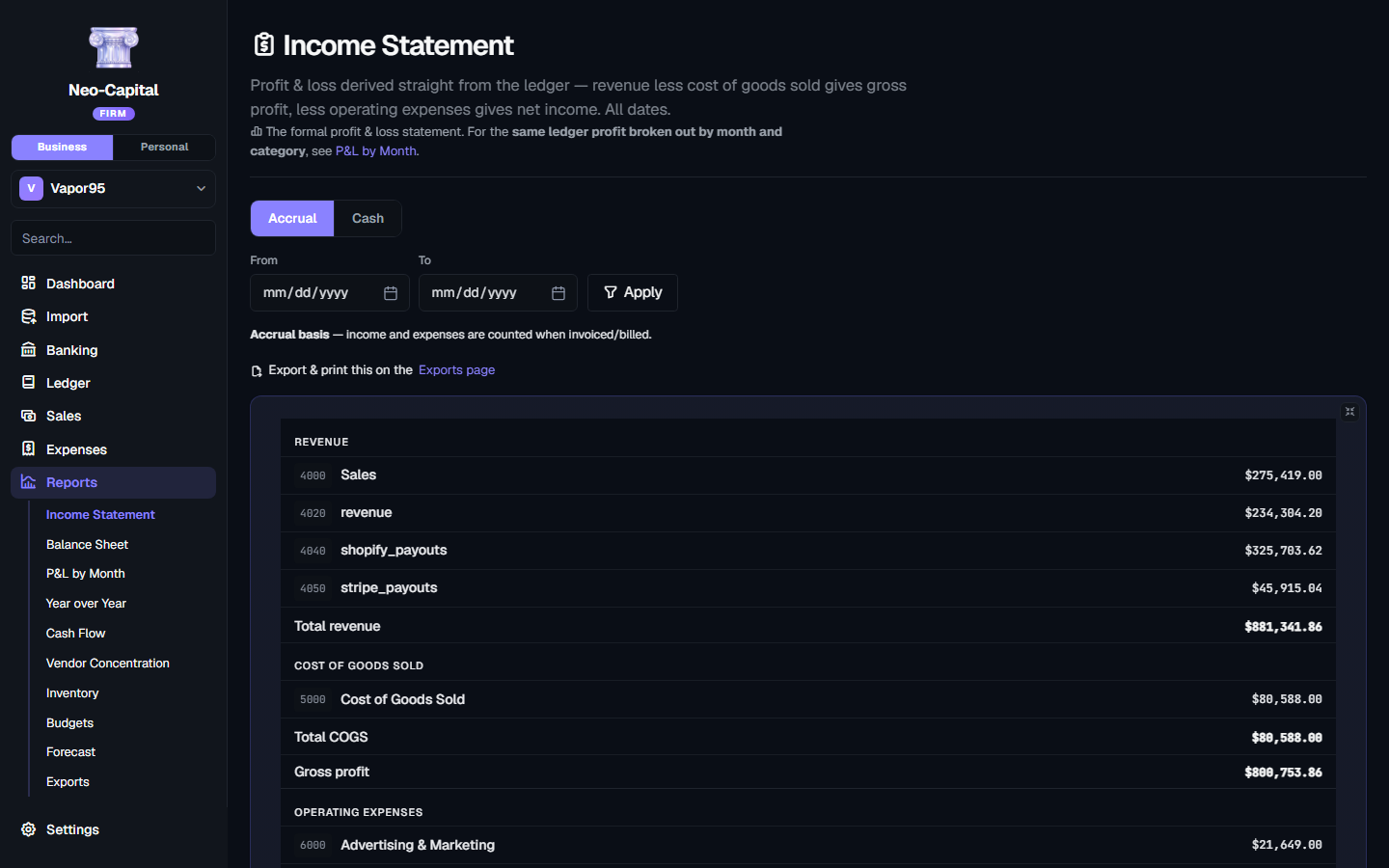
General ledger, manual journal entries that only post when they balance, an editable chart of accounts, and a trial balance that ties as of any date.
A/P, bills and close
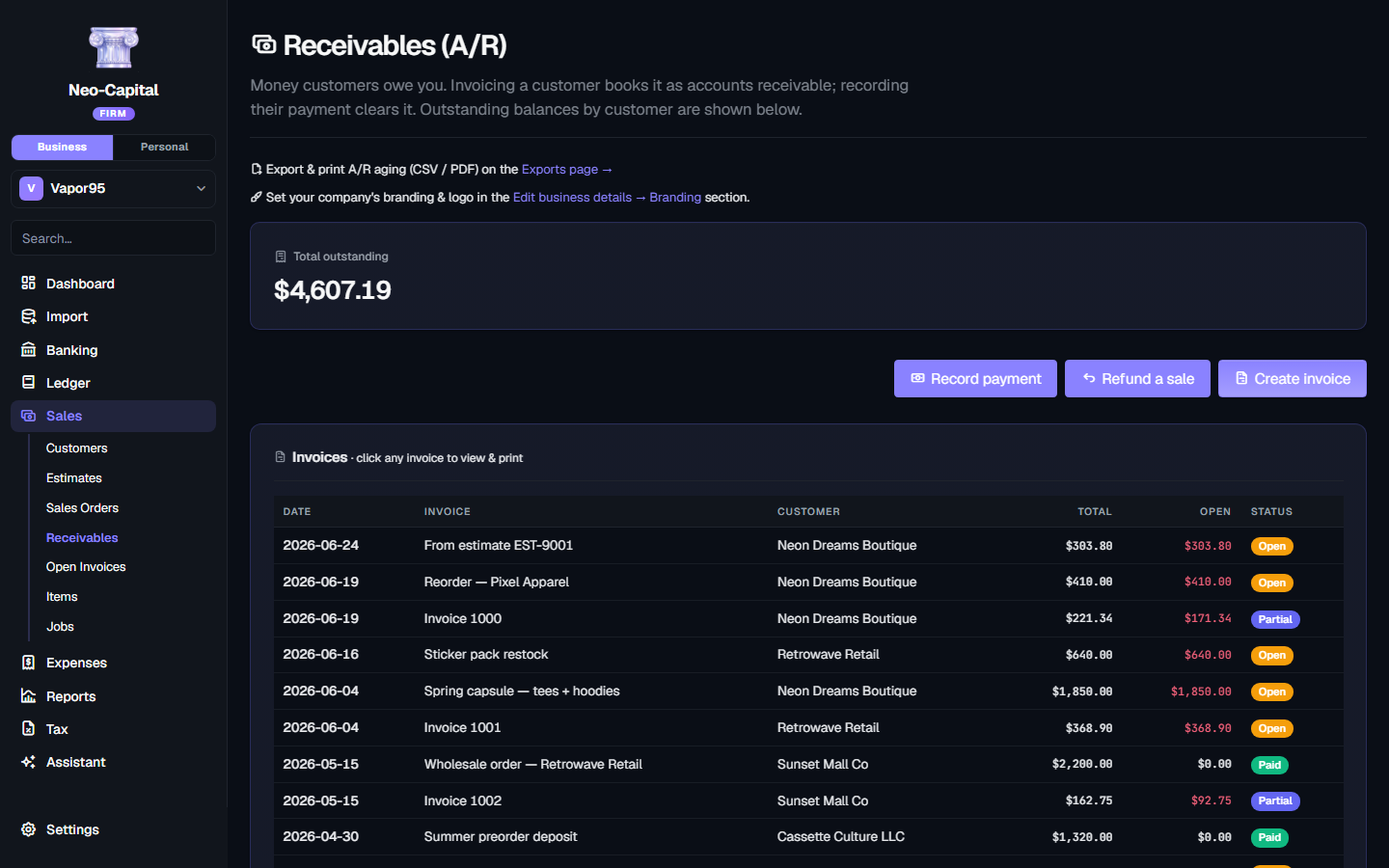
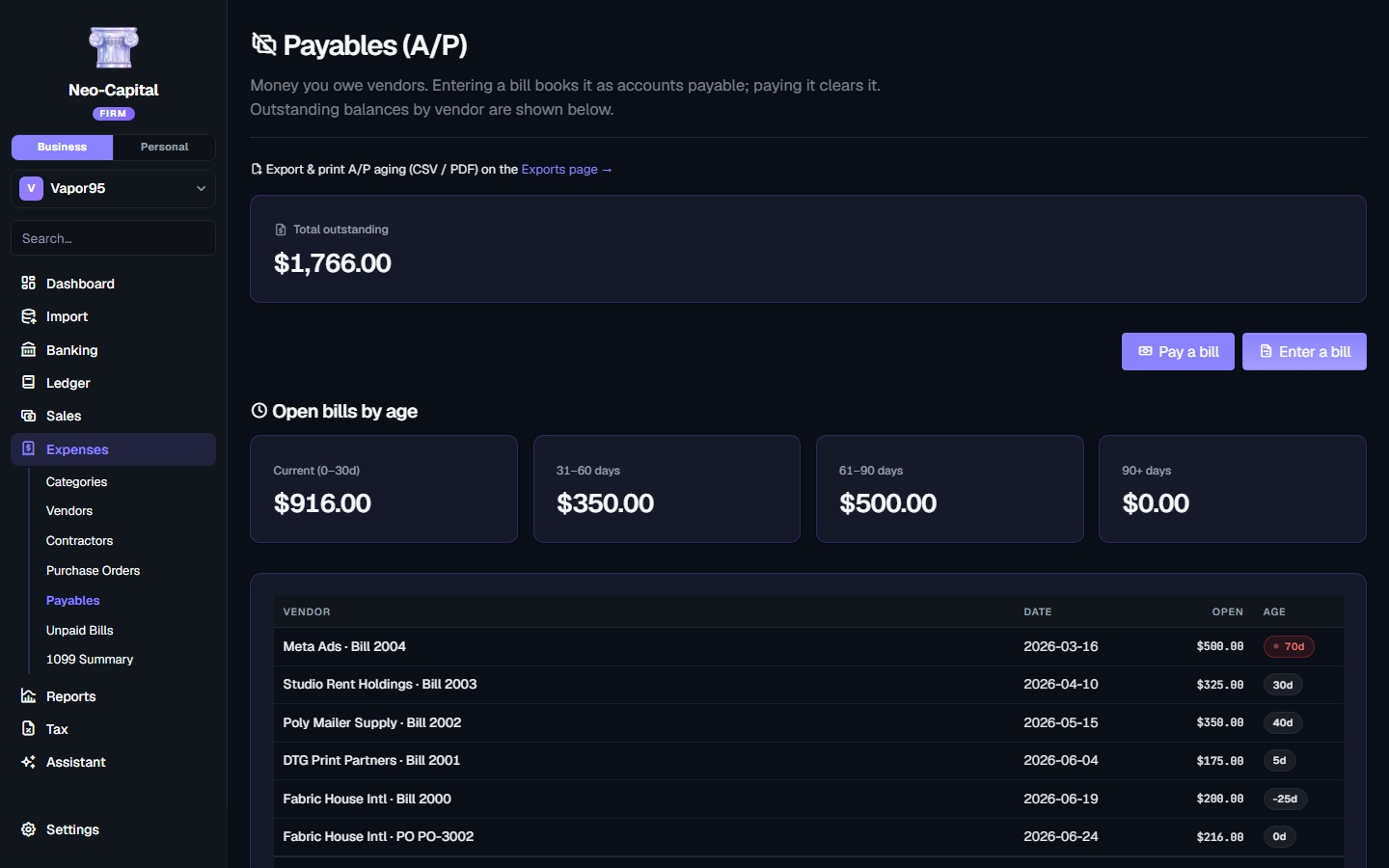
Accounts payable, bill tracking, estimates, sales orders, bank reconciliation, and a period close that locks filed months against later edits.
Three business files
Three separate sets of books under one subscription, switchable in a click. Add more whenever at $9/month each.
Three people, with roles
Bring in a partner, a bookkeeper or staff, with roles deciding who can post entries, who can close a period, and who can only look.
An audit trail that holds
Append-only and hash-chained. Entries are never destroyed — corrections reverse, and the history stays intact for anyone who comes asking.
Migrate without starting over
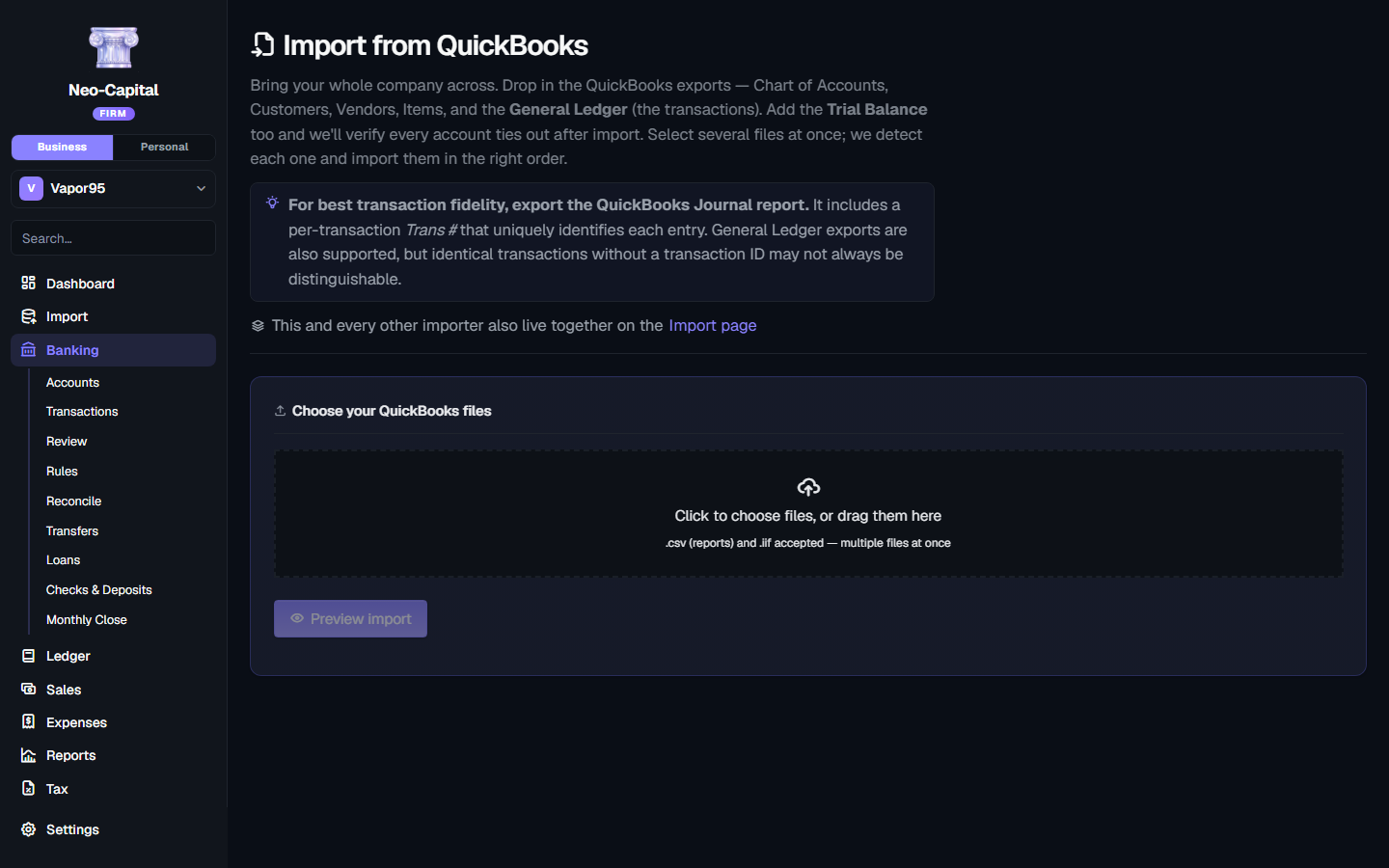
Bring your QuickBooks accounts, customers, vendors and transaction history across so you're not opening an empty file mid-year.
From nothing to real books, this afternoon
No implementation project, no consultant, no chart of accounts to design before you can record a single sale.
Sign in and you're in
No download, no licence key, no setup call. Your books open in whatever browser you happen to be sitting at — your laptop, the office desktop, a tablet on the train.
Bring your money in
Connect your bank and cards and let transactions flow in on their own, or drag in CSV and PDF statements. Moving from QuickBooks? Bring the whole file across, history intact.
It sorts itself out
Transactions arrive already categorized. Correct one and it remembers — the rule applies to every similar transaction from then on, including the ones already imported.
Read your business
P&L, cash flow, balance sheet, and a running estimate of what you'll owe in tax. Deductions you'd have missed get flagged as they appear, not next April.
Bring in your people
Invite a bookkeeper, an accountant, or your team into the same books, with roles that decide who can post entries and who can only look.
Everything in Pro.
A complete double-entry accounting system, top to bottom — every primitive a CPA expects.
The general ledger
- Editable chart of accounts, grouped and auto-numbered by type
- Manual journal entries that only post when debits equal credits
- Full general ledger — every account's running register
- Trial balance that always ties, as of any date
- Recurring entries on a schedule (rent, amortization, accruals)
- Classes to track by department, location, or project
- Entries are never deleted — corrections reverse, history stays intact
Sales & accounts receivable
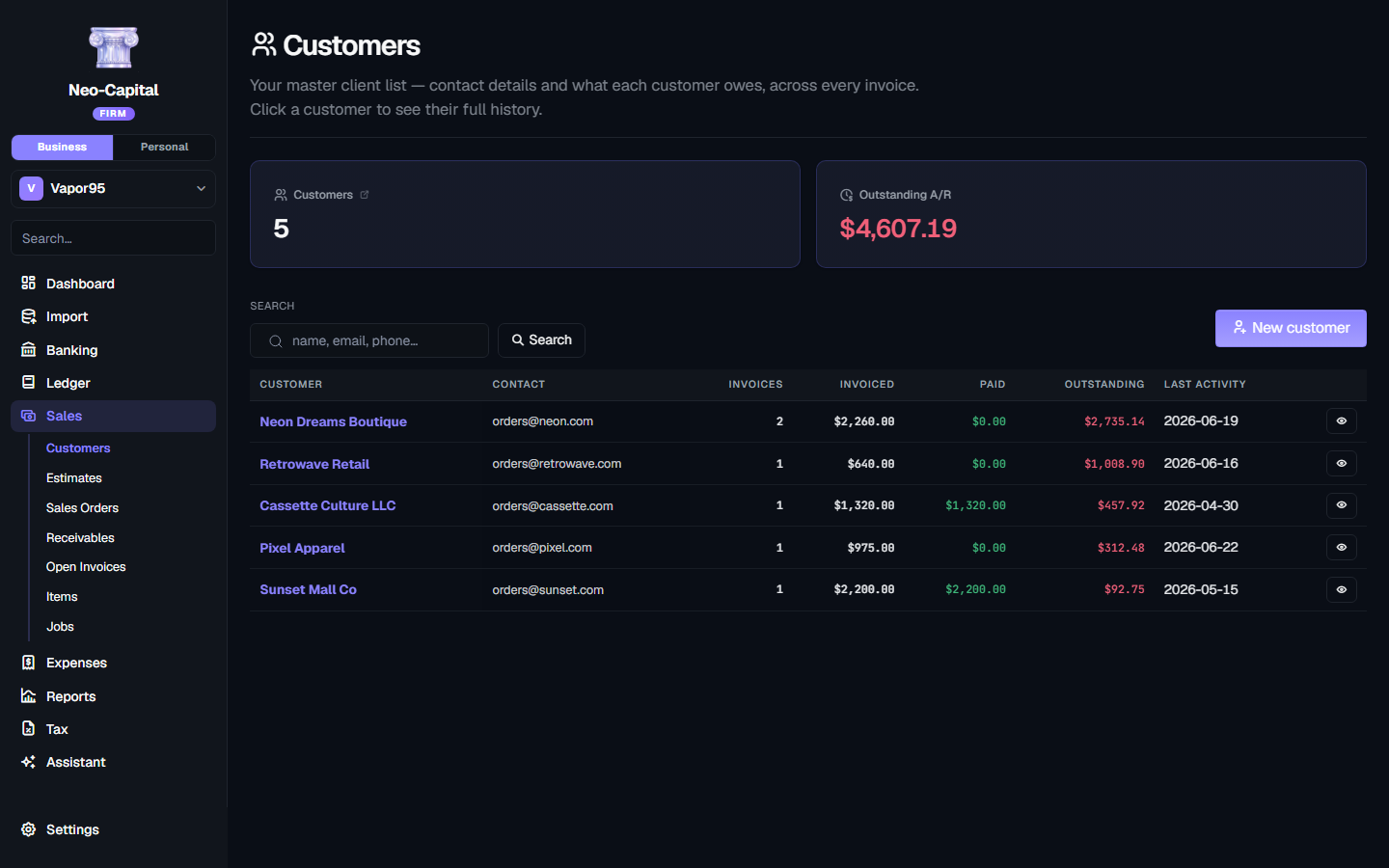
- Customers list with contact details and live balances
- Estimates → Sales Orders → Invoices: quote, confirm, then bill
- Branded invoice PDFs with your logo — or clean, unbranded workpaper PDFs
- A/R aging bucketed by age, with per-invoice detail
- Record payments applied oldest-first or to a specific invoice
- Open-invoice tracking and per-customer statements to send
Expenses & accounts payable
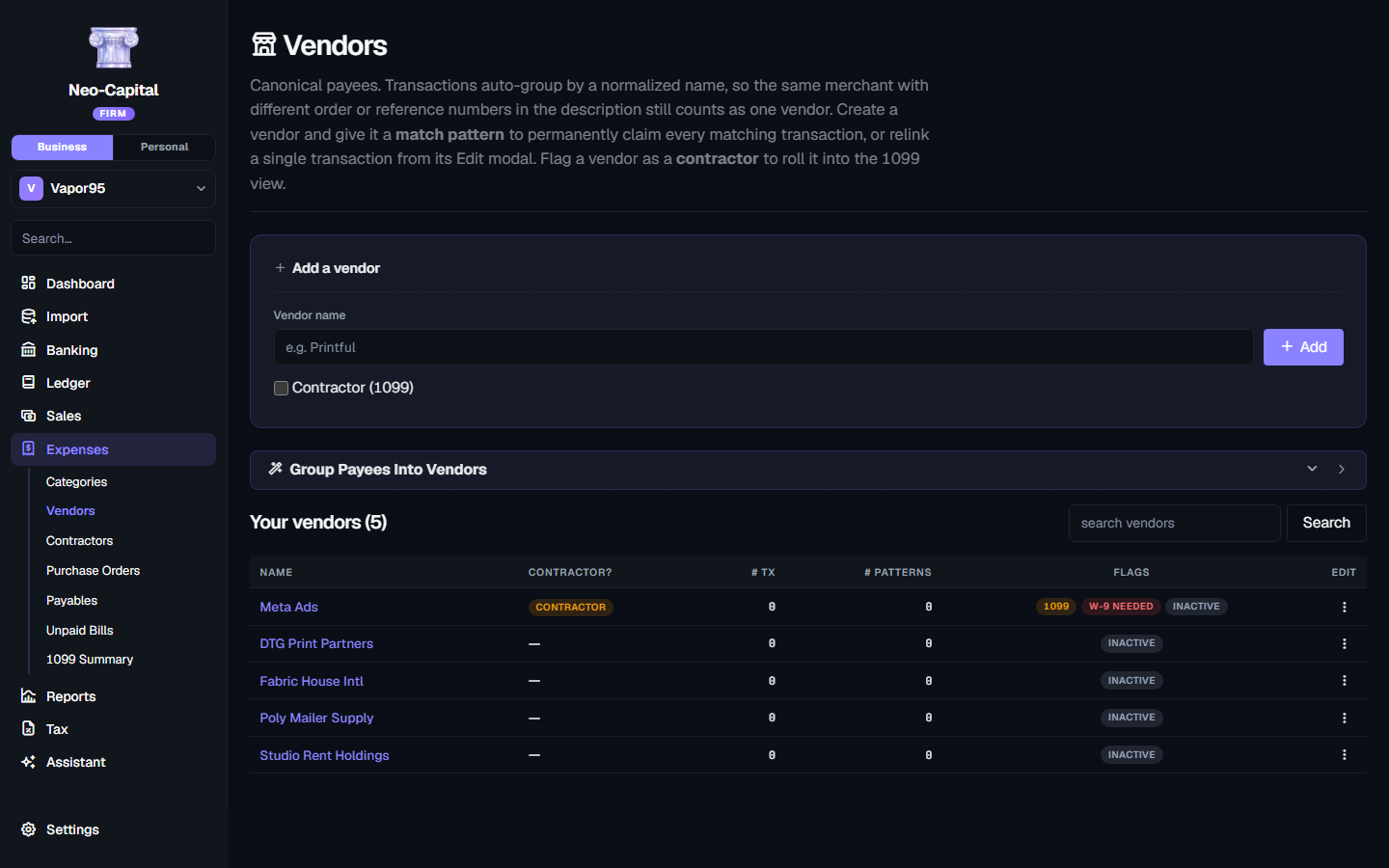
- Vendors & contractors, with W-9 / 1099 status
- Purchase orders — order, then receive against the PO
- Enter bills to A/P, then pay them to clear the balance
- A/P aging and an unpaid-bills list
- 1099 Summary — contractor totals ready for 1099-NEC filing
Items & inventory
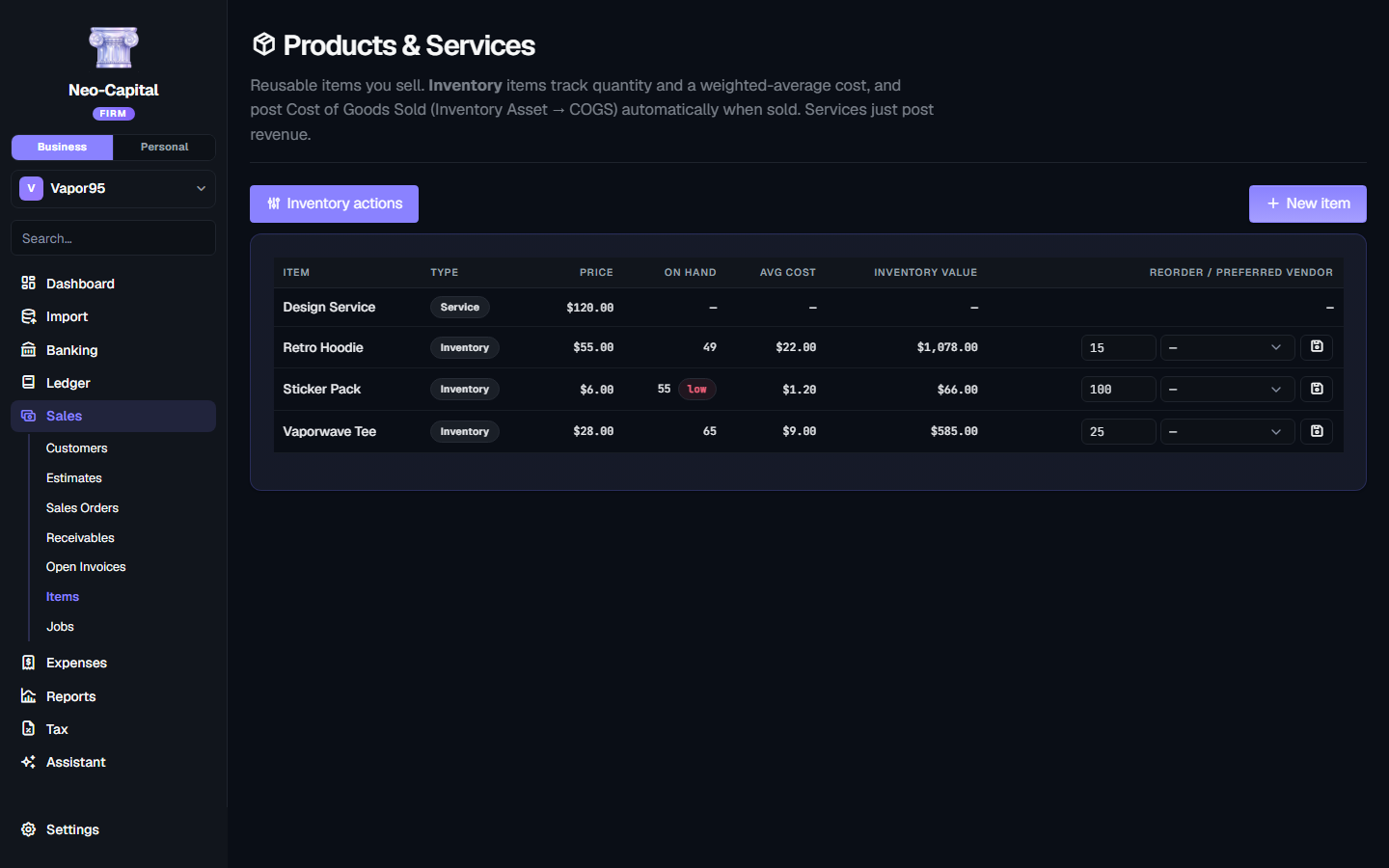
- Products & services with a sales price and income account
- Inventory with quantity on hand and weighted-average cost
- Sales post COGS and reduce inventory automatically
- Reorder points, preferred vendors, and assemblies from a BOM
- Inventory report — stock status and item profitability
Reconciliation & period close
- Reconcile bank and credit-card accounts to the statement
- Lock a closed period so nothing on or before it can change
- Year close with Retained Earnings computed on the fly
- Reopen a period when you genuinely need to
Statements & exports
- Income Statement, Balance Sheet, Trial Balance — cash or accrual
- A/R & A/P aging, Sales by Customer / Item, Vendor Concentration
- Cash Flow, Year-over-Year, Inventory, Forecast
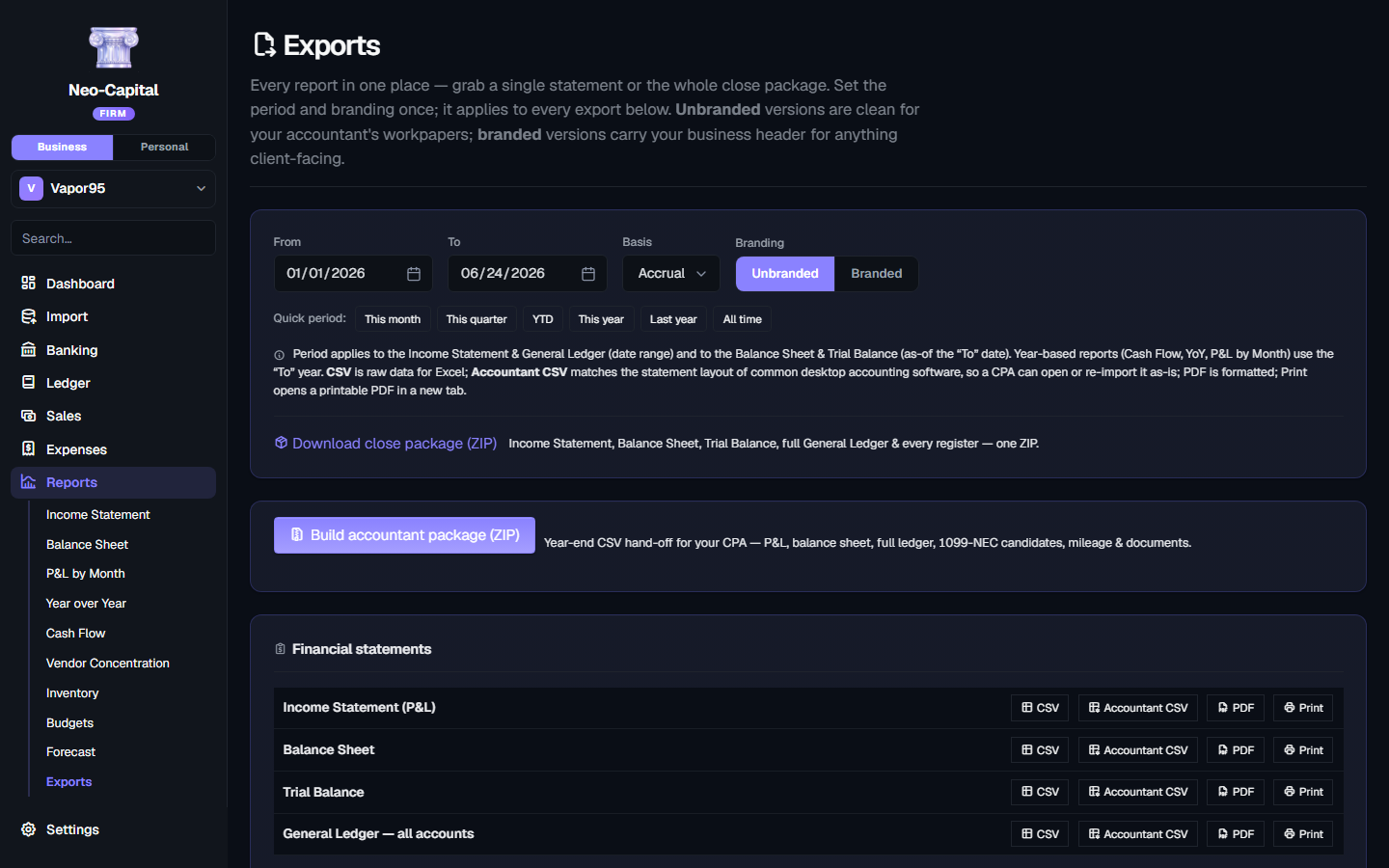
- Export any report as CSV, Accountant CSV, PDF, or print
- Branded or plain workpaper styling, set once for every export
- One-click close package (ZIP) with every statement + the full GL
Migration & round-trip
- QuickBooks Desktop migration — accounts, customers, vendors, items, journal
- A/R & A/P subledgers reconstructed and reconciled against your source
- Atomic & fail-closed: safety backup first, rolls back if anything fails
- Import customer / vendor / item lists from CSV
- Accountant-format exports that re-import into other software
Audit trail & integrity
- Append-only audit trail of every posting, reversal, and void
- Each entry stamped with the actor and timestamp
- Hash chain + sealed checkpoint with an on-page integrity check
- Export the trail with its hashes for an independent re-check
Your AI subscription powers the bookkeeping.
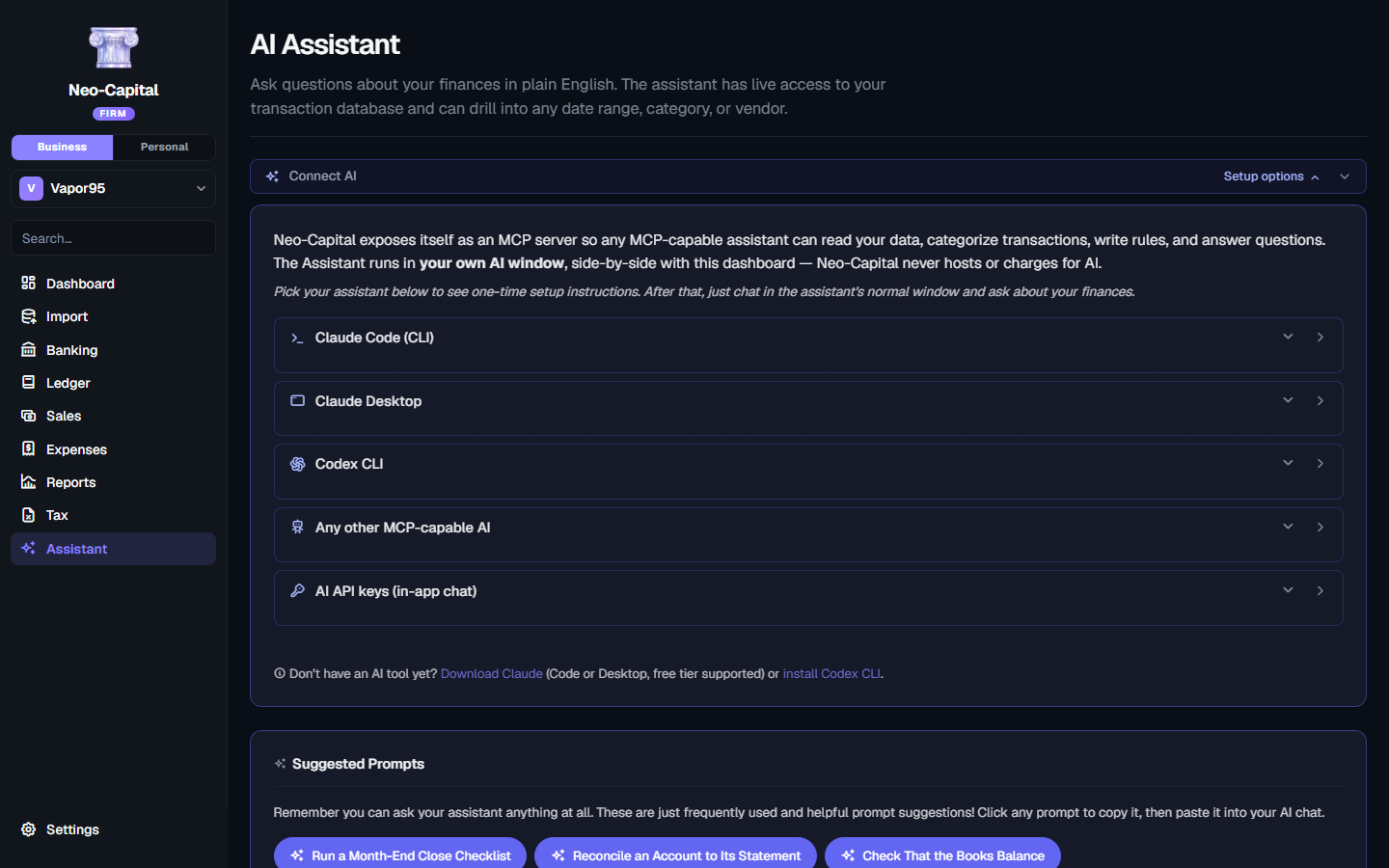
Neo-Capital exposes itself as a Model Context Protocol server. Connect Claude Code, Claude Desktop, Codex CLI, or any MCP-capable AI — they get full read/write access to your books while you chat in their native window.
We never proxy AI cycles. We never see your conversation. You use the AI subscription you already have — no added fees from us.
Claude Desktop
Paste-this-prompt setup. Claude edits its own config; you restart and you're connected.
Claude Code
Copy the one-line CLI command. Run once. Available in every Claude Code session forever.
Codex CLI
Same paste-this-prompt flow for OpenAI's CLI. Writes to ~/.codex/config.toml on its own.
API key in-app
Prefer a built-in chat? Paste a key from Anthropic, OpenAI, or Google. Held only for your session, never written to our disks.
Neo-Capital Online Pro
or $390/year — two months free
- 3 business files · 3 users
- General ledger, A/P & bank reconciliation
- Every statement, cash or accrual
- QuickBooks migration + audit trail
No card to start. 30-day money back after that, and if you ever cancel we hand you your books plus a free Desktop Basic licence.
When you outgrow it
Pro is built around a handful of businesses. Once you're carrying ten or more sets of client books, Firm is better suited and costs less — and you convert automatically the moment your tenth file appears.
See Online Firm14 days free
No card to start. Long enough to connect a bank, import your history and see it actually working.
30-day money-back
If you do pay and it isn't right, email me and you're refunded. No forms, no retention queue.
No contract
Month to month. Change plan or stop whenever — nothing to cancel through a phone call.
Leave with your books
Cancel and you get a full export plus a free Desktop Basic licence, so you can keep opening them forever.
Your financials, stored so we can't read them
Your books are held as ciphertext, encrypted under a key derived in your browser from a password we never receive. Sign out and what remains on our side is unreadable to us. If you forget the password, a one-time recovery code you saved at signup gets you back in — we can't do it for you, which is rather the point.
The honest caveat: while you're signed in and working, the engine has to hold your key in memory to compute anything at all. So this is zero-knowledge at rest, not end-to-end in every instant. If you want the version where no key ever touches our infrastructure, that's Desktop with Connected sync.
Compare with DesktopWhere the pricing sits
If you're weighing this against what you're paying now: Online Pro is $39/month, and it isn't an introductory rate that steps up later.
| Neo-Capital Online | QuickBooks Online | Xero | |
|---|---|---|---|
| Entry plan, per month | $19 | $38 | $25 |
| Small-business plan, per month | $39 | $75 | $55 |
| Practice / top plan, per month | $99 | $275 | $90 |
| Unlimited invoices on the entry plan | |||
| Unlimited bills on the entry plan | |||
| Multiple businesses on one subscription | 3–10+ | ||
| Books encrypted so the vendor can't read them | |||
| A desktop version you can buy outright | |||
| Keep working in your books after you cancel |
Competitor pricing is US list as published in July 2026 and excludes introductory discounts. Xero's entry plan caps invoices and bills per month; ours doesn't.
The things people actually ask
How does the free trial work?
Every plan starts with 14 days free and no card. You get the whole plan, not a crippled demo — connect a bank, import your history, invoice someone, run the reports. If you don't subscribe at the end, nothing is charged and your books are still yours to export.
Is this real double-entry accounting, or a simplified web app?
Real, and it's the same engine our desktop app runs — not a reduced web build. Every transaction posts a balanced journal entry, the trial balance always ties, and entries are never destroyed: corrections reverse and the history stays intact. An accountant can work in it without translating anything.
What if I don't know accounting?
Then you never have to see it. Basic keeps the ledger under the hood and shows you plain-English views — what came in, what went out, what you can deduct, what you'll owe. The double-entry books are being kept correctly the whole time, ready for the day you or your accountant want them.
Can I move over from QuickBooks?
Yes — accounts, customers, vendors, and transaction history come across, so you're not starting from an empty file in the middle of a tax year. Bank and card statements import from CSV or PDF too.
Which reports do I get?
Profit & loss, balance sheet, cash flow, trial balance, general ledger, A/R and A/P ageing, and Schedule C — on cash or accrual, as of any date. Plus 1099 contractor tracking and sales-tax nexus across 51 jurisdictions.
Can my accountant get in?
On Pro and Firm, yes — invite them into the same books with a role that fits, whether that's full posting rights or view-only. No exporting files back and forth, no 'which version is current'.
Do you use my data to train anything, or sell it?
No. We also can't: your books are stored encrypted under a key derived from your password, so once you sign out they're unreadable to us. There's more detail on exactly how that works, and where its limits are, further down this page.
What happens if I cancel?
You get a full export of your books plus a free Neo-Capital Desktop Basic licence, so you can keep opening them on your own machine forever. We'd rather earn a renewal than hold your accounts hostage.
Can I switch plans later?
Any time, in either direction. Add a business file to Basic or Pro whenever you need one; hit ten files and you move to Firm automatically, which costs less than the tenth file would have on Pro.
Pro not quite right?
Basic
$19/month1 business
Bookkeeping without the vocabulary
Firm
$99/month10 client files
Your whole client roster
Prefer to own it outright instead of subscribing? Neo-Capital Desktop is a one-time purchase.